Professional Photo Printers
cancel
Showing results for 
Show  only  | Search instead for 
Did you mean: 

Posts

Mastering Print Settings & Plug-Ins

How to Get the Most from Canon’s Software Tools for its Professional Inkjet Photo Printers Getting a print to match what you see on screen isn’t magic - it’s a process. And a big part of that process happens in the software. Whether you’re using the...

banner_featured.png featured.png
ccanada by Administrator
  • 2513 Views
  • 0 replies
  • 1 likes

Canon Pixma Pro-100 Yellow is Wrong

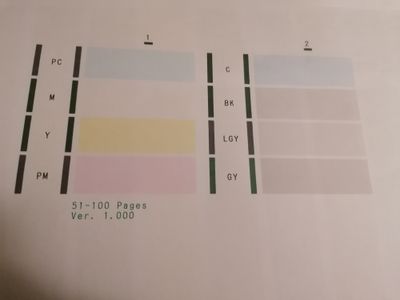
When I try to print brown, it comes out purple. When I print the nozzle check maintenance page, the yellow portion of the page is instead light brown. I did just put in a new yellow cartridge (among others), so I dont want to replace it unless there ...

Image Cut Off When Printing

I cropped an image to 5x7 in Lightroom.  When I drag it into the PRINT module and select a 5x7 cell the right edge of the image is cut off.  If I decrease the border width to 36 pt then the entire image is visible.  Is there a setting I'm missing?Tha...

Ken_k by Enthusiast
  • 13001 Views
  • 7 replies
  • 0 likes

Cyan printing brown

I have been using my Canon pro-1000 with no issues until I noticed a discrepancy in the color of a print.Ran a nozzle check to see Cyan was blocked, ran the cleaning cycle and Cyan printed a reddy-brown.I tried the head in an old pro-1000 and the sam...

Pro 1000 Media config tool and calibration

Hallo, Pro 1000 has an internal color calibration, but I can do calibration only on rear tray. I do that with canon pro luster paper. But, when I use third parts papers, that I have to put on manual tray because of thickness, cannot I calibrate that ...

maucamo by Enthusiast
  • 2479 Views
  • 3 replies
  • 0 likes

Resolved! Pro-100, Dell P2415W Display and Printing

All, I am relatively new to the printing arena and I have a Canon Pixma Pro-100 printer which is setup on my MacBook Pro, running the latest OS. I have two Dell P2415W displays that I use to mangle my photos, first in LR and afterwards in PS. I have ...

Canon Pro-1000 ink issues

I have now had 3 Canon pro-1000 with various issues over the years. I refill my carts with genuine Canon ink with minimal problems.After performing a nozzle check the cyan was a red/brown colour, so I performed a clean for it to not go away. I printe...

Magenta Cast on Pro-100 Prints

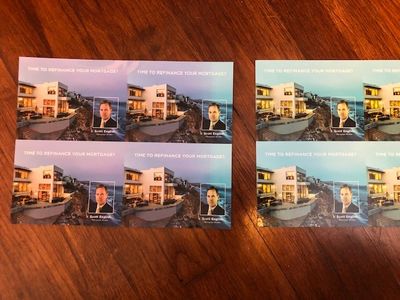
Hi, I've had a magneta cast in my prints on my Canon Pro-100 (OEM ink) with Canon Semi-gloss paper on Mac OS Catalina. Here's the list of debug steps I've tried: - Re-installed the latest drivers and added the printer via the Canon IJ Network tool (n...

recdaco by Apprentice
  • 3238 Views
  • 6 replies
  • 0 likes

Color correcting monitor for printing on pro-10

i have just purchased a colorimeter--x1Display from x-rite-- and would like to adjust my monitor to give me the best output from my pro-10.  I have not used it yet, but would appreciate advice on settings that will yield the best results on mhy print...

rjsphd by Contributor
  • 2340 Views
  • 4 replies
  • 0 likes

Canon pro100

Hi I'm new to the forum .I have a cannon pro 100 that was working fine with my imac untill I changed internet providers message Cannot detect Network...My husband has been at this now for 5hrs and still no luck.The printer works fine being just plug ...

Linda330 by Apprentice
  • 6309 Views
  • 11 replies
  • 0 likes
Getting started

New to the community? Here's some information to help you get acquainted:

Announcements