Professional Photo Printers
cancel
Showing results for 
Show  only  | Search instead for 
Did you mean: 

Posts

Mastering Print Settings & Plug-Ins

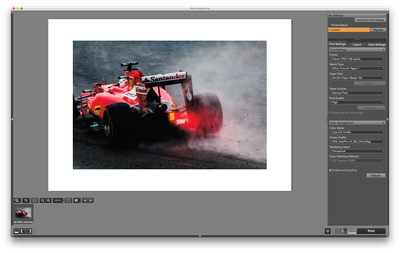
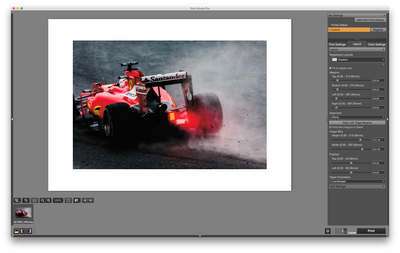
How to Get the Most from Canon’s Software Tools for its Professional Inkjet Photo Printers Getting a print to match what you see on screen isn’t magic - it’s a process. And a big part of that process happens in the software. Whether you’re using the...

banner_featured.png featured.png
ccanada by Administrator
  • 1096 Views
  • 0 replies
  • 1 likes

error code B200/Pixma Pro 100

What does the error code B200 mean on my Pixma Pro 100 printer? After not using the printer for approx 1 Month, which is normal for me, I attempted to print and got the B200 error code. The instructions direct you to turn off the printer - unplug it ...

Paper sizes PRO-100

I have PRO-100. My paper sizes are rather limited. Now I need A5 for photo printing, but it is not available. Is there a way to load moore paper sizes?Thanks

otava by Enthusiast
  • 8111 Views
  • 5 replies
  • 0 likes

Reddish Smudged Edges

A print quality issue has been developed recently from our Pro9500 II.  We narrowed down to the area related to the Magenta ink. Below is the pattern printed from Nozzle Check.  Please pay close attention to the smudged edge on the right side of the ...

CCF12062017.jpg
jwong by Apprentice
  • 3010 Views
  • 1 replies
  • 0 likes

Resolved! Cheapo paper and no ICC color profiles

I have some Polaroid Premium Photo Paper and some NCR Photo-A-Peel photo paper. There is no ICC color profile for the Canon Pixma Pro-100 for these papers. Gee, I wonder why… But, I was wondering, does anyone have the profiles for them for the Pixma ...

Sensel by Contributor
  • 3690 Views
  • 3 replies
  • 0 likes

Pixma Pro-100 Install Question

MacOS Install question - I will be reinstalling the Pro-100 on new Mac on Monday. I vaguely remember when installing via Printer & Scanner pane in preferences that there are a few choices. Which is the correct choice? I trust this makes sense.

pjglad by Enthusiast
  • 2835 Views
  • 2 replies
  • 0 likes

PIXMA PRO COLOURS ALL WRONG

Can anyone help. I cannot get my Pixma Pro 100 to print colours properly. For instance CMYK yellow comes out peach. CMYK red comes out orange. I know it isn't an issue with needing to calibrate or simply monitor colour issues because if I print the s...

lind by Apprentice
  • 6162 Views
  • 6 replies
  • 0 likes

Canson Infinity Platine Fibre Rag Paper

Is there a Canon paper for the Pro-100 that competes with Canson Infinity Platine Fibre Rag Paper?http://www.canson-infinity.com/en/products/platine-fibre-rag The Red River equivalent is Palo Duro SoftGloss Rag.http://www.redrivercatalog.com/browse/p...

Sensel by Contributor
  • 4409 Views
  • 1 replies
  • 0 likes

Zombie Pro 100, there but not there

I learned from Canon that the Pixma Pro 100 can vanish from the network on OS X if something goes wrong in printing. This would be for an ethernet connected printer (that is how mine is hooked up) but, may also impact Wi-Fi as well.I was printing a f...

Sensel by Contributor
  • 2937 Views
  • 0 replies
  • 0 likes

PRO-1 cleanup cycle on power on?

Hi,Does the PRO-1 goes throught a clean up cycle every time it is turned on?When I turn it on, I can always hear it doing this internal noise for like a minute. If so, being this a lot of ink being used, would it be better to leave it always on? Than...

tmorell by Contributor
  • 7465 Views
  • 6 replies
  • 1 likes

Transparency with Canon Pixma Pro-100

Hi Y'all,Im using a pixma pro 100 to print on transparencies(inkpress media transparency film   13x19 thickness 7 mil). Before i used transparency i was able print fine on cardboard stock and i had tried to print on transparency film and it would a j...

jlarose by Apprentice
  • 5700 Views
  • 1 replies
  • 0 likes
Getting started

New to the community? Here's some information to help you get acquainted:

Announcements