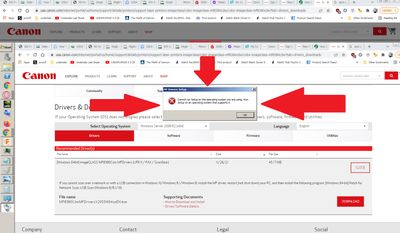
Canon imageCLASS MF731C doesn't work with Chrome OS
Dear All, Right now after Google Chrome OS 92.x I can't print any more to my Canon MF731C printer. What do you suggest?
I cannot find a place to adjust the scanning skew, all scans and copies are coming off about 5 degrees off. I've tried both the document feeder, and the flatbed scanner. Any suggestions?
My printer keeps giving me a paper jam error. I have followed the directions on the printer to take out the ink cartridge and the paper with no improvement. I have turned the machine off and unplugged it then turned it back on with no luck. This prin...
Printer is connected via USB cable & worked at one point (before my time in dealing with this!).I couldn't find the MF toolbox on the computer, so I installed & it has a default (network) location, that will give me the message 'Cannot open file plea...
After having a very hard time getting the driver downloaded and installed for this product, my ImageClass 4150 is finally recoginized by Windows 10. However, I get an error message for anything I send to print. It just says "Error - Printing". I d...
I bought blank postcards to pring images on them.But the printer doesn't have an option for a 4x6 paper size option. What can I do to be able to print on a 4x6 postcard?
Our printer works fine except the Magenta color doesn't get printed. I've installed a new Magenta cartridge and I removed the printhead and cleaned the back contacts. I did not remove the tanks and clean the inside or passageways. What could cause th...
Hi, I have an MF733 and it was working fine for about 6 months, always kept the unit on. Never had issues scanning or printing wirelessly or from a phone. Now the unit does not work unless I completely turn off the printer and turn it back on. I ha...
I have downloaded and installed MF Scan Utility but every time i run, i am getting following error message: A Scanner Driver Supporting this software is not installed. Install it and try again. (Code: 9,230,0) I have tried solution posted in the foll...
I can not print from any of my e-mail programs ? what can cause this ? Printer is mb5420 brand new and it says after diahnosis and repair no pronlems ? Driving me crazy ! Windows 10 and every e-mail program I have , g-mail , webmail spectrum and ...
I purchasedthe MF644Cdw and had no success printing from my Mac with the software installed. My iPhone and my wife's new Mac easily printed to the Canon with no software, so as a quick fix I deleted the software from my Mac and the printer worked for...
It used to work and all of sudden doesn't anymore. Haven't been able to use it in a long time. I think all my settings are correct. I tried faxing to all the Canon test numbers but they come back failed.
Does anyone know why my MB2700 Maxify Printer prints multiple pages of the same document even though I requsted only one?
I've been having an intermittent problem where my newish mf743cdw, purchased in November, gets stuck on the Autoclean Fixing Assembly and hangs and checked the latest drivers at https://www.usa.canon.com/internet/portal/us/home/support/details/printe...
I have an Imageclass mf4880dw. It is connected wirelessly to my pc (windows 10) and prints fine. However, when I try to scan, it tells me to connect to the computer. I don't know how to connect it. This is a new issue as the scanner has worked fine i...
| Subject | Author | Posted |
|---|---|---|
| 11-13-2025 09:40 AM | ||
| 11-12-2025 07:50 PM | ||
| 11-12-2025 04:46 PM | ||
| 11-12-2025 03:00 PM | ||
| 11-10-2025 12:47 PM |
New to the community? Here's some information to help you get acquainted:
10/15/2025: New firmware updates are available.
Speedlite EL-5 - Version 1.2.0
Speedlite EL-1 - Version 1.1.0
Speedlite Transmitter ST-E10 - Version 1.2.0
07/24/2025: New firmware updates are available.
EOS R5 Mark II - Version 1.1.1
07/23/2025: New firmware updates are available.
7/17/2025: New firmware updates are available.
EOS R6 Mark II - Version 1.6.0
02/20/2025: New firmware updates are available.
RF70-200mm F2.8 L IS USM Z - Version 1.0.6
RF24-105mm F2.8 L IS USM Z - Version 1.0.9
RF100-300mm F2.8 L IS USM - Version 1.0.8
RF50mm F1.4 L VCM - Version 1.0.2
RF24mm F1.4 L VCM - Version 1.0.3
Canon U.S.A Inc. All Rights Reserved. Reproduction in whole or part without permission is prohibited.