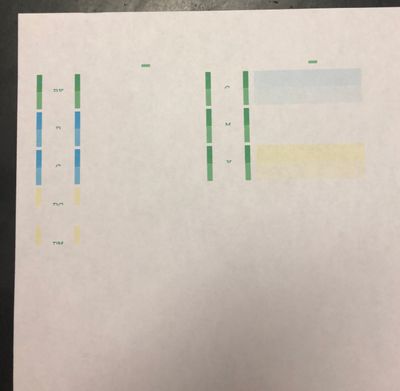
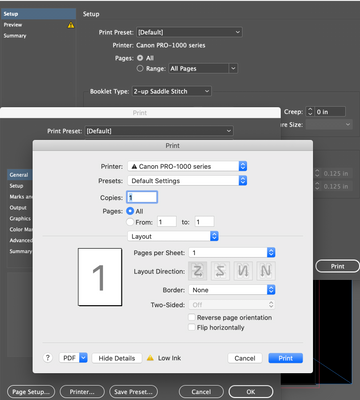
imageprograf pro 300 / windows 10
I am trying to disable the printers color management software to allow photoshop to mange colors. I cant seem to figure out how to do it. Any help would be much appreciated.
Brand new out-of-the-box Pixma Pro 10 won't load Canon Luster or plain paper. If I manually,, and very carefully stand there to hand-feed the manual tray, can get it to feed a single 81/2x 11 Canon Luster. Any help, please? Sorry to waste your time...
To avoid a clogged pigment ink printhead, due to lack of use, (as experienced in the past), if I station identical printers in my winter home and summer home, but use one printhead that I carry back and forth, sealed in seran wrap,with no more than 4...
I purchased a pro 300 because after many years my pro 10 died. With the pro 10 if there was a problem when I tried to print someone a message would appear on my pc screen. With the pro 300 I have to do to go the printer and look and see what's going ...
I had to put my printer in storage and I removed all the ink cartridges. I'm now trying to set it up again and I'm not able to move the ink tray to the center in order to clean the heads and replace the cartridges. Is there a trick to getting the ...
Hello! I've had this Canon Pro 10 printer for about 3 years and I noticed that parts of the waste ink pad are saturated with black ink. I assume this is probably due to the *x10 black and white art and galaxy prints I have been making. I've done a fe...
Hi, I have an iMAC a Canon imagegraf Pro-1000, Lightroom and Photoshop, wirless connection. I can print from Photoshop but I'd light to print from Lightroom. I've installed Canon Professional Print and layout manager. I do my Lighroom adjustment, go ...
I would like to know the location of my printer (Pixma Pro-200) ICC profiles for Canon paper. For other (non-canon) papers, I know how to download and use ICC proviles when printing from Photoshop. Howver, if I want to have Photoshop manage colors wh...
I recently changed the black catridge on my pixma printer and now all my prints have specs of ink at the edge of each sheet.I noticed the sponge on the bottom of the ink catridge tray has ink as well... is this normal ? how do I get rid of the ink on...
The printer is nearly new, with 90% or so ink left in the original cartriges. It produced the 5100 error in the middle of printing a page. Since then it fails to initialize as follows: Upon turning on, after the rollers stop spinning, the printhead e...
I purchased a used pro 200 and am unable to get the print head alignrment too to work . I will not allow me to to a manual alignment . Oh so frustrated the heads are not clogged , I removed the print head and reset it , ink levels are all okPlease h...
After updating the firmware of my Pro-1000 to 3.0.2.0, I now have the following problem:The printer switches itself off after a few minutes. When I switch it on again, it reports that it was not switched off correctly the last time and that I should ...
I've had my Pixma Pro9000 since 2009. Always loved it's printing quaility, and it's been completely trouble-free until now. Sure, ink costs per print are ridiculous, but the printed pictures are beautiful (I use Pro Platinum paper, again not cheap). ...
I bought a PRO-100 about 1.5 years ago (after my previous one broke down) that has been rarely used in the last year or so. A few days ago I tried printing something from it about like 8-9 months and the paper got jammed from the rear tray as it was ...
I hadn't used my printer in a while (Covid) so today I fired it up and thought I'd print some images for our fair. I had to reset the wireless as we had a new router placed. That works great! My problem is the printer only printing a portion of my...
| Subject | Author | Posted |
|---|---|---|
| 11-01-2025 02:56 PM | ||
| 10-30-2025 01:07 PM | ||
| 09-26-2025 04:28 AM | ||
| 08-18-2025 06:53 PM | ||
| 08-14-2025 09:04 AM |
New to the community? Here's some information to help you get acquainted:
10/15/2025: New firmware updates are available.
Speedlite EL-5 - Version 1.2.0
Speedlite EL-1 - Version 1.1.0
Speedlite Transmitter ST-E10 - Version 1.2.0
07/24/2025: New firmware updates are available.
EOS R5 Mark II - Version 1.1.1
07/23/2025: New firmware updates are available.
7/17/2025: New firmware updates are available.
EOS R6 Mark II - Version 1.6.0
02/20/2025: New firmware updates are available.
RF70-200mm F2.8 L IS USM Z - Version 1.0.6
RF24-105mm F2.8 L IS USM Z - Version 1.0.9
RF100-300mm F2.8 L IS USM - Version 1.0.8
RF50mm F1.4 L VCM - Version 1.0.2
RF24mm F1.4 L VCM - Version 1.0.3
Canon U.S.A Inc. All Rights Reserved. Reproduction in whole or part without permission is prohibited.