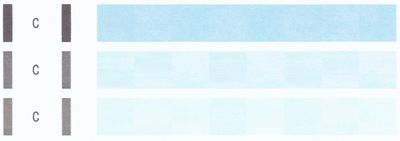
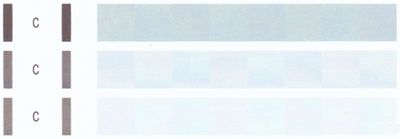
Canon MG3200 with P07 error code
My MG3200 is locked up with a P07 error code. Does anyone know how to reset the printer ink blotter counter so the devise will operate again?
MY MX 450 PRINTER HAS STARTED PRINTING VERY SLOWLY. AN ADVERAGE DOCUMENT WHICH TAKSE ONLY SECONDS TO PRINT, NOW TAKES SEVERAL MINUTES.I REPLACED AN EMPTY CARTRIDGE AND WHEN I TRIED TO PRINT, THIS ISSUE BEGAN. THINKING IT WAS A BAD CARTRIDGE I TRIED...
Started off as 'Document Scan' (scanning multiple pgs in one PDF) not working off of the full (not lite) Canon scanning utility app on Mac to now the entire set scanning utility functions are missing off of my Canon Quick Menu. I did no recent upgra...
I've had the same issue and managed to use the stop the printer spool queue. I have a Canon TS6100. I have found this the most tempramental printer ever owned. It took two days of trying to get iot to actually register everything correctly with our ...
How do I get OCR software
PLEASE PLEASE PLEASE help me before I go insane. EVERY black and white picture I print is PINK, i am new to this industry and i need a SIMPLE AND IDIOT-PROOF explanation of what to do. I using an IMAC, the printer mentioned above and i am printing ...
I have a Canon MG5650 printer. There was still some ink in Magenta but it was saying otherwise so I put in a new cartridge and although it's indicating full the magenta colour does not printI tried cleaning and nozzle checks but all I achieve is usin...
Hi, I recently switched to a Pixma TS6220 and I no longer get a dialogue box to control color settings when I'm printing from Photoshop Elements. My last printer was a Canon too (a Pixma but I don't remember the model number) and I did get the box w...
Hi I recently bought a Canon TS9120, for the first week it worked fine, scanned pictures and documents no issues. Now this week it keeps giving me the error code 2, 157, 50. I am using Windows 10 -Scanner is turned off-(If using Wired LAN connection)...
I can't seem to find an anwser to this question anywhere. Cli-251 black is the recommended ink but my MG6320 will not recognize the "xl" tank. Is this correct - xl size can not be used in this model - or do I have a different problem?
My computer recently upgraded to Windows 10. I have used CD-Label print for years and I need to know how get it on Windows 10. I have a Pixma IP5300 which is able to print normally with the Easy Print Toolbox, but the CD-Label Print is missi...
I have a TS8220 Printer. I keep getting error code 9, 244,3. How do i fix that?
support code coooPrinter error has occured, follow steps below.1. Cancel printing then turn off device.2. Turn on again if problem persist see manuel and contact the service center. Did all the above and still get the same error .
Been using the same ink carts for a short while, no issues. Then suddenly, the printer won't recogzine them. They are proably half full. Deinstalled and reinstalled the printer driver, and get the same message, however all lamps on the carts are lit...
My canon MX922 stopped printing black ink. I performed a deep cleaning and in the test printing, it prints black ink. I tried with a different computer and it still doesn't print black ink. I need help
| Subject | Author | Posted |
|---|---|---|
| 01-21-2026 01:28 AM | ||
| 01-20-2026 02:19 PM | ||
| 12-27-2025 03:38 PM | ||
| 10-06-2025 05:10 PM | ||
| 07-23-2025 12:34 PM |
New to the community? Here's some information to help you get acquainted:
01/20/2026: New firmware updates are available.
11/20/2025: New firmware updates are available.
EOS R5 Mark II - Version 1.2.0
PowerShot G7 X Mark III - Version 1.4.0
PowerShot SX740 HS - Version 1.0.2
10/15/2025: New firmware updates are available.
Speedlite EL-5 - Version 1.2.0
Speedlite EL-1 - Version 1.1.0
Speedlite Transmitter ST-E10 - Version 1.2.0
7/17/2025: New firmware updates are available.
02/20/2025: New firmware updates are available.
RF70-200mm F2.8 L IS USM Z - Version 1.0.6
RF24-105mm F2.8 L IS USM Z - Version 1.0.9
RF100-300mm F2.8 L IS USM - Version 1.0.8
Canon U.S.A Inc. All Rights Reserved. Reproduction in whole or part without permission is prohibited.