Saving RAW files to a folder
How do I save my edited RAW files to a folder. I am using a MacBook Pro. Thanks
I am running the latest RELEASED version of Big Sur on my one year old Mac Mini. Before I loaded Big Sur my EOS utility program worked for transferring images to MAC via USB cable. Ever since Big Sur, with the latest download EU from Canon the inst...
I have the software working on 2 computers. Wonderful. On one computer, the camerawindow software starts automatically when the camera connects. On the other, it doesn't. I seem to recall that during installation on the "good" computer, I had an ...
I've navigated through the support site and it says there is a driver for this camera for this OS. But when I go to the page: https://www.canon-europe.com/support/consumer_products/products/cameras/digital_slr/eos_30d.aspx?type=drivers&language=EN&o...
Hello.I haven't used my 40D in quite some time and now have a new computer running Windows 10.I installed EOS util 2 and it can see the images on my CF card. However, when I select them and try to download, all I get is "busy" flashing in red in the...
Hi, new here after doing some searching about this problem. It seems that not many solutions are offered, or you have to try a hundred of them.I used Digital Photo Professional 4.10 for a while, but was very disappointed about the sluggish respond. N...
Hi forum. Can someone tell me how to get the red eye out in the new DPP software.
WNPP Episode #10 Discussion of Lightroom vs. Digital Photo Professional – JOSHUA HOLKO – WWW.WILDNATUREPHOTOTRAVEL.COM (jholko.com)
I took some video last night with my T6.DPP 4 (newsest version 4.15.0) does not seem to be able to do anything with it.When I tried using the RAW Video Tool on the .MOV file it says it needs a RAW file. I have not even watched it yet so no editing do...
Hey all, So I documented some artwork (using the gear in the subject) and the first time through my card reader found the work with no problem. The second time through my macbook (late 2013 15") won't see the card, so I tried connecting my camera to ...
Since I got a new phone the app has been extremely slow. It easily takes 4 minutes to download a 12 second (video) clip. Downloading 10 pictures will take around 55 seconds. The app will download the video (jpeg) reduced and the movie (MP4 FHD) compr...
From time to time I have what seems to be a 'blow-up' with DPP4 where something that has given no trouble previously now seems screwed up for no apparent reason. To be fair this doesn't happen often so this is not a knock against Canon. This difficul...
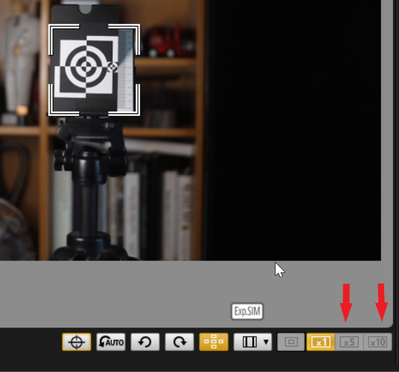
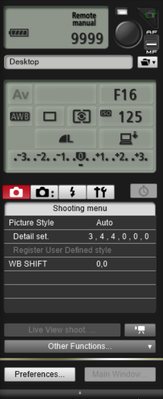
My apologies if this has been asked before. What software would I use to do tethered shooting on an Android tablet and a Canon DSLR?I've seen references to DSLR Contoller, EOS Utility, Canon Camera Connect, DSLR Dashboard. etc.I'm not sure which is t...
I have not used the EOS Utility for remote shooting for a while now. I was was sure that the camera both recorded the images to the local camera memory cards and to the remote connected computer HD simultaneously. That is not happening now and I ca...
I updated my R6 to new firmware v1.4.0. Canon DPP does not do any video editing. So is there a (free) software to edit videos with Canon Log 3? Thanks.
| Subject | Author | Posted |
|---|---|---|
| 11-27-2025 12:57 PM | ||
| 10-27-2025 01:46 PM | ||
| 10-07-2025 01:55 PM | ||
| 09-25-2025 01:55 PM | ||
| 07-05-2025 02:08 PM |
New to the community? Here's some information to help you get acquainted:
11/20/2025: New firmware updates are available.
EOS R6 Mark III - Version 1.0.1
EOS R5 Mark II - Version 1.2.0
PowerShot G7 X Mark III - Version 1.4.0
PowerShot SX740 HS - Version 1.0.2
10/15/2025: New firmware updates are available.
Speedlite EL-5 - Version 1.2.0
Speedlite EL-1 - Version 1.1.0
Speedlite Transmitter ST-E10 - Version 1.2.0
07/24/2025: New firmware updates are available.
07/23/2025: New firmware updates are available.
7/17/2025: New firmware updates are available.
02/20/2025: New firmware updates are available.
RF70-200mm F2.8 L IS USM Z - Version 1.0.6
RF24-105mm F2.8 L IS USM Z - Version 1.0.9
RF100-300mm F2.8 L IS USM - Version 1.0.8
RF50mm F1.4 L VCM - Version 1.0.2
RF24mm F1.4 L VCM - Version 1.0.3
Canon U.S.A Inc. All Rights Reserved. Reproduction in whole or part without permission is prohibited.