Turn on suggestions
Auto-suggest helps you quickly narrow down your search results by suggesting possible matches as you type.
- Canon Community
- Discussions & Help
- Camera
- Camera Software
- Re: Artifacting from DPP When Converting Images fr...
Options
- Subscribe to RSS Feed
- Mark Topic as New
- Mark Topic as Read
- Float this Topic for Current User
- Bookmark
- Subscribe
- Mute
- Printer Friendly Page
Artifacting from DPP When Converting Images from My EOS R7

Options
- Mark as New
- Bookmark
- Subscribe
- Mute
- Subscribe to RSS Feed
- Permalink
- Report Inappropriate Content
09-17-2022
01:47 PM
- last edited on
09-17-2022
01:53 PM
by
 Danny
Danny
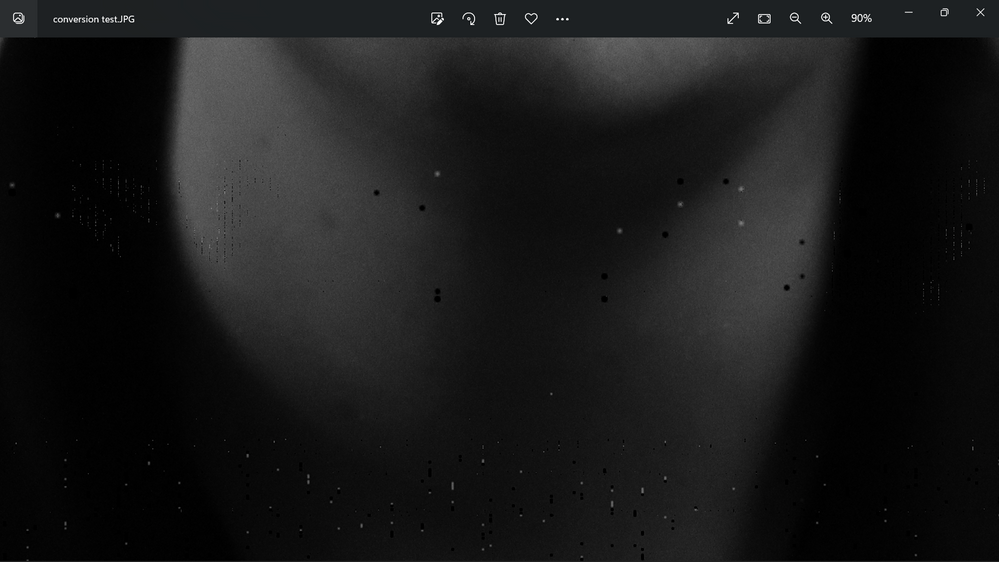
I am getting a lot of artifacting and missing data when I use DPP to convert to JPG. I never saw this with my SL2, but it's all over my R7 regardless of what lens. Anyone have thoughts? I can't find the artifacts in the RAW files, only the converted files. Below is a zoomed in screenshot of the missing dots.
7 REPLIES 7


Options
- Mark as New
- Bookmark
- Subscribe
- Mute
- Subscribe to RSS Feed
- Permalink
- Report Inappropriate Content
09-17-2022 02:06 PM
That does not look good. What version of DPP are you running?
Does it show up in JPGs from the camera when you shoot RAW + JPG?
--------------------------------------------------------
"Enjoying photography since 1972."
"Enjoying photography since 1972."
Options
- Mark as New
- Bookmark
- Subscribe
- Mute
- Subscribe to RSS Feed
- Permalink
- Report Inappropriate Content
09-17-2022 02:09 PM
I'm running 4.16.11 version. I haven't shot any JPGs in camera. I'll have to shoot some and see. After digging a little deeper into some of the RAW files I see some evidence of artifacts there as well, less, but some. I'll see what I can get out of camera for JPG and report back.
Options
- Mark as New
- Bookmark
- Subscribe
- Mute
- Subscribe to RSS Feed
- Permalink
- Report Inappropriate Content
09-17-2022 02:47 PM
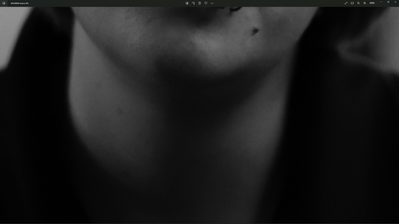
I have zero data how this is actually the problem, but somehow my laptop is inducing these artifacts. I am using 4.16.10 on my desktop, but I reconverted the same raw image and here is the screenshot of that conversion. I suppose this means no more lazy couch editing for me.

Options
- Mark as New
- Bookmark
- Subscribe
- Mute
- Subscribe to RSS Feed
- Permalink
- Report Inappropriate Content
09-17-2022 04:12 PM
Can you post a RAW file in a sharing platform like Dropbox or One Drive?
John Hoffman
Conway, NH
R6 Mark III, M200 (converted to infrared), RF lenses, Pixma PRO-100, Pixma TR8620a, Lr Classic
Conway, NH
R6 Mark III, M200 (converted to infrared), RF lenses, Pixma PRO-100, Pixma TR8620a, Lr Classic
Options
- Mark as New
- Bookmark
- Subscribe
- Mute
- Subscribe to RSS Feed
- Permalink
- Report Inappropriate Content
09-17-2022 04:25 PM
Here's the first photo I saw the problem in. Here's the bad converted file. Good file converted on my desktop.

Options
- Mark as New
- Bookmark
- Subscribe
- Mute
- Subscribe to RSS Feed
- Permalink
- Report Inappropriate Content
09-18-2022 02:47 AM
@thekingprawn114 wrote:Here's the first photo I saw the problem in. Here's the bad converted file. Good file converted on my desktop.
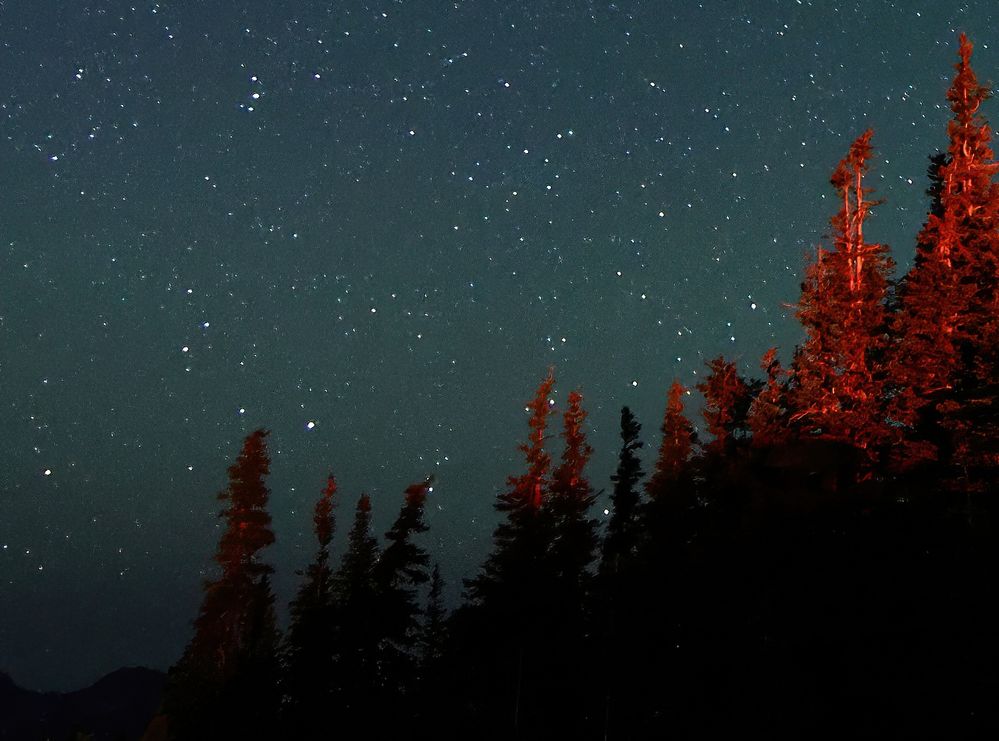
Thanks for making those shots available. I exported it from DPP 4 and zoomed into the problem area. It looks clean. BTW, nice shot.
Newton
Options
- Mark as New
- Bookmark
- Subscribe
- Mute
- Subscribe to RSS Feed
- Permalink
- Report Inappropriate Content
09-18-2022 03:15 AM
Unintended tail lights provided the nice lighting on the trees. I was mad until I saw the results.

Announcements
07/22/2026: New firmware updates are available.
EOS R6 Mark III - Version 1.1.0
05/13/2026: New firmware updates are available.
EOS R5 Mark II - Version 1.3.0
EOS R6 Mark II - Version 1.7.0
04/28/2026: Service Notice: Caution Concerning use of Lithium Batteries
03/17/2026: New firmware updates are available.
SELPHY CP1500 - Version 1.0.7.0
02/23/2026: New firmware update is available for EOS C50- Version 1.0.3.1
01/23/2026: New firmware update is available for RF 24-105mm F4 IS USM- Version 2.0.7
01/20/2026: New firmware updates are available.
10/21/2025: Service Notice: To Users of the Compact Digital Camera PowerShot V1
10/15/2025: New firmware updates are available.
Speedlite EL-5 - Version 1.2.0
Speedlite EL-1 - Version 1.1.0
Speedlite Transmitter ST-E10 - Version 1.2.0
07/28/2025: Notice of Free Repair Service for the Mirrorless Camera EOS R50 (Black)
05/21/2025: New firmware update available for EOS C500 Mark II - Version 1.1.5.1
Related Content
- Convert and Save on DPP 4.21.11 and 4.19.x does not work on Mac M2 with Sonoma in Camera Software
- Converting to HDR: EOS 90D in-camera or via DPP? in EOS DSLR & Mirrorless Cameras
- Clean footage from the EOS R10: Image stabilization artifacts in EOS DSLR & Mirrorless Cameras
- DPP insufficient memory in Camera Software
- EOS R5 Artifact in Image in EOS DSLR & Mirrorless Cameras

Ⓒ 2026
Canon U.S.A Inc. All Rights Reserved. Reproduction in whole or part without permission is prohibited.
