Turn on suggestions
Auto-suggest helps you quickly narrow down your search results by suggesting possible matches as you type.
- Canon Community
- Discussions & Help
- Video
- Professional Video
- Re: RC-IP100 Controller causing CR-N500 to sink/dr...
Options
- Subscribe to RSS Feed
- Mark Topic as New
- Mark Topic as Read
- Float this Topic for Current User
- Bookmark
- Subscribe
- Mute
- Printer Friendly Page
RC-IP100 Controller causing CR-N500 to sink/drift down???? Please Help

Options
- Mark as New
- Bookmark
- Subscribe
- Mute
- Subscribe to RSS Feed
- Permalink
- Report Inappropriate Content
01-14-2026 03:33 AM
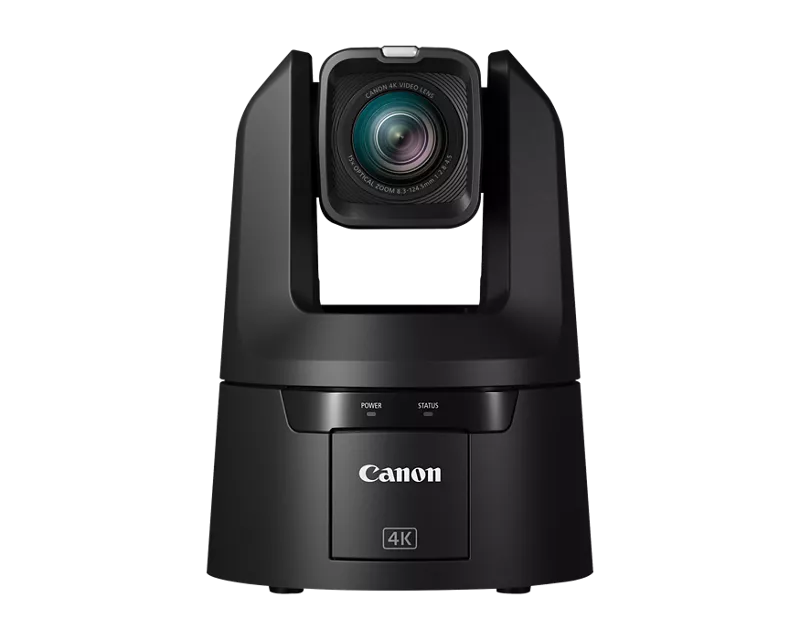
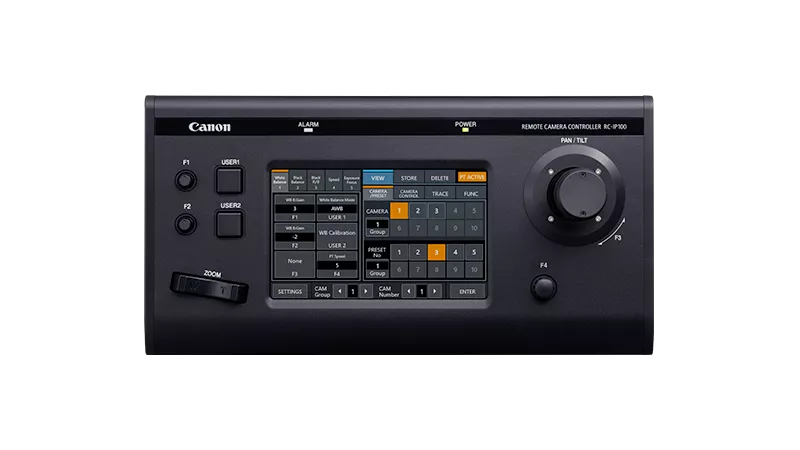
I have a CR-N500 AND RC-IP100 Controller. Live show tomorrow and I'm freaking out. 😭 I am updated to the latest firmware on the Camera (1.7) and on the PTZ and controller (1.4). I have reset all settings, I have all the best in practice, and as soon as I touch the joystick, it literally goes slowmo until it points to the ground. I even turned off PT ACTIVE and PTZF ONLY during a mid-sink, which instantly kills joystick control, and it STILL just continued until it finished, pointing totally down. It's not doing it on the Canon GUI interface for the CR-N500, but controlling from there is terrible ;( Calling TMRW first thing, but same thing as another user's issue, and no time since I have a corporate event. Please help if anyone has found a fix or reason for this. Thank you so much.
3 REPLIES 3


Options
- Mark as New
- Bookmark
- Subscribe
- Mute
- Subscribe to RSS Feed
- Permalink
- Report Inappropriate Content
01-16-2026 05:21 PM
Hi htmedia,
I understand your concern with the slow motion drift you are seeing when you use the joystick on the RC-IP100. Since it doesn't happen through the online controls that indicates it is not a physical issue with a motor in the camera.
I see you mentioned you tried turning off some of the PT settings. There is another one to double check. If the camera is currently zoomed out for a wide shot it can pan and tilt more slowly if PT Mode is turned On. That will be in SETTING > NETWORK > CAMERAS > MANUAL. If PT Mode is On the camera will pan and tilt in slow motion when the lens is zoomed out to the wide end. If you turn that off the Pan and Tilt speed should be consistent in the full zoom range of the lens.
If the issue continues is this only happening if the joystick is moved down? Does the camera always move in the same direction when this happens? If you have another Canon PTZ camera does this also happen when you try to control it, or is this only happening with one specific camera?
Options
- Mark as New
- Bookmark
- Subscribe
- Mute
- Subscribe to RSS Feed
- Permalink
- Report Inappropriate Content
01-22-2026 08:51 AM
Hi,
Thank you for the detailed response and suggestions. I did double-check the PT Mode setting you referenced.
I confirmed that PT Mode was turned off under Settings > Network > Cameras > Manual, and unfortunately the issue still persists exactly the same.
To answer your questions directly:
• I only own one Canon PTZ camera, a CR-N500, so this is the only camera I am able to test with at the moment.
• The issue happens consistently and only with this camera.
• The camera always moves downward slowly once the joystick is touched at all.
• It does not matter how lightly or briefly the joystick is engaged. Any contact triggers the slow continuous tilt down.
• Once it starts, the camera continues moving down until it reaches the bottom tilt limit.
• The only way to stop the movement is by interacting with the Canon GUI interface.
• The issue does not occur when using the web GUI alone. Pan and tilt from the GUI behave normally.
• Zoom toggle controls on the RC-IP100 work as expected. The problem is isolated specifically to joystick input.
I was able to get through my live corporate event, but only by completely avoiding the joystick and using a combination of the web GUI and zoom toggle for movement. This resulted in slower reactions, less precise camera operation, and overall reduced production quality. Needing to operate both the physical controller and the web interface simultaneously is not a workable or acceptable long-term solution in a live production environment.
This issue directly impacted my ability to operate the camera at a professional level during a client-facing event, and while I managed to finish the show, this workaround is not viable for future productions.
Given that:
• The behavior is repeatable
• It only occurs with joystick input
• It persists across resets and firmware updates
• It does not occur via the GUI
This feels like either a joystick calibration issue, controller firmware bug (tried reinstalling already and on both most recents), or a compatibility issue between the RC-IP100 and my CR-N500?
Please let me know the next recommended steps. If there is a joystick calibration procedure, controller diagnostic, firmware rollback test, or a known issue with this firmware combination, I am happy to try it. If escalation or hardware service is recommended, I would appreciate guidance on that as well.
Thank you for your continued assistance. I am eager to resolve this fully so I can rely on this setup for professional live events moving forward.
Best regards,
HT

Options
- Mark as New
- Bookmark
- Subscribe
- Mute
- Subscribe to RSS Feed
- Permalink
- Report Inappropriate Content
01-22-2026 05:38 PM
Hello htmedia,
It does sound like an issue with the control lever itself possibly. Does the lever seem to be "sticking" while used for changing other settings? The speed of the pan/tilt can be adjusted. Based on the troubleshooting to this point, the unit may need to be evaluated at a service center. You can call phone support to walk through some of your findings to verify that first if you'd like to. For assistance, please call our support team by phone at 1-800-423-5367 from Monday - Friday from 9:00 am to 6:00 pm ET, excluding holidays.

Announcements
07/22/2026: New firmware updates are available.
EOS R6 Mark III - Version 1.1.0
05/13/2026: New firmware updates are available.
EOS R5 Mark II - Version 1.3.0
EOS R6 Mark II - Version 1.7.0
04/28/2026: Service Notice: Caution Concerning use of Lithium Batteries
03/17/2026: New firmware updates are available.
SELPHY CP1500 - Version 1.0.7.0
02/23/2026: New firmware update is available for EOS C50- Version 1.0.3.1
01/23/2026: New firmware update is available for RF 24-105mm F4 IS USM- Version 2.0.7
01/20/2026: New firmware updates are available.
10/21/2025: Service Notice: To Users of the Compact Digital Camera PowerShot V1
10/15/2025: New firmware updates are available.
Speedlite EL-5 - Version 1.2.0
Speedlite EL-1 - Version 1.1.0
Speedlite Transmitter ST-E10 - Version 1.2.0
07/28/2025: Notice of Free Repair Service for the Mirrorless Camera EOS R50 (Black)
05/21/2025: New firmware update available for EOS C500 Mark II - Version 1.1.5.1
Related Content
- Control Zoom of PZ lens with DJI gimbal in Video Accessories
- EOS C80 & C400 Questions about USB controls and open gate in firmware updates in Professional Video
- Canon C80 and USB control with Remote Camera Control App in Professional Video
- EOS C80 remote port LANC compatibility in Professional Video
- RC-IP1000 Stick Drift in Video Accessories

Ⓒ 2026
Canon U.S.A Inc. All Rights Reserved. Reproduction in whole or part without permission is prohibited.
