Turn on suggestions
Auto-suggest helps you quickly narrow down your search results by suggesting possible matches as you type.
- Canon Community
- Discussions & Help
- Camera
- Camera Software
- How to solve cropped images taken in video modus i...
Options
- Subscribe to RSS Feed
- Mark Topic as New
- Mark Topic as Read
- Float this Topic for Current User
- Bookmark
- Subscribe
- Mute
- Printer Friendly Page

Options
- Mark as New
- Bookmark
- Subscribe
- Mute
- Subscribe to RSS Feed
- Permalink
- Report Inappropriate Content
02-16-2024
07:31 AM
- last edited on
02-20-2024
08:49 AM
by
 Danny
Danny
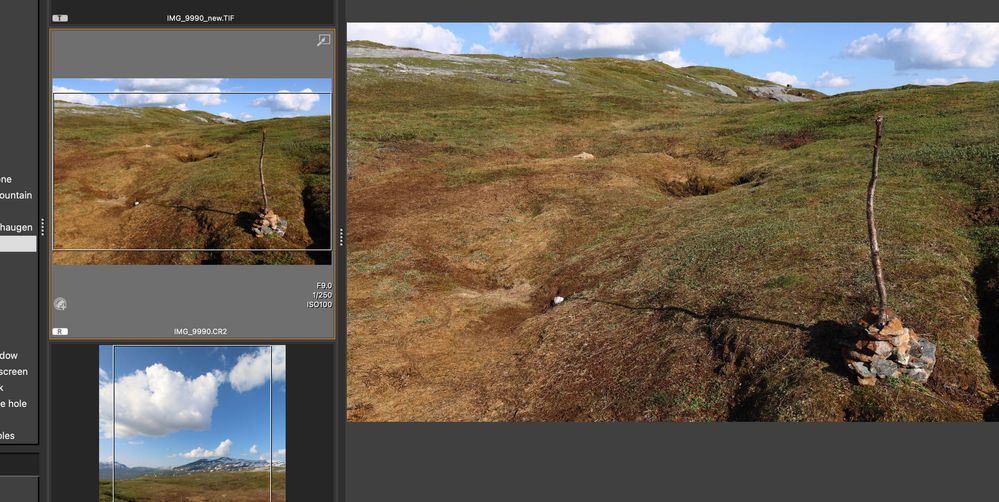
I've taken pictures in video modus, due to a broken switch, so I had no option. I have raw files, which in finder say are 6000*4000 pixels, but in DPP4 I get a frame inside the picture (probably the video dimensions) and when editing the picture it's reduced to 6000*3376, so I'm missing quite a bit. How can I get these pixels back? Or get rid of the frame in the thumbnail?
Solved! Go to Solution.
2 ACCEPTED SOLUTIONS
Accepted Solutions


Options
- Mark as New
- Bookmark
- Subscribe
- Mute
- Subscribe to RSS Feed
- Permalink
- Report Inappropriate Content
02-16-2024 12:06 PM - edited 02-16-2024 12:09 PM
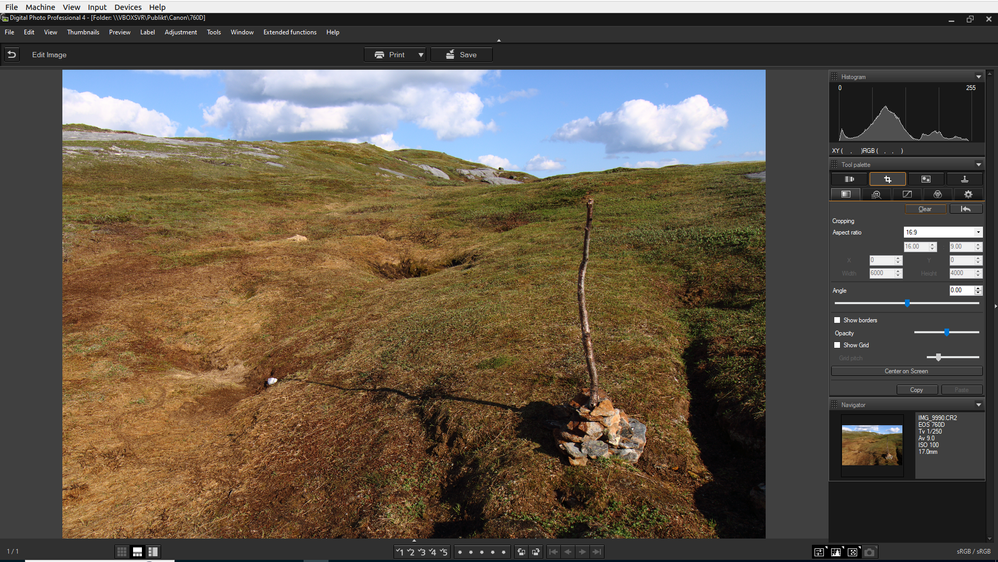
Click "clear" in the crop module.

Options
- Mark as New
- Bookmark
- Subscribe
- Mute
- Subscribe to RSS Feed
- Permalink
- Report Inappropriate Content
02-17-2024 07:58 PM - edited 02-17-2024 08:13 PM
@MichielJansen wrote:
Yes I do.
btw. in darktable or affinity (which I use) I don't get these crop lines. But I need to work in DPP
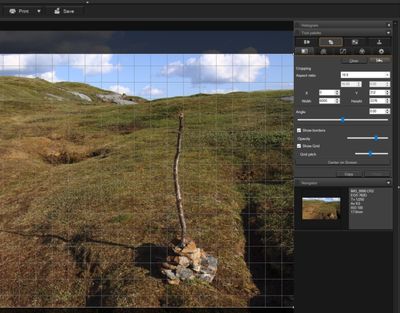
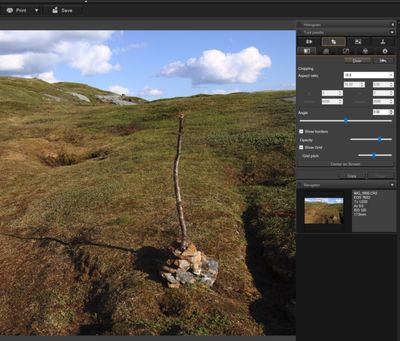
I just opened your CR2 in DPP 4, opened the crop tool, clicked "Clear", and the crop frame went away, same as Peter. Windows 10 Pro, DPP ver. 14.18.10.0.
Newton
18 REPLIES 18
Options
- Mark as New
- Bookmark
- Subscribe
- Mute
- Subscribe to RSS Feed
- Permalink
- Report Inappropriate Content
02-16-2024 08:30 AM
Can you share an affected raw file?

Options
- Mark as New
- Bookmark
- Subscribe
- Mute
- Subscribe to RSS Feed
- Permalink
- Report Inappropriate Content
02-16-2024 09:41 AM
@MichielJansen wrote:I've taken pictures in video modus, due to a broken switch, so I had no option.......
Respectfully, the "broken switch" should be where you start.
Contact Support and get the camera repaired.
~Rick
Bay Area - CA
~R5 C (1.1.3.1), ~RF Trinity, ~RF 100 Macro, ~RF 100~400, ~RF 100~500, ~RF 200-800, ~RF 1.4x TC, BG-R10, 430EX III-RT ~DxO PhotoLab Elite ~DaVinci Resolve Studio ~ImageClass MF644Cdw MF656Cdw ~Pixel 10 ~CarePaks Are Worth It
Options
- Mark as New
- Bookmark
- Subscribe
- Mute
- Subscribe to RSS Feed
- Permalink
- Report Inappropriate Content
02-16-2024 10:13 AM
Respectfully, what a useless reply. It's already been repaired. But it's hard to get somebody from Canon when your up a mountain and it happens and you need to take the pictures!
Options
- Mark as New
- Bookmark
- Subscribe
- Mute
- Subscribe to RSS Feed
- Permalink
- Report Inappropriate Content
02-16-2024 10:19 AM
It's to large to post here, so here's a link to the file.
Open file
Options
- Mark as New
- Bookmark
- Subscribe
- Mute
- Subscribe to RSS Feed
- Permalink
- Report Inappropriate Content
02-16-2024 10:25 AM - edited 02-16-2024 10:44 AM
Seems to force me to login. WeTransfer or GoogleDrive instead? If you choose Google Drive, don't forget to share the file in the settings.
Options
- Mark as New
- Bookmark
- Subscribe
- Mute
- Subscribe to RSS Feed
- Permalink
- Report Inappropriate Content
02-16-2024 10:48 AM
@MichielJansen wrote:Respectfully, what a useless reply. It's already been repaired. But it's hard to get somebody from Canon when your up a mountain and it happens and you need to take the pictures!
Sorry, but without any mention or reference, how could I possibly have known this. 🤔
~Rick
Bay Area - CA
~R5 C (1.1.3.1), ~RF Trinity, ~RF 100 Macro, ~RF 100~400, ~RF 100~500, ~RF 200-800, ~RF 1.4x TC, BG-R10, 430EX III-RT ~DxO PhotoLab Elite ~DaVinci Resolve Studio ~ImageClass MF644Cdw MF656Cdw ~Pixel 10 ~CarePaks Are Worth It
Options
- Mark as New
- Bookmark
- Subscribe
- Mute
- Subscribe to RSS Feed
- Permalink
- Report Inappropriate Content
02-16-2024 11:32 AM
Options
- Mark as New
- Bookmark
- Subscribe
- Mute
- Subscribe to RSS Feed
- Permalink
- Report Inappropriate Content
02-16-2024 11:32 AM
the: 'I had no option' gave something away.
And fixing the button did not fix my pictures!
Options
- Mark as New
- Bookmark
- Subscribe
- Mute
- Subscribe to RSS Feed
- Permalink
- Report Inappropriate Content
02-16-2024 11:37 AM - edited 02-16-2024 11:41 AM
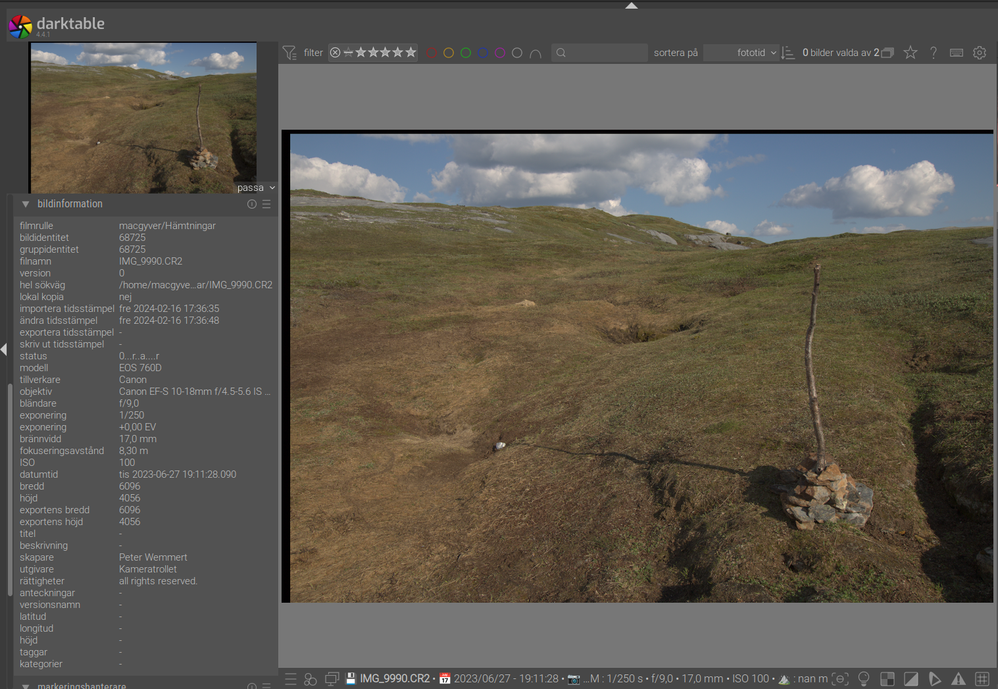
I haven't checked with DPP yet, but everything is in the file.

Announcements
07/22/2026: New firmware updates are available.
EOS R6 Mark III - Version 1.1.0
05/13/2026: New firmware updates are available.
EOS R5 Mark II - Version 1.3.0
EOS R6 Mark II - Version 1.7.0
04/28/2026: Service Notice: Caution Concerning use of Lithium Batteries
03/17/2026: New firmware updates are available.
SELPHY CP1500 - Version 1.0.7.0
02/23/2026: New firmware update is available for EOS C50- Version 1.0.3.1
01/23/2026: New firmware update is available for RF 24-105mm F4 IS USM- Version 2.0.7
01/20/2026: New firmware updates are available.
10/21/2025: Service Notice: To Users of the Compact Digital Camera PowerShot V1
10/15/2025: New firmware updates are available.
Speedlite EL-5 - Version 1.2.0
Speedlite EL-1 - Version 1.1.0
Speedlite Transmitter ST-E10 - Version 1.2.0
07/28/2025: Notice of Free Repair Service for the Mirrorless Camera EOS R50 (Black)
05/21/2025: New firmware update available for EOS C500 Mark II - Version 1.1.5.1
Related Content
- Trouble with focusing using Canon SX70HS in Point & Shoot Digital Cameras
- EOS VR Utility Feature Requests in Camera Software
- in camera 16:9 aspect ratio crop makes incorrect aspect ratio jpg/heif image in EOS DSLR & Mirrorless Cameras
- Using DPP to upscale image in Camera Software
- Digital Photo Professional: How to control output resolution in Camera Software

Ⓒ 2026
Canon U.S.A Inc. All Rights Reserved. Reproduction in whole or part without permission is prohibited.
