Turn on suggestions
Auto-suggest helps you quickly narrow down your search results by suggesting possible matches as you type.
- Canon Community
- Discussions & Help
- Camera
- Camera Software
- Re: How to solve cropped images taken in video mod...
Options
- Subscribe to RSS Feed
- Mark Topic as New
- Mark Topic as Read
- Float this Topic for Current User
- Bookmark
- Subscribe
- Mute
- Printer Friendly Page

Options
- Mark as New
- Bookmark
- Subscribe
- Mute
- Subscribe to RSS Feed
- Permalink
- Report Inappropriate Content
02-16-2024
07:31 AM
- last edited on
02-20-2024
08:49 AM
by
 Danny
Danny
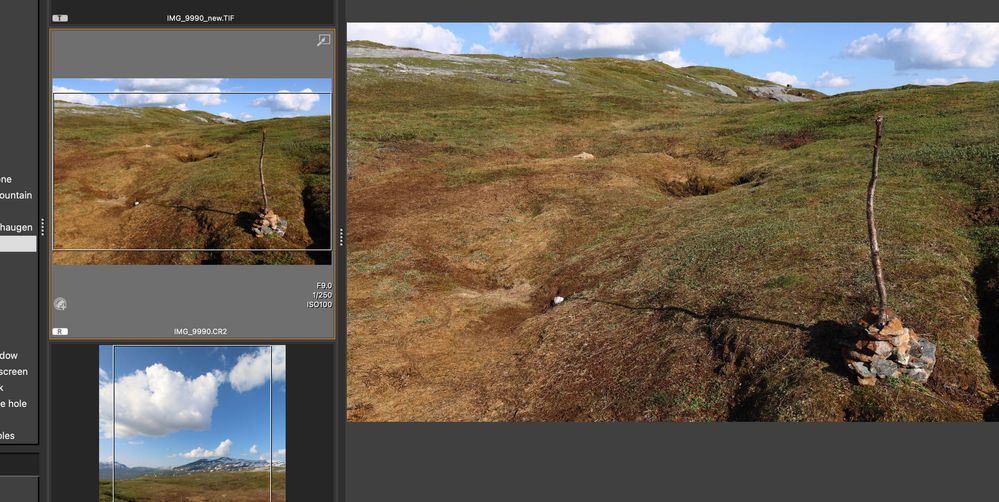
I've taken pictures in video modus, due to a broken switch, so I had no option. I have raw files, which in finder say are 6000*4000 pixels, but in DPP4 I get a frame inside the picture (probably the video dimensions) and when editing the picture it's reduced to 6000*3376, so I'm missing quite a bit. How can I get these pixels back? Or get rid of the frame in the thumbnail?
Solved! Go to Solution.
18 REPLIES 18


Options
- Mark as New
- Bookmark
- Subscribe
- Mute
- Subscribe to RSS Feed
- Permalink
- Report Inappropriate Content
02-16-2024 11:37 AM
Sorry, but your sentence of "I've taken pictures in video modus, due to a broken switch, so I had no option." does imply that the camera was indeed broken, so why wouldn't the recommendation be to fix it? You had not mentioned that you previously had it repaired, but that it broke again. Or, that your current situation precludes you from sending it in to repair and thus you need a short-term workaround.
People on this forum are only trying to help. So help us help you by being polite.
--
Ricky
Camera: EOS R5 II, RF 50mm f/1.2L, RF 135mm f/1.8L
Lighting: Profoto Lights & Modifiers
Ricky
Camera: EOS R5 II, RF 50mm f/1.2L, RF 135mm f/1.8L
Lighting: Profoto Lights & Modifiers
Options
- Mark as New
- Bookmark
- Subscribe
- Mute
- Subscribe to RSS Feed
- Permalink
- Report Inappropriate Content
02-16-2024 11:54 AM
Yeah I see. And I managed, but I still cannot open it the right way in DPP. I really want to edit it in DPP. I tried to make a copy, but that gives the same problems...
Options
- Mark as New
- Bookmark
- Subscribe
- Mute
- Subscribe to RSS Feed
- Permalink
- Report Inappropriate Content
02-16-2024 12:00 PM
I know people try to help, but I hate remarks which don't answer the question and are just 'mansplaining' (can't find another word for it now.
How could repairing the button help fix pictures previously taken?

Options
- Mark as New
- Bookmark
- Subscribe
- Mute
- Subscribe to RSS Feed
- Permalink
- Report Inappropriate Content
02-16-2024 12:06 PM - edited 02-16-2024 12:09 PM
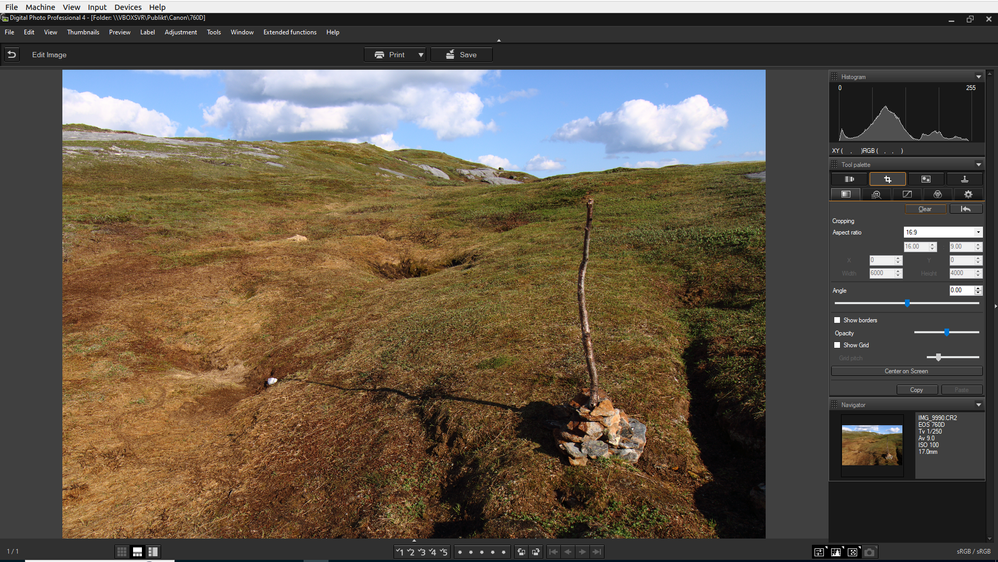
Click "clear" in the crop module.
Options
- Mark as New
- Bookmark
- Subscribe
- Mute
- Subscribe to RSS Feed
- Permalink
- Report Inappropriate Content
02-16-2024 12:29 PM
I couldn't find 'clear' only reset. This didn't resolve the 'crop' made by the camera. In DPP it still gives the margine or crop lines.
Options
- Mark as New
- Bookmark
- Subscribe
- Mute
- Subscribe to RSS Feed
- Permalink
- Report Inappropriate Content
02-16-2024 02:41 PM
Do you have the latest release of DPP?
Options
- Mark as New
- Bookmark
- Subscribe
- Mute
- Subscribe to RSS Feed
- Permalink
- Report Inappropriate Content
02-16-2024 03:46 PM
Yes I do.
btw. in darktable or affinity (which I use) I don't get these crop lines. But I need to work in DPP

Options
- Mark as New
- Bookmark
- Subscribe
- Mute
- Subscribe to RSS Feed
- Permalink
- Report Inappropriate Content
02-17-2024 07:58 PM - edited 02-17-2024 08:13 PM
@MichielJansen wrote:
Yes I do.
btw. in darktable or affinity (which I use) I don't get these crop lines. But I need to work in DPP
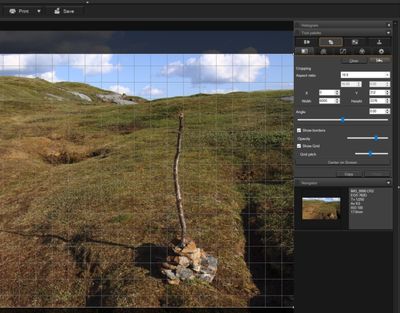
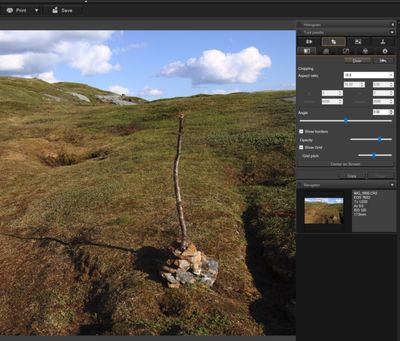
I just opened your CR2 in DPP 4, opened the crop tool, clicked "Clear", and the crop frame went away, same as Peter. Windows 10 Pro, DPP ver. 14.18.10.0.
Newton
Options
- Mark as New
- Bookmark
- Subscribe
- Mute
- Subscribe to RSS Feed
- Permalink
- Report Inappropriate Content
02-18-2024 03:57 AM
Sorry, was to focussed on darktable and didn't see Peter switched to dpp again. It works thanks a lot.

- « Previous
-
- 1
- 2
- Next »
- « Previous
-
- 1
- 2
- Next »
Announcements
07/22/2026: New firmware updates are available.
EOS R6 Mark III - Version 1.1.0
05/13/2026: New firmware updates are available.
EOS R5 Mark II - Version 1.3.0
EOS R6 Mark II - Version 1.7.0
04/28/2026: Service Notice: Caution Concerning use of Lithium Batteries
03/17/2026: New firmware updates are available.
SELPHY CP1500 - Version 1.0.7.0
02/23/2026: New firmware update is available for EOS C50- Version 1.0.3.1
01/23/2026: New firmware update is available for RF 24-105mm F4 IS USM- Version 2.0.7
01/20/2026: New firmware updates are available.
10/21/2025: Service Notice: To Users of the Compact Digital Camera PowerShot V1
10/15/2025: New firmware updates are available.
Speedlite EL-5 - Version 1.2.0
Speedlite EL-1 - Version 1.1.0
Speedlite Transmitter ST-E10 - Version 1.2.0
07/28/2025: Notice of Free Repair Service for the Mirrorless Camera EOS R50 (Black)
05/21/2025: New firmware update available for EOS C500 Mark II - Version 1.1.5.1
Related Content
- Trouble with focusing using Canon SX70HS in Point & Shoot Digital Cameras
- EOS VR Utility Feature Requests in Camera Software
- in camera 16:9 aspect ratio crop makes incorrect aspect ratio jpg/heif image in EOS DSLR & Mirrorless Cameras
- Using DPP to upscale image in Camera Software
- Digital Photo Professional: How to control output resolution in Camera Software

Ⓒ 2026
Canon U.S.A Inc. All Rights Reserved. Reproduction in whole or part without permission is prohibited.
