Turn on suggestions
Auto-suggest helps you quickly narrow down your search results by suggesting possible matches as you type.
- Canon Community
- Discussions & Help
- Printer
- Professional Photo Printers
- Re: Horizontal lines on print Canon Pro 1000
Options
- Subscribe to RSS Feed
- Mark Topic as New
- Mark Topic as Read
- Float this Topic for Current User
- Bookmark
- Subscribe
- Mute
- Printer Friendly Page
Horizontal lines on print Canon Pro 1000

Options
- Mark as New
- Bookmark
- Subscribe
- Mute
- Subscribe to RSS Feed
- Permalink
- Report Inappropriate Content
08-12-2023 09:52 AM

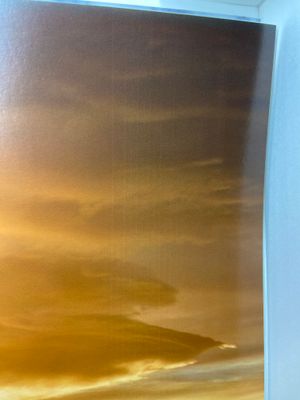
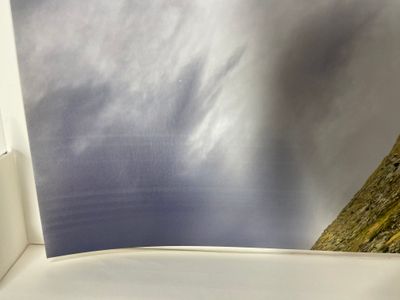
When I print on format A2 I get horizontal lines at the beginning and end of the print, the first and last 5 cm of the print, see photos. In between the print is perfect. The paper I use is Canson Baryta photographique II 310 g/m2 and totally flat before use. Nozzle check pattern is OK, prevent paper abrasion is on, vacuum by default is on.
Does anyone have an idea what it could be?
15 REPLIES 15


Options
- Mark as New
- Bookmark
- Subscribe
- Mute
- Subscribe to RSS Feed
- Permalink
- Report Inappropriate Content
08-18-2023 08:44 AM
Hi,
So we can best assist you, we will need to gather some more information. Please reply with the answers to the following:
- What version of Windows or MacOS are you running?
- What program are you printing from?
- Did you install the Print Plugin or ICC profiles from the printers support page on the Canon website
Also, if you would like real time assistance with this matter, I recommend reaching out to Canon support.
You will need to register your Canon gear HERE to access additional support options.
We look forward to hearing from you.
Options
- Mark as New
- Bookmark
- Subscribe
- Mute
- Subscribe to RSS Feed
- Permalink
- Report Inappropriate Content
08-18-2023 02:56 PM
Hi,
Thanks for your reply.
I use MacOs Ventura 13.4.1 and Professional Print and Layout version 1.3.6, the latest firmware for the printer, driver version 24.30.0.0 and all the necessary plugins and ICC profiles.
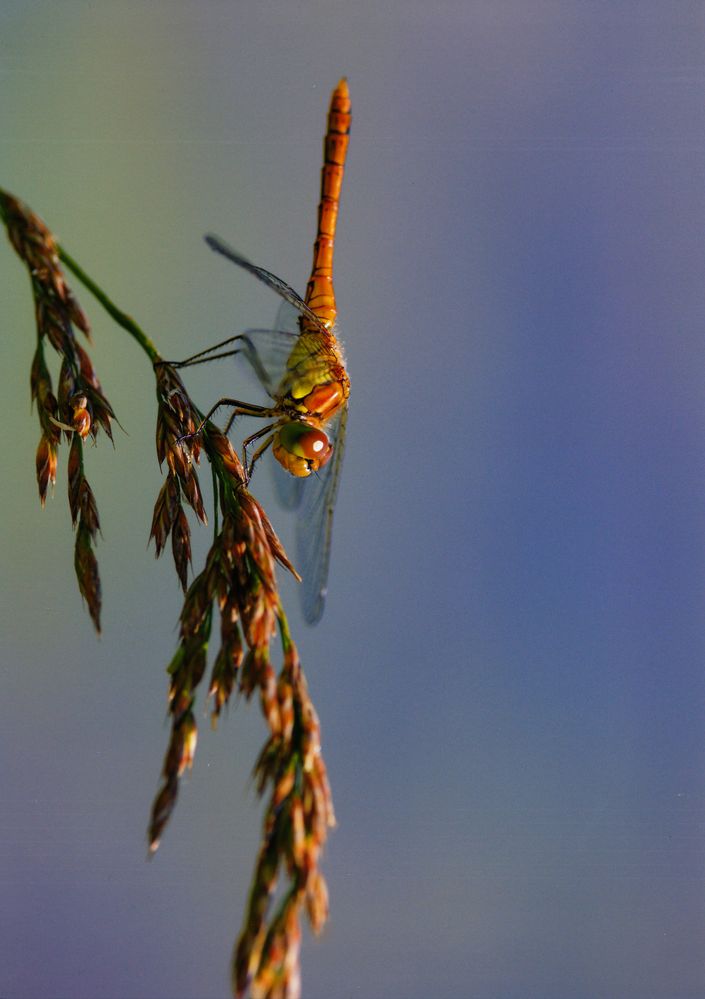
I made an A4 print today and the stripes are visible here too. I used photoshop to make it clearly visible on the scan.
The nozzle check pattern is perfect. It is only at the beginning and the end of the print. I think it's the vacuum system. Is it possible to set this system stronger? Or is there an other solution I can try?
Kind regards,
Eric
Options
- Mark as New
- Bookmark
- Subscribe
- Mute
- Subscribe to RSS Feed
- Permalink
- Report Inappropriate Content
09-07-2023 01:23 AM
Hi, same problem with my pro 1000, but only at the end of the prints. doesn't matter if it's A2 or smaller. ERMU, didi you finally solve the problem ?
Best Alex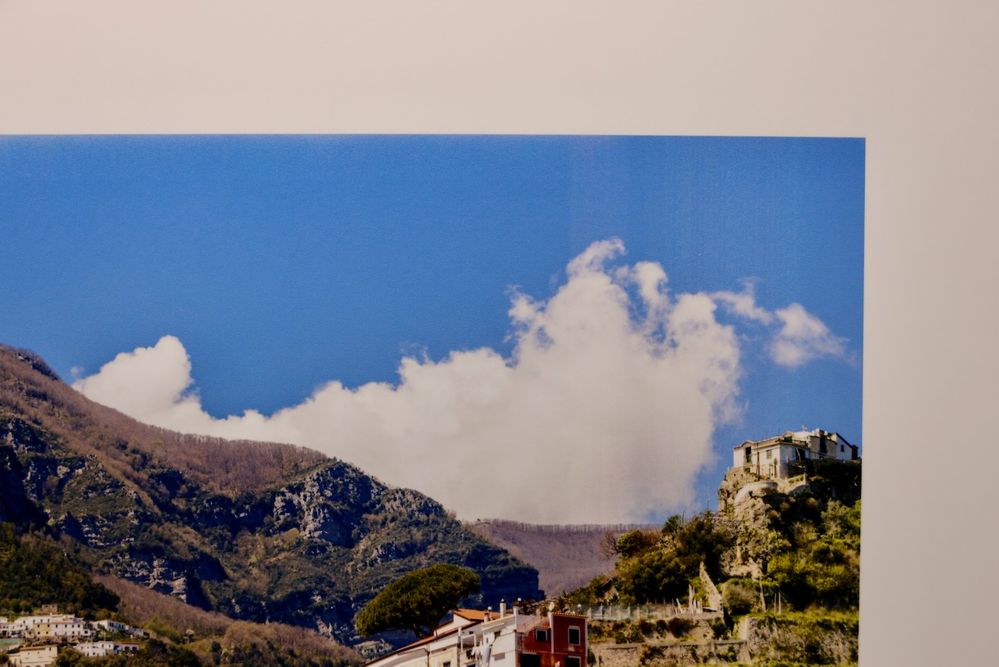

Options
- Mark as New
- Bookmark
- Subscribe
- Mute
- Subscribe to RSS Feed
- Permalink
- Report Inappropriate Content
09-07-2023 01:45 PM
Hi,
The paper vacuum setting can be adjusted. Please click HERE for more information.
Did this answer your question? Please click the Accept as Solution button so that others may find the answer as well.
Options
- Mark as New
- Bookmark
- Subscribe
- Mute
- Subscribe to RSS Feed
- Permalink
- Report Inappropriate Content
09-07-2023 03:09 PM
Hes, I think I solved the problem. After the latest update this problem begun. After trying everything I finally opened the menu with printer settings on the printer itself. I never touched it before. To my surprise the distance of the printer head there was set on the minimal distance and not the standard distance. After setting it on the standard distance the problem was solved. I didn’t even know the existence of this menu. Give it a try, maybe this setting is changed with the latest update, I think version 3.02. I couldn’t find anything about this update by Canon but it was the latest firmware I installed.
Eric
Options
- Mark as New
- Bookmark
- Subscribe
- Mute
- Subscribe to RSS Feed
- Permalink
- Report Inappropriate Content
11-07-2024 11:06 PM
Hi ERMU, I just got a Pro-1100 and notice something similar when using MOAB Lasal (matte 235) 5x7 paper. Did changing the distance of printer head fully resolve this for you? I only notice the lines at the beginning of my prints.


Options
- Mark as New
- Bookmark
- Subscribe
- Mute
- Subscribe to RSS Feed
- Permalink
- Report Inappropriate Content
05-15-2025 11:48 PM
I too can report a similar experience. Using Pro-1000, printing on Moab lasal exhibition luster 300 gsm A3+ (very close to 13" x 19"). Band of the absence of perhaps cyan or blue running perpendicular to the direction of travel through the printer starting about 3" from the trailing end of the sheet. Read the above comments, checked on the printer Various settings > Device Settings > Paper-related settings > (choose my paper type) > “Paper Thickness (Head Height)” was set to “Low”, I changed it to Medium High” and the band no longer appeared.
Thank You! to those before me that left behind the information that led me to this. I appreciate it.
It would be nice to have a greater understanding of why this setting can create this type of visual effect.
Options
- Mark as New
- Bookmark
- Subscribe
- Mute
- Subscribe to RSS Feed
- Permalink
- Report Inappropriate Content
05-19-2025 12:01 AM
And then today, I print another copy of the the same file, same settings, and I again have soft-edged horizontal band running perpendicular to the direction of travel through the printer! Tried it again, making sure I had used the setting I spoke of in the prior post, and also checked in the print driver that "avoid abrasion" was chosen, and "vacuum on" was chosen, but alas, no change in the output. (see photo). What is going on here?
Options
- Mark as New
- Bookmark
- Subscribe
- Mute
- Subscribe to RSS Feed
- Permalink
- Report Inappropriate Content
05-19-2025 12:20 AM
^^ This is my post on horizontal banding lines. The one and only thing I found to make a difference is the "Pause between scans" option, which I set to 5 seconds with substantial improvements. Not a great solution since it massively slows down print speed, but perhaps worth a try.
I will also say though, the bands in your picture look a bit different than the ones in mine.

Announcements
07/22/2026: New firmware updates are available.
EOS R6 Mark III - Version 1.1.0
05/13/2026: New firmware updates are available.
EOS R5 Mark II - Version 1.3.0
EOS R6 Mark II - Version 1.7.0
04/28/2026: Service Notice: Caution Concerning use of Lithium Batteries
03/17/2026: New firmware updates are available.
SELPHY CP1500 - Version 1.0.7.0
02/23/2026: New firmware update is available for EOS C50- Version 1.0.3.1
01/23/2026: New firmware update is available for RF 24-105mm F4 IS USM- Version 2.0.7
01/20/2026: New firmware updates are available.
10/21/2025: Service Notice: To Users of the Compact Digital Camera PowerShot V1
10/15/2025: New firmware updates are available.
Speedlite EL-5 - Version 1.2.0
Speedlite EL-1 - Version 1.1.0
Speedlite Transmitter ST-E10 - Version 1.2.0
07/28/2025: Notice of Free Repair Service for the Mirrorless Camera EOS R50 (Black)
05/21/2025: New firmware update available for EOS C500 Mark II - Version 1.1.5.1
Related Content
- Pixma TR8620a unable to be found on network in Printer Software & Networking
- PIXMA TS3720 not responding in Desktop Inkjet Printers
- Pricing info needed for imageCLASS LBP646Cdw toner auto replenishment program in Office Printers
- Checking out a used MF731Cdw: prints wide horizontal color bars in Office Printers
- Can't get AirPrint to work on a new PIXMA TS6520 in Printer Software & Networking

Ⓒ 2026
Canon U.S.A Inc. All Rights Reserved. Reproduction in whole or part without permission is prohibited.
