Hello Snlabrecque,
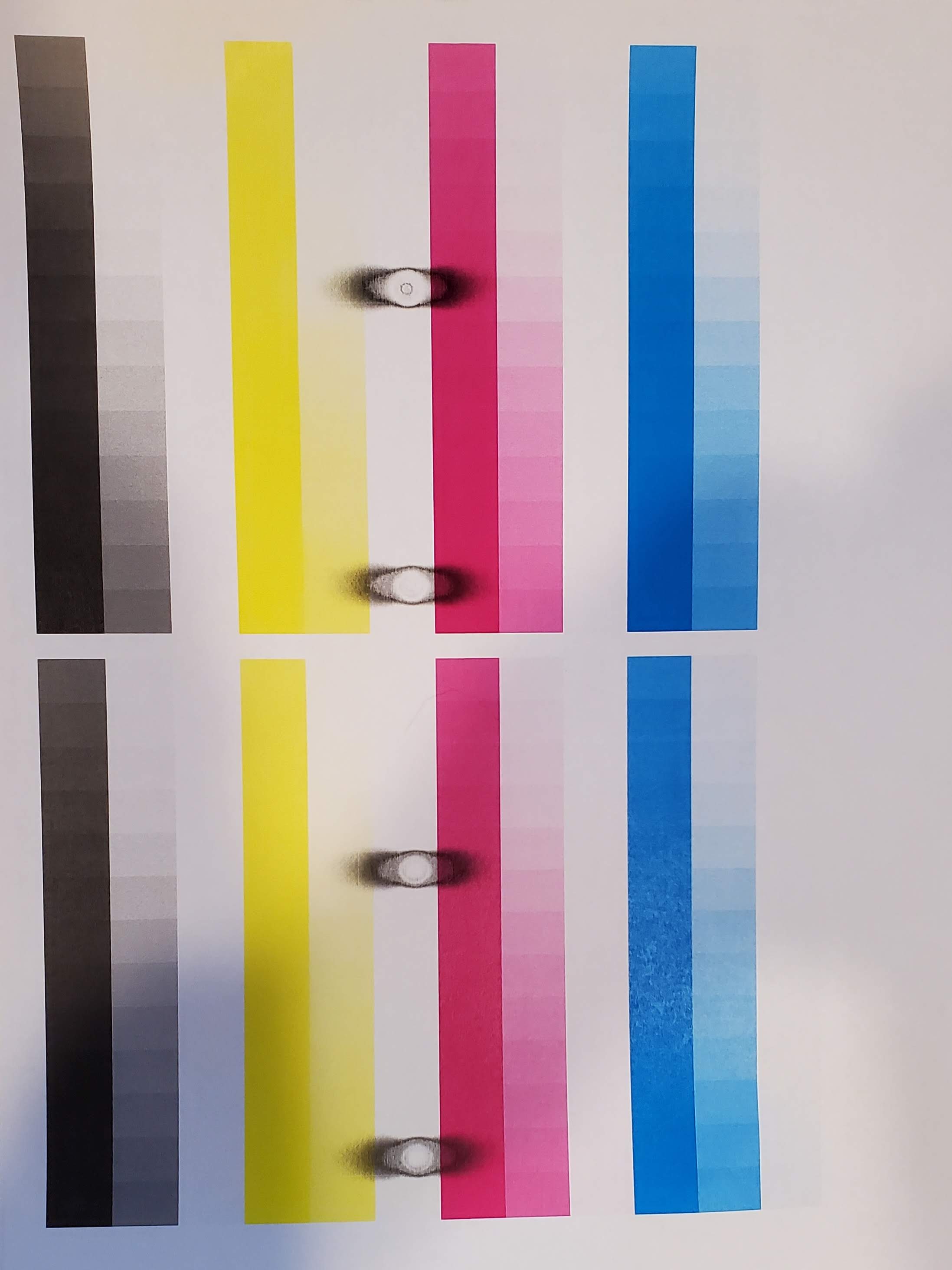
In this situation I would suggest cleaning the Fixing assembly using the steps provided in the link HERE. If cleaning the fixing assembly does not resolve the issue, it looks like there is something wrong with the new toner cartridge or there is a problem with the hardware. If possible, load the old toner cartridge into the printer to see if you have the same issue. If you do not, it looks like the toner is bad and you can exchange the bad cartridge with our support team.
If you continue you to have the issue with another toner, it would mean there is a problem with the hardware on the printer. You can contact support at 1-800-652-2666. Our agents would be happy to provide your service options for the printer or the toner cartridge.