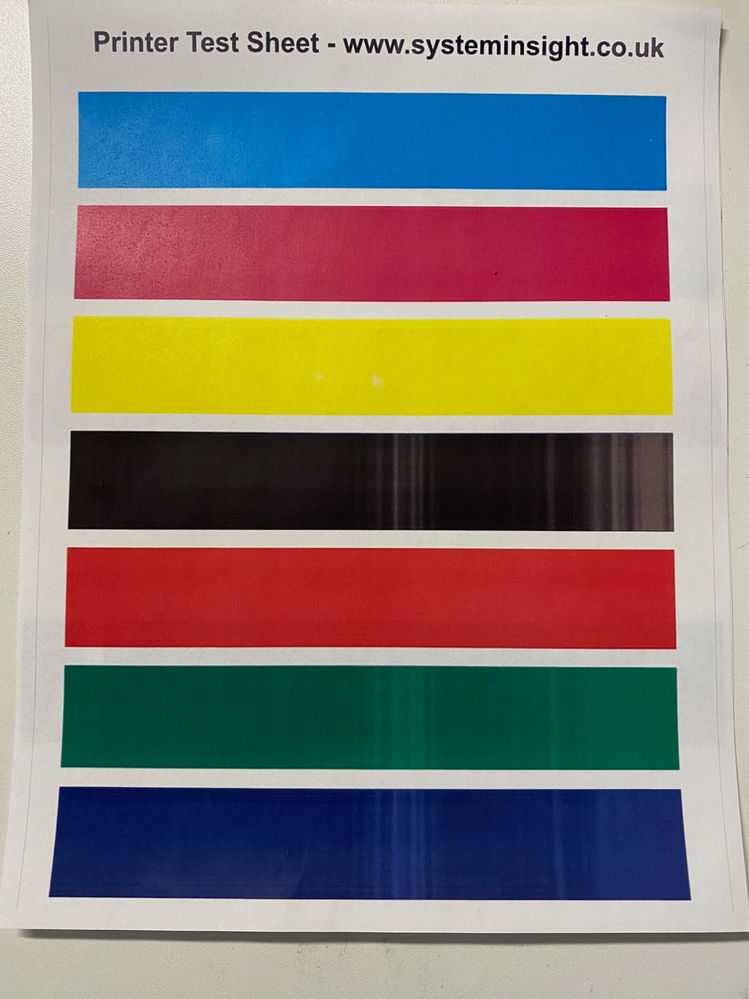
11-14-2022 06:02 PM - edited 11-15-2022 01:41 PM
As shown on the tester pages, the printing has vertical white streaks on black color. It works well on other prime colors. It looks like something is wrong with the black toner. The issue is occurring in both printing and copying.
I upgraded to the latest firmware and drivers.
I replaced a new black toner, and the issue remains.
It looks like something is wrong with black toner-related parts. Can anyone help me?
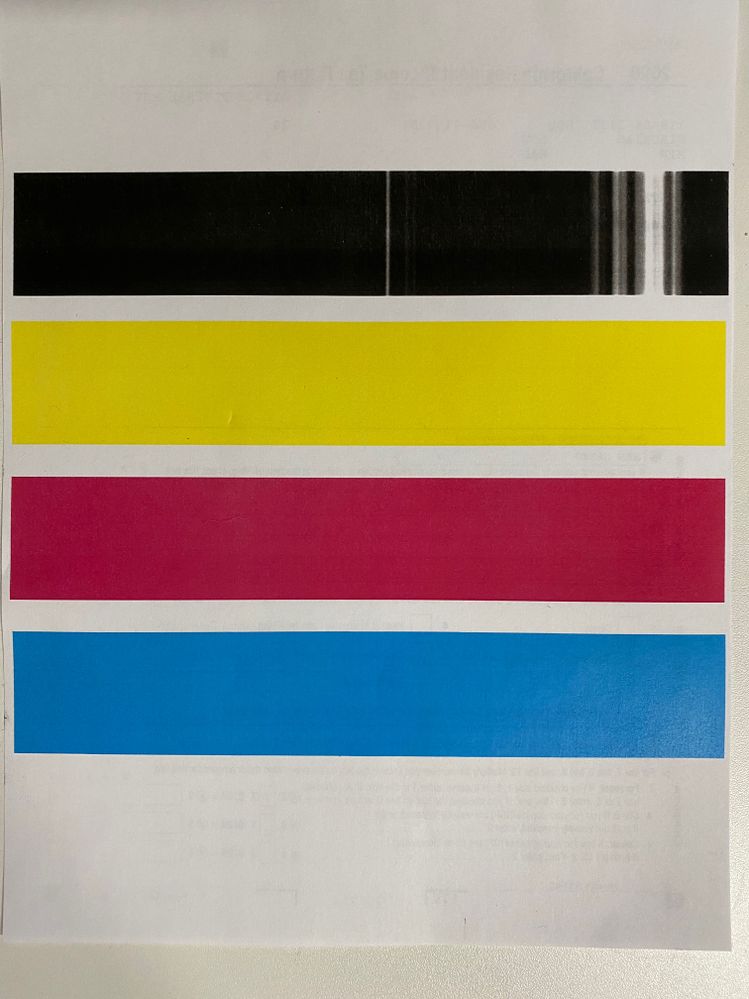
11-28-2022 06:06 PM
Hello Xhou,
In this situation, you can try cleaning the printer's fixing unit and transfer belt using the steps in the link HERE. If that does not resolve the issue and you have already replaced the black toner, it looks like the printer needs service. You can log into your MyCanon account to check for any available service options.
03/17/2026: New firmware updates are available.
SELPHY CP1500 - Version 1.0.7.0
01/20/2026: New firmware updates are available.
11/20/2025: New firmware updates are available.
EOS R5 Mark II - Version 1.2.0
PowerShot G7 X Mark III - Version 1.4.0
PowerShot SX740 HS - Version 1.0.2
10/15/2025: New firmware updates are available.
Speedlite EL-5 - Version 1.2.0
Speedlite EL-1 - Version 1.1.0
Speedlite Transmitter ST-E10 - Version 1.2.0
7/17/2025: New firmware updates are available.
Canon U.S.A Inc. All Rights Reserved. Reproduction in whole or part without permission is prohibited.