Turn on suggestions
Auto-suggest helps you quickly narrow down your search results by suggesting possible matches as you type.
- Canon Community
- Discussions & Help
- Camera
- EOS DSLR & Mirrorless Cameras
- Re: Reset my Rebel T6 to factory settings
Options
- Subscribe to RSS Feed
- Mark Topic as New
- Mark Topic as Read
- Float this Topic for Current User
- Bookmark
- Subscribe
- Mute
- Printer Friendly Page

Options
- Mark as New
- Bookmark
- Subscribe
- Mute
- Subscribe to RSS Feed
- Permalink
- Report Inappropriate Content
05-03-2023 06:21 PM
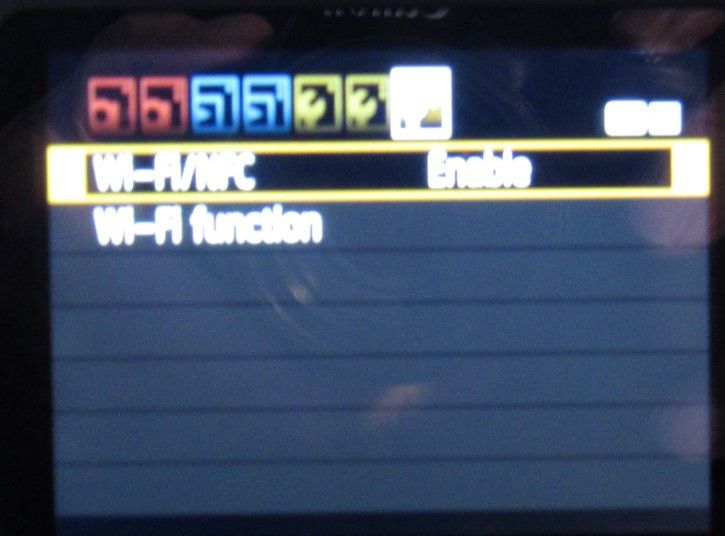
I am trying to reset my Rebel T6 to original factory settings and I go to MENU, then 3rd Wrench and where it should say "Clear Settings" it does not exist, only WIFI enable/disable. Any help as to what I'm doing wrong? Sorry for the poor photo.
Jim
Solved! Go to Solution.
1 ACCEPTED SOLUTION
Accepted Solutions


Options
- Mark as New
- Bookmark
- Subscribe
- Mute
- Subscribe to RSS Feed
- Permalink
- Report Inappropriate Content
05-03-2023 06:26 PM
The camera can only be factory reset in the creative ie (M, Av, Tv & P) modes. Full Auto and other Basic Zone settings do not show the whole menu system.
-Demetrius
Bodies: EOS 40D & EOS 5D Mark IV
Lenses: EF Holy Trinity, EF 50mm F/1.8 STM, EF 70-210mm F/4 & EF 85mm F/1.8 USM
Speedlites: 420EX, 470EX-AI, 550EX & 600EX II-RT
Bodies: EOS 40D & EOS 5D Mark IV
Lenses: EF Holy Trinity, EF 50mm F/1.8 STM, EF 70-210mm F/4 & EF 85mm F/1.8 USM
Speedlites: 420EX, 470EX-AI, 550EX & 600EX II-RT
11 REPLIES 11
Options
- Mark as New
- Bookmark
- Subscribe
- Mute
- Subscribe to RSS Feed
- Permalink
- Report Inappropriate Content
05-03-2023 06:26 PM
The camera can only be factory reset in the creative ie (M, Av, Tv & P) modes. Full Auto and other Basic Zone settings do not show the whole menu system.
-Demetrius
Bodies: EOS 40D & EOS 5D Mark IV
Lenses: EF Holy Trinity, EF 50mm F/1.8 STM, EF 70-210mm F/4 & EF 85mm F/1.8 USM
Speedlites: 420EX, 470EX-AI, 550EX & 600EX II-RT
Bodies: EOS 40D & EOS 5D Mark IV
Lenses: EF Holy Trinity, EF 50mm F/1.8 STM, EF 70-210mm F/4 & EF 85mm F/1.8 USM
Speedlites: 420EX, 470EX-AI, 550EX & 600EX II-RT
Options
- Mark as New
- Bookmark
- Subscribe
- Mute
- Subscribe to RSS Feed
- Permalink
- Report Inappropriate Content
05-03-2023 06:43 PM
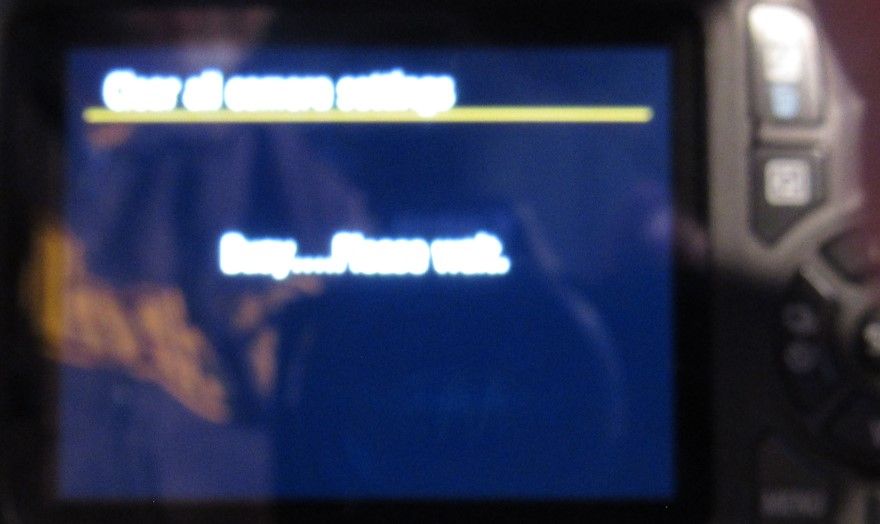
Thank you. You are correct of course. Now it says Busy...Please Wait. Is this normal?
Jim
Options
- Mark as New
- Bookmark
- Subscribe
- Mute
- Subscribe to RSS Feed
- Permalink
- Report Inappropriate Content
05-03-2023 06:48 PM
Does the camera just continue saying busy.
-Demetrius
Bodies: EOS 40D & EOS 5D Mark IV
Lenses: EF Holy Trinity, EF 50mm F/1.8 STM, EF 70-210mm F/4 & EF 85mm F/1.8 USM
Speedlites: 420EX, 470EX-AI, 550EX & 600EX II-RT
Bodies: EOS 40D & EOS 5D Mark IV
Lenses: EF Holy Trinity, EF 50mm F/1.8 STM, EF 70-210mm F/4 & EF 85mm F/1.8 USM
Speedlites: 420EX, 470EX-AI, 550EX & 600EX II-RT
Options
- Mark as New
- Bookmark
- Subscribe
- Mute
- Subscribe to RSS Feed
- Permalink
- Report Inappropriate Content
05-03-2023 06:55 PM
Yes, 5-6 times for the last 15 minutes.
Jim
Options
- Mark as New
- Bookmark
- Subscribe
- Mute
- Subscribe to RSS Feed
- Permalink
- Report Inappropriate Content
05-03-2023 06:57 PM
So you're saying when you set "restore to factory" the camera stays stuck saying "busy".
-Demetrius
Bodies: EOS 40D & EOS 5D Mark IV
Lenses: EF Holy Trinity, EF 50mm F/1.8 STM, EF 70-210mm F/4 & EF 85mm F/1.8 USM
Speedlites: 420EX, 470EX-AI, 550EX & 600EX II-RT
Bodies: EOS 40D & EOS 5D Mark IV
Lenses: EF Holy Trinity, EF 50mm F/1.8 STM, EF 70-210mm F/4 & EF 85mm F/1.8 USM
Speedlites: 420EX, 470EX-AI, 550EX & 600EX II-RT
Options
- Mark as New
- Bookmark
- Subscribe
- Mute
- Subscribe to RSS Feed
- Permalink
- Report Inappropriate Content
05-03-2023 07:05 PM
Just tried again and still says "Busy...Please Wait"
Jim
Options
- Mark as New
- Bookmark
- Subscribe
- Mute
- Subscribe to RSS Feed
- Permalink
- Report Inappropriate Content
05-03-2023 07:10 PM
Remove the lens & memory card. The try to reset the camera.
-Demetrius
Bodies: EOS 40D & EOS 5D Mark IV
Lenses: EF Holy Trinity, EF 50mm F/1.8 STM, EF 70-210mm F/4 & EF 85mm F/1.8 USM
Speedlites: 420EX, 470EX-AI, 550EX & 600EX II-RT
Bodies: EOS 40D & EOS 5D Mark IV
Lenses: EF Holy Trinity, EF 50mm F/1.8 STM, EF 70-210mm F/4 & EF 85mm F/1.8 USM
Speedlites: 420EX, 470EX-AI, 550EX & 600EX II-RT
Options
- Mark as New
- Bookmark
- Subscribe
- Mute
- Subscribe to RSS Feed
- Permalink
- Report Inappropriate Content
05-03-2023 07:40 PM
Removed memory card 1st, same result. Then removed lens, same result. Here is a photo of what it says, "Busy...Please Wait" Sorry for blurry photo, I tried many times, but I only have 1/2 second before it blinks off.
Jim
Options
- Mark as New
- Bookmark
- Subscribe
- Mute
- Subscribe to RSS Feed
- Permalink
- Report Inappropriate Content
05-03-2023 07:42 PM
Have you tried resetting the camera with both of them removed. Why exactly do you need to reset the camera.
-Demetrius
Bodies: EOS 40D & EOS 5D Mark IV
Lenses: EF Holy Trinity, EF 50mm F/1.8 STM, EF 70-210mm F/4 & EF 85mm F/1.8 USM
Speedlites: 420EX, 470EX-AI, 550EX & 600EX II-RT
Bodies: EOS 40D & EOS 5D Mark IV
Lenses: EF Holy Trinity, EF 50mm F/1.8 STM, EF 70-210mm F/4 & EF 85mm F/1.8 USM
Speedlites: 420EX, 470EX-AI, 550EX & 600EX II-RT


Announcements
05/13/2026: New firmware updates are available.
EOS R5 Mark II - Version 1.3.0
EOS R6 Mark II - Version 1.7.0
04/28/2026: Service Notice: Caution Concerning use of Lithium Batteries
03/17/2026: New firmware updates are available.
SELPHY CP1500 - Version 1.0.7.0
02/23/2026: New firmware update is available for EOS C50- Version 1.0.3.1
01/23/2026: New firmware update is available for RF 24-105mm F4 IS USM- Version 2.0.7
01/20/2026: New firmware updates are available.
12/22/2025: New firmware update is available for EOS R6 Mark III- Version 1.0.2
10/21/2025: Service Notice: To Users of the Compact Digital Camera PowerShot V1
10/15/2025: New firmware updates are available.
Speedlite EL-5 - Version 1.2.0
Speedlite EL-1 - Version 1.1.0
Speedlite Transmitter ST-E10 - Version 1.2.0
07/28/2025: Notice of Free Repair Service for the Mirrorless Camera EOS R50 (Black)
05/21/2025: New firmware update available for EOS C500 Mark II - Version 1.1.5.1
Related Content
- PowerShot ELPH 300 HS Flash setting missing in Point & Shoot Digital Cameras
- Rebel T100 Picture Inconsistency & Freezing in EOS DSLR & Mirrorless Cameras
- Settings for graduation photos with Canon Rebel T5 in EOS DSLR & Mirrorless Cameras
- Canon EOS 300D, error 99 in EOS DSLR & Mirrorless Cameras
- EOS Multi Remote connection issue between one PC to multiple cameras in Camera Software

Ⓒ 2026
Canon U.S.A Inc. All Rights Reserved. Reproduction in whole or part without permission is prohibited.
