01-25-2021 03:54 PM
Hi,
I am scanning in Black&White mode on my Canon Pixma MX 330 connected to my Mac (Catalina 10.15.7).
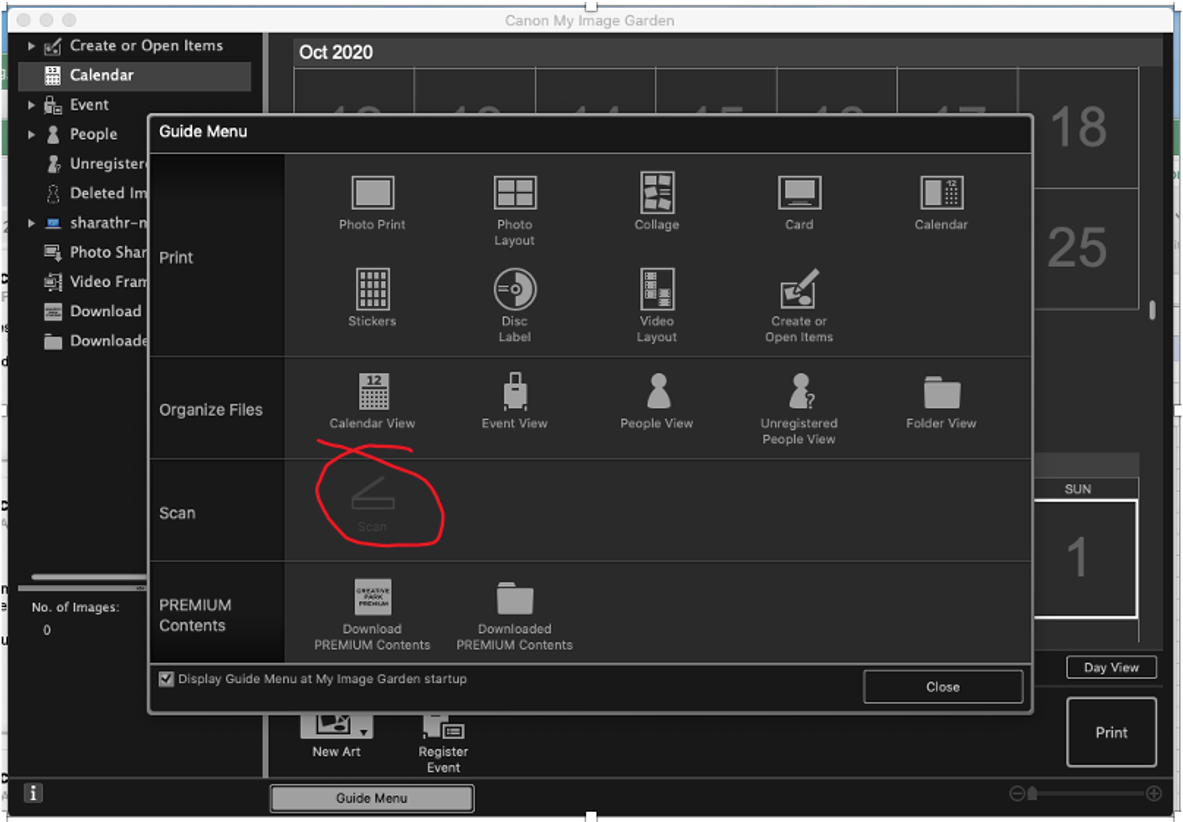
The scan is too bright causing the black text to appear gray. I looked up the thread below which suggests opening the ScanGear within the My Image Garden software and adjusting DPI settings and/or the fading option. The problem is scanner option is greyed out as shown below.

All help appreciated 🙂
Thanks,
Sharath
01-30-2021 11:39 AM
Hi,
I found a simple fix:
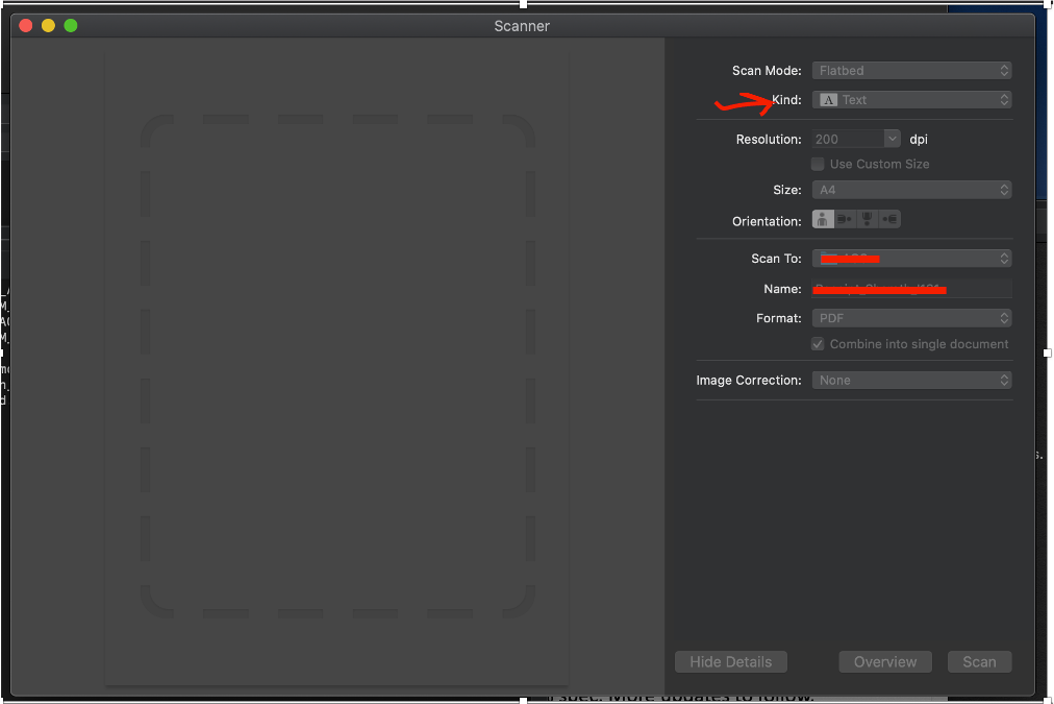
In the Mac Printers & Scanners Pane, set Kind to "Text". (see attached image)
It works very well.
Thanks,
Sharath
05/13/2026: New firmware updates are available.
EOS R5 Mark II - Version 1.3.0
EOS R6 Mark II - Version 1.7.0
03/17/2026: New firmware updates are available.
SELPHY CP1500 - Version 1.0.7.0
01/20/2026: New firmware updates are available.
10/15/2025: New firmware updates are available.
Speedlite EL-5 - Version 1.2.0
Speedlite EL-1 - Version 1.1.0
Speedlite Transmitter ST-E10 - Version 1.2.0
Canon U.S.A Inc. All Rights Reserved. Reproduction in whole or part without permission is prohibited.