Camera Software
cancel
Showing results for 
Show  only  | Search instead for 
Did you mean: 

Posts

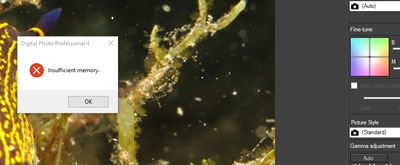
My dppm4.6.30 installer doesnt want to install

Hi Everyone, My name is Zita. I m new to Canon and new to photography but not new to installing things, hence I m just beyond frustrated at this point. I have registered my newly purchased "used" camera 5D Mark III, and went through the installation ...

installer stuck

DPP 4 Mouse problem

I have a very annoying problem with how the mouse behaves in DPP 4. On the very first time after opening the DPP 4 from my desktop, and double clicking to maximize a thumb nail, all the menu button on top of the screen could be activated with a singl...

FrancisW by Contributor
  • 4441 Views
  • 7 replies
  • 0 likes

Resolved! CorelDRAW Software

I noticed that CorelDRAW does not work very well with my CDR file. I have one file in which i have inserted various changes. But now i am getting this error: Error reading a bitmap in the file FileName.cdr How can i remove the error or what should I ...

Change default software

When I bought my Rebel T3i a few years ago, it came with EOS Utility and Digital Photo Professional.  Eventually I was notified of, and downloaded/installed, upgrades to EOS Utility 2 and Digital Photo Professional 4. However, when I connect my camer...

rhodesmk by Contributor
  • 7462 Views
  • 6 replies
  • 0 likes

post processing

I don't really like the layout of DPP, so was wondering...If I shoot raw, use DPP to convert to jpg, and then process the jpg's in lightroom which I am more used to, would I lose the benefits of shooting raw?

jli3 by Contributor
  • 4949 Views
  • 7 replies
  • 0 likes

Resolved! Connecting G9x to MacBook Pro

I bought a g9x a couple of weeks ago - I want to connect it to my MacBook Pro to use it as a screen (to use Utility software) while I take videos. The camera did not come with any cables as I can transfer pictures thru WiFi - but to use Canon Utility...

Resolved! Image Transfer Utility "has stopped working"

Hello, It's been a week or so now that everytime I try to launch my "Image Transfer Utility", it crashes at launch and Windows gives me the message : Canon Utilities Image Transfer Utility has stopped working This means I can't transfer my pictures t...

Pedrof by Contributor
  • 13724 Views
  • 8 replies
  • 0 likes

DDP Does not recognise 8-15 Fisheye

HAd a friend send me some raw files caputred on a 350D using the 8-15mm F4 L Fisheye lens . Even after downloading the Lens correction data for this lens DPP does not recognise that it has this lens correction data in its database. What gives?

peter460 by Contributor
  • 5661 Views
  • 5 replies
  • 0 likes

5ds Grey Screen when Using EOS Utility

I've been using my 5ds in live view mode on my imac with EOS utility. All of a sudden one day, both my 5ds and 5d mark III will only show up with a grey screen in eos utility  when I open live view mode. I fixed it by deleting the software and reinst...

Can't Download EOS Utility for Mac OSX Sierra

Hello! I have a EOS 5D Mark II and using MAC OSX Sierra, buy I can't use EOS Utility. If I use the solution disk, at the end of the installation process it says error code=9 but I can see EOS Utility is installed. But when I open it, it doesn't conne...

Eos auto download images

Is there a way to have the eos utility software auto download images i protect in the camera? i currently use a wifi card for events and when i protect the images in the camera it auto sends it to the computer, BUT in the eos utility i have to click ...

PS CC 2017 and Canon Print Studio Pro

Hi mates, Since I updated to CC2017 I'm no more able to use Canon Print Studio Pro (latest 2.1 for Mac).Actually is no more present in the Automate menu, and even if I try to reinstall the plugin I receive an error  (Impossible to create a folder + I...

Chiotas by Contributor
  • 12396 Views
  • 12 replies
  • 0 likes

Bug - EOS Utility 2 not switching to Bridge on Win 10

I use a Lenovo ThinkCentre Edge desktop at work running Windows 10 Professional x64 build 15063.413, EOS Utility 2.14.20.0, Rebel T5i, Adobe Bridge CC 2017 7.0.0.93 x64. Bridge and EOS Utility running in separate desktops using Task View. I have sele...

DxO Oprtics 11

Free offer of DxO Oprtics 11 expires in less than 3 weeks.  This might be a saver for those that don't want to rent the new Lightroom.  It supports cameras including the 1Dx Mk II.  It is free for a short time. It is at this address dxo.com/us/practi...

ebiggs1 by Legend
  • 3745 Views
  • 2 replies
  • 2 likes
Getting started

New to the community? Here's some information to help you get acquainted:

Announcements
12/15/2025: New firmware update available for EOS C50 - Version 1.0.1.1

11/20/2025: New firmware updates are available.

EOS R6 Mark III - Version 1.0.1

EOS R3 - Version 2.0.0

EOS R1 - Version 1.2.0

EOS R5 Mark II - Version 1.2.0

EOS R5 - Version 2.2.1

PowerShot G7 X Mark III - Version 1.4.0

PowerShot SX740 HS - Version 1.0.2


10/21/2025: Service Notice: To Users of the Compact Digital Camera PowerShot V1

10/15/2025: New firmware updates are available.

Speedlite EL-5 - Version 1.2.0

Speedlite EL-1 - Version 1.1.0

Speedlite Transmitter ST-E10 - Version 1.2.0


07/28/2025: Notice of Free Repair Service for the Mirrorless Camera EOS R50 (Black)

07/24/2025: New firmware updates are available.


07/23/2025: New firmware updates are available.

EOS R5C - Version 1.1.1.1

EOS C80 - Version 1.0.3.1


7/17/2025: New firmware updates are available.

EOS R7 - Version 1.7.1

EOS R10 - Version 1.7.0

EOS R8 - Version 1.5.0

EOS R50 - Version 1.4.0

Powershot V10 - Version 1.4.0

Powershot V1 - Version 1.1.0

EOS R50V - Version 1.1.1


05/21/2025: New firmware update available for EOS C500 Mark II - Version 1.1.5.1

02/20/2025: New firmware updates are available.

RF70-200mm F2.8 L IS USM Z - Version 1.0.6

RF24-105mm F2.8 L IS USM Z - Version 1.0.9

RF100-300mm F2.8 L IS USM - Version 1.0.8

RF50mm F1.4 L VCM - Version 1.0.2

RF24mm F1.4 L VCM - Version 1.0.3


01/22/2024: Canon Supports Disaster Relief Efforts in California
01/14/2025: Steps to resolve still image problem when using certain SanDisk SD cards with the Canon EOS R5 Mark II