Turn on suggestions
Auto-suggest helps you quickly narrow down your search results by suggesting possible matches as you type.
- Canon Community
- Discussions & Help
- Camera
- Camera Software
- Re: Canon R8 not connecting via wifi connecting t...
Options
- Subscribe to RSS Feed
- Mark Topic as New
- Mark Topic as Read
- Float this Topic for Current User
- Bookmark
- Subscribe
- Mute
- Printer Friendly Page
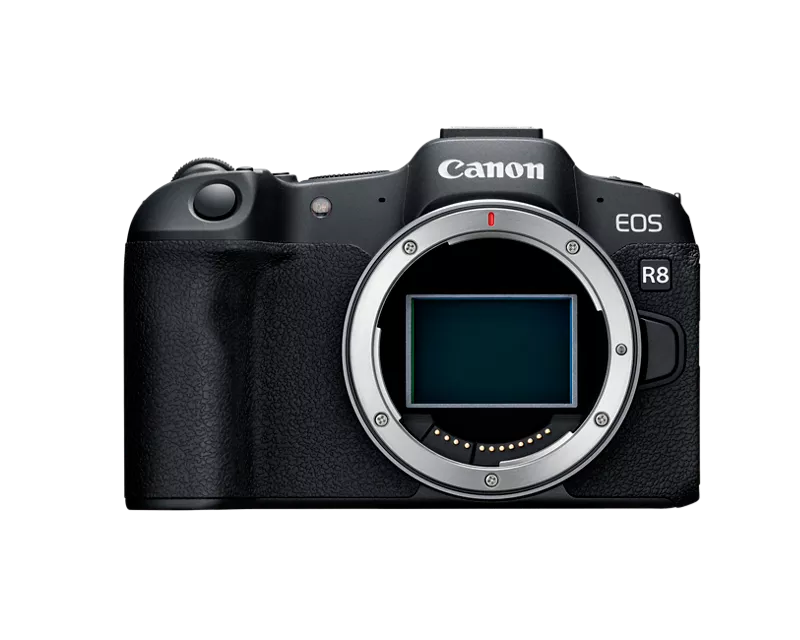
Canon R8 not connecting via wifi connecting to Google Pixel Pro Fold

Options
- Mark as New
- Bookmark
- Subscribe
- Mute
- Subscribe to RSS Feed
- Permalink
- Report Inappropriate Content
08-06-2025
05:11 PM
- last edited on
08-07-2025
09:31 AM
by
 Danny
Danny

under the newest update for the for the canon connect app im unable to connect my camera to my google pixel pro fold. ive tried removing all connections from both my phone and camera, uninstalled and reinstalled the app on my phone, ive registered my camera to my account but i have been unable to access the camera wirelessly.
15 REPLIES 15

Options
- Mark as New
- Bookmark
- Subscribe
- Mute
- Subscribe to RSS Feed
- Permalink
- Report Inappropriate Content
08-17-2025 11:38 PM
You can only use one connection type at a time. If you have a cable connected to the camera, You cannot connect to Wi-Fi.
~Rick
Bay Area - CA
~R5 C (1.1.3.1), ~RF Trinity, ~RF 100 Macro, ~RF 100~400, ~RF 100~500, ~RF 200-800, ~RF 1.4x TC, BG-R10, 430EX III-RT ~DxO PhotoLab Elite ~DaVinci Resolve Studio ~ImageClass MF644Cdw MF656Cdw ~Pixel 10 ~CarePaks Are Worth It
Options
- Mark as New
- Bookmark
- Subscribe
- Mute
- Subscribe to RSS Feed
- Permalink
- Report Inappropriate Content
08-17-2025 11:41 PM
Well I'd love to say that was true but the amount of time I'll have the app drop wired connection and try to force wifi when it's still saying that I'm connected with the wire on the camera and in my notifications is crazy.
Options
- Mark as New
- Bookmark
- Subscribe
- Mute
- Subscribe to RSS Feed
- Permalink
- Report Inappropriate Content
08-20-2025 10:15 PM

so under wifi settings in network preference I turned off allow wep networks restarted my phone and turn it back on and turned wep networks back on and for now my camera is properly connecting to my phone over wifi. Hopefully this might help others if you get it to work with this method let me know.
Options
- Mark as New
- Bookmark
- Subscribe
- Mute
- Subscribe to RSS Feed
- Permalink
- Report Inappropriate Content
08-26-2025 08:55 PM
So ya. Latest update to Android broke wifi connecting again and I once again can no longer use the feature. Would be nice if the app would tell me hey this is the error why it's not connecting but just to try again later. At least if be able to troubleshoot the issue not just connectivity issues with the phone to camera.

Options
- Mark as New
- Bookmark
- Subscribe
- Mute
- Subscribe to RSS Feed
- Permalink
- Report Inappropriate Content
08-26-2025 10:07 PM
I'm running Android 16. I have the first option under Wi-Fi preferences disabled. I like to control my Wi-Fi connectivity. I have the August security patch. I'm thinking about buying a pixel 10 non pro this week. I like the smaller form factor.
~Rick
Bay Area - CA
~R5 C (1.1.3.1), ~RF Trinity, ~RF 100 Macro, ~RF 100~400, ~RF 100~500, ~RF 200-800, ~RF 1.4x TC, BG-R10, 430EX III-RT ~DxO PhotoLab Elite ~DaVinci Resolve Studio ~ImageClass MF644Cdw MF656Cdw ~Pixel 10 ~CarePaks Are Worth It
Options
- Mark as New
- Bookmark
- Subscribe
- Mute
- Subscribe to RSS Feed
- Permalink
- Report Inappropriate Content
08-26-2025 10:10 PM
I've tried it with it turned on turned off removed the device from phone and app. Reset my wifi and Bluetooth connection. Fresh wiped my camera connections and factory reset. Nothing has fixed it so far.

- « Previous
-
- 1
- 2
- Next »
- « Previous
-
- 1
- 2
- Next »
Announcements
07/22/2026: New firmware updates are available.
EOS R6 Mark III - Version 1.1.0
05/13/2026: New firmware updates are available.
EOS R5 Mark II - Version 1.3.0
EOS R6 Mark II - Version 1.7.0
04/28/2026: Service Notice: Caution Concerning use of Lithium Batteries
03/17/2026: New firmware updates are available.
SELPHY CP1500 - Version 1.0.7.0
02/23/2026: New firmware update is available for EOS C50- Version 1.0.3.1
01/23/2026: New firmware update is available for RF 24-105mm F4 IS USM- Version 2.0.7
01/20/2026: New firmware updates are available.
10/21/2025: Service Notice: To Users of the Compact Digital Camera PowerShot V1
10/15/2025: New firmware updates are available.
Speedlite EL-5 - Version 1.2.0
Speedlite EL-1 - Version 1.1.0
Speedlite Transmitter ST-E10 - Version 1.2.0
07/28/2025: Notice of Free Repair Service for the Mirrorless Camera EOS R50 (Black)
05/21/2025: New firmware update available for EOS C500 Mark II - Version 1.1.5.1
Related Content
- EOS R50 Failed Bluetooth Connection in EOS DSLR & Mirrorless Cameras
- Where to download Canon Camera Connect v3 for Windows 11 in Camera Software
- Cannot batch-select / select all photos by date in Camera Connect App (IXUS 255 HS & iPhone 12) in Camera Software
- R6 Mark II WiFi Connectivity Issues when pushing to SFTP in EOS DSLR & Mirrorless Cameras
- Camera Connect won't connect to PowerShot SX720 HS after app update in Camera Software

Ⓒ 2026
Canon U.S.A Inc. All Rights Reserved. Reproduction in whole or part without permission is prohibited.
