cancel
Showing results for 
Show  only  | Search instead for 
Did you mean: 

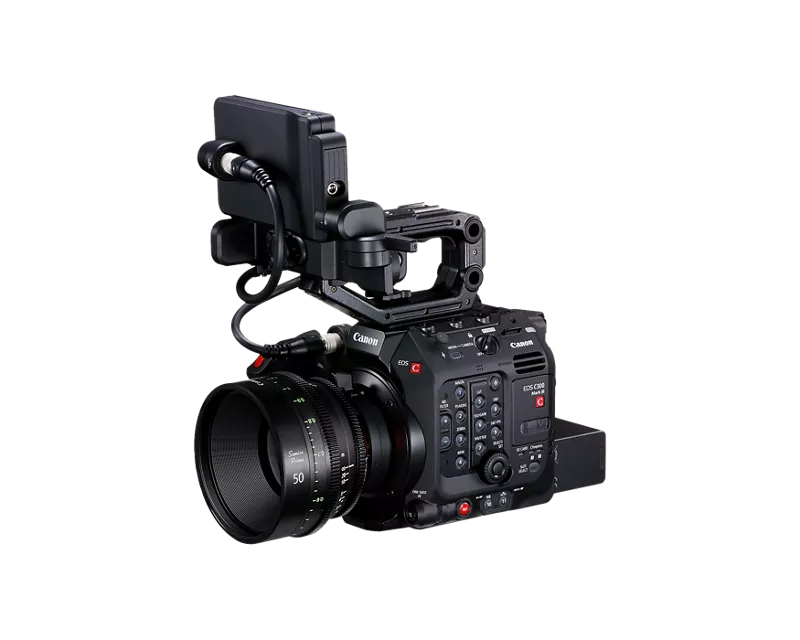
EOS C300 Mark III - Best Practices for Exposing C-LOG2 While Shooting Run and Gun Documentary

rightnow
Apprentice

Hello,

I'm shooting a documentary in April on the EOS C300 Mark IIIand would like to develop an effective practice for exposing/white balancing C-LOG2 on the fly

Right now it seems like it will be difficult to nail the exposure/white balance in a fast changing environment.

I'll be shooting RAW / 24P in C-LOG2.

Any tips/advice would be much appreciated.

Thanks!

1 REPLY 1

NatalyaP
Product Expert
Product Expert

Greetings rightnow,

Using the Auto White Balance (AWB) would be the quickest way to adjust the white balance if the light source changes. There is a button on the side of the camera labeled "10" which is for the white balance. You may find more information about this function on page 80 of the user guide for the EOS C300 Mark III camera.

For exposure, there is a function that is available on the camera that allows for the camera to set the exposure automatically if the lighting conditions change. The Automatic Aperture function which will adjust the aperture on the lens automatically. Please refer to page 76 of the user guide for more information.

https://gdlp01.c-wss.com/gds/5/0300042345/06/eosc300mk3-500mk2-im11-en.pdf


Holiday
Announcements
12/15/2025: New firmware update available for EOS C50 - Version 1.0.1.1

11/20/2025: New firmware updates are available.

EOS R6 Mark III - Version 1.0.1

EOS R3 - Version 2.0.0

EOS R1 - Version 1.2.0

EOS R5 Mark II - Version 1.2.0

EOS R5 - Version 2.2.1

PowerShot G7 X Mark III - Version 1.4.0

PowerShot SX740 HS - Version 1.0.2


10/21/2025: Service Notice: To Users of the Compact Digital Camera PowerShot V1

10/15/2025: New firmware updates are available.

Speedlite EL-5 - Version 1.2.0

Speedlite EL-1 - Version 1.1.0

Speedlite Transmitter ST-E10 - Version 1.2.0


07/28/2025: Notice of Free Repair Service for the Mirrorless Camera EOS R50 (Black)

07/24/2025: New firmware updates are available.


07/23/2025: New firmware updates are available.

EOS R5C - Version 1.1.1.1

EOS C80 - Version 1.0.3.1


7/17/2025: New firmware updates are available.

EOS R7 - Version 1.7.1

EOS R10 - Version 1.7.0

EOS R8 - Version 1.5.0

EOS R50 - Version 1.4.0

Powershot V10 - Version 1.4.0

Powershot V1 - Version 1.1.0

EOS R50V - Version 1.1.1


05/21/2025: New firmware update available for EOS C500 Mark II - Version 1.1.5.1

02/20/2025: New firmware updates are available.

RF70-200mm F2.8 L IS USM Z - Version 1.0.6

RF24-105mm F2.8 L IS USM Z - Version 1.0.9

RF100-300mm F2.8 L IS USM - Version 1.0.8

RF50mm F1.4 L VCM - Version 1.0.2

RF24mm F1.4 L VCM - Version 1.0.3


01/22/2024: Canon Supports Disaster Relief Efforts in California
01/14/2025: Steps to resolve still image problem when using certain SanDisk SD cards with the Canon EOS R5 Mark II