Turn on suggestions
Auto-suggest helps you quickly narrow down your search results by suggesting possible matches as you type.
- Canon Community
- Discussions & Help
- Printer
- Professional Photo Printers
- Re: PIXMA PRO-200 Error 520E
Options
- Subscribe to RSS Feed
- Mark Topic as New
- Mark Topic as Read
- Float this Topic for Current User
- Bookmark
- Subscribe
- Mute
- Printer Friendly Page
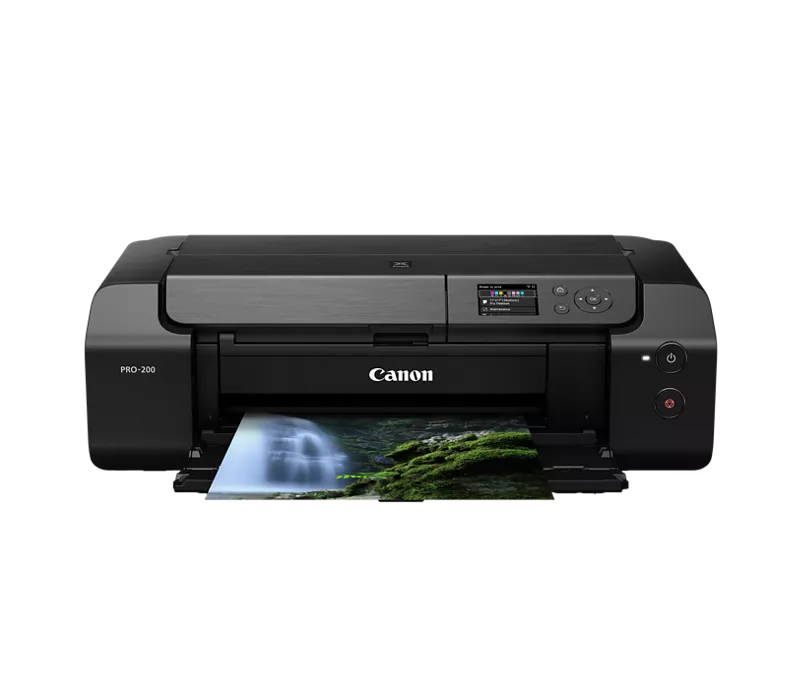
PIXMA PRO-200 Error 520E

Options
- Mark as New
- Bookmark
- Subscribe
- Mute
- Subscribe to RSS Feed
- Permalink
- Report Inappropriate Content
09-05-2025
07:48 AM
- last edited on
09-05-2025
10:21 AM
by
 Danny
Danny
Purchased this Jul 5th, 2024.
It is just outside warranty, with less than 600 pages printed and of that, maybe 80-90 photos.
Did not use printer Dec 24' to May 25' due to extended travels, returned, figured it sat that long it would need new ink, ordered a kit from Canon USA on amazon, verified storefront page, installed new ink, added new photo paper to print some test pictures for a new design I was commissioned to do. 520E error.
Restarted, same issue, put old ink carts back in, as they sat upside down on the tablet next to me so they were un tarnished, same result.
Now nearly $200 out on ink, and a literal 40 day window from the warranty being valid.
Any fixes? Please no just upgrade. I had to do that after the smaller printer by canon already. And that one still prints fine in anything except grayscale, just not the detail nor volume.
I need an actual fix.
3 REPLIES 3

Options
- Mark as New
- Bookmark
- Subscribe
- Mute
- Subscribe to RSS Feed
- Permalink
- Report Inappropriate Content
09-05-2025 11:50 AM
have you seen this solution ?
https://www.justanswer.com/printers/qc6mj-using-pixma-pro-200-received-support-code.html
It could be that the cartier’s are not correct placed
Options
- Mark as New
- Bookmark
- Subscribe
- Mute
- Subscribe to RSS Feed
- Permalink
- Report Inappropriate Content
09-05-2025 11:59 AM
Yes I have seen, and replicated that attempt. Prior to posting, I searched for 520E, 520e 520 e error code, pixma pro 200 error, pixma 520e, Pro-200 520E and more variations on forums, Google and reddit. YouTube gave a few suggestions as well.
Options
- Mark as New
- Bookmark
- Subscribe
- Mute
- Subscribe to RSS Feed
- Permalink
- Report Inappropriate Content
09-05-2025 12:00 PM
Adding as I did not reply to it, cartridges checked multiple times on seating too.

Announcements
07/22/2026: New firmware updates are available.
EOS R6 Mark III - Version 1.1.0
05/13/2026: New firmware updates are available.
EOS R5 Mark II - Version 1.3.0
EOS R6 Mark II - Version 1.7.0
04/28/2026: Service Notice: Caution Concerning use of Lithium Batteries
03/17/2026: New firmware updates are available.
SELPHY CP1500 - Version 1.0.7.0
02/23/2026: New firmware update is available for EOS C50- Version 1.0.3.1
01/23/2026: New firmware update is available for RF 24-105mm F4 IS USM- Version 2.0.7
01/20/2026: New firmware updates are available.
10/21/2025: Service Notice: To Users of the Compact Digital Camera PowerShot V1
10/15/2025: New firmware updates are available.
Speedlite EL-5 - Version 1.2.0
Speedlite EL-1 - Version 1.1.0
Speedlite Transmitter ST-E10 - Version 1.2.0
07/28/2025: Notice of Free Repair Service for the Mirrorless Camera EOS R50 (Black)
05/21/2025: New firmware update available for EOS C500 Mark II - Version 1.1.5.1
Related Content
- Wi-Fi connection error in my Canon PIXMA MG3600 in Printer Software & Networking
- Canon PIXMA TR4722 error code 3002 in Desktop Inkjet Printers
- PIXMA TS6320 shows error 1003 code in Desktop Inkjet Printers
- Cartridge recognition error on Canon PIXMA G6020 in Desktop Inkjet Printers
- Professional Print and Layout (ver1.6.1) stopped printing. Pixma Pro 200, Windows11 in Printer Software & Networking

Ⓒ 2026
Canon U.S.A Inc. All Rights Reserved. Reproduction in whole or part without permission is prohibited.
