Point & Shoot Digital Cameras
Turn on suggestions
Auto-suggest helps you quickly narrow down your search results by suggesting possible matches as you type.
- Canon Community
- Discussions & Help
- Camera
- Point & Shoot Digital Cameras
Options
- Mark all as New
- Mark all as Read
- Float this item to the top
- Subscribe
- Bookmark
- Subscribe to RSS Feed
- Threaded format
- Linear Format
- Sort by Topic Start Date
Posts
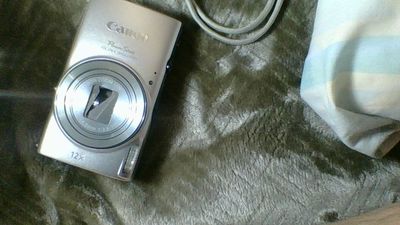
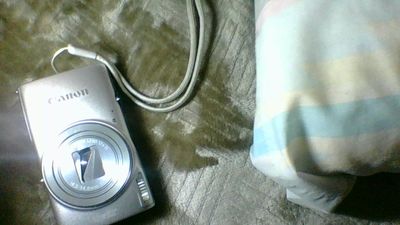
SX60 external power supply
(1) Anyone know the specs for the ACK-DC80 coaxial power connector? Something like 3.5/1.3? (2) Voltage is 7.4VDC? (3) Center positive? Ken C
Sx740hs downloads?
I didn't connect my camera to my computer before leaving my home country (Canada) for New Zealand. Now the camera has stopped downloading via my cable and I do not have appropriate wifi to set up for download to my tablet. I thought no problem I'll j...
powershot a810 viewing window problem
Hi there,i am a new member of your forum and looking for help please,I have a cannon a810 powershot and it has been working fine up to me changing the batteries today,when i switched the camara back on a thin white line shoots across the window and t...
PowerShot G1 X Mark II
hii have a PowerShot G1 X Mark II and a laptop (microsoft surface pro 3)is it possible to take a picture and imidatly see it on the labtop-screen without any wireconnections ? erikdenmark
Canon PowerShot G7 X Mark II - terrible import issue over WiFi to iPhone
This is TERRIBLE! Help!!!! I've been using my Canon Powershot G7 X Mark II for about 5 months now.I import most of my photos via wifi connection to my iPhone. I noticed after a long time doing this that apparently every imported photo creates an empt...
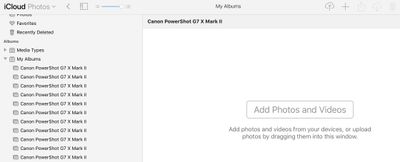
how do you download pictures from a PowerShot ELPH 350 HS to computer with Wi FI on WIndows 10?
Somwhow, I've been able to successfully connect camera to computer via Wi FI to download pictures. But that only happened twice. This is the first Canon camera that I have owned. The people that make the decisions for Canon cameras do not have a line...
Light meter workaround for g5x mkll
I don't have access to the meter when In M using auto iso. If i dismiss auto iso I'm fine. Any way to get my meter when on auto iso? Thanks.
Re: Help with Canon PS SX50 HS Zoom Lever Problem
Hello , This is my first posting. My SX50 is 4 years old, and has performed flawlessly until now. My zoom lever does not respond initially, and then I get the designed response, only to have the lever fail again. Is there a user fix, or do I have to ...
G7X Mark II or Mark III for non 4K video???
Hi everyone,I’ve been interested in recording some videos for my hobby and I’ve been stuck between these two cameras. It would probably be strictly for recording video as I also have a Canon EOS SL1 with various lenses.But when I read between the Mar...
Powershot - flash won’t work
I just received my new Powershot SX740 HS in the mail, but I can’t get the flash to work at all. It doesn’t pop up. I’ve tried flash on and auto flash in different modes, different lighting. Am I missing something obvious or did I just get a dud?
I am looking for the authentication number so I can connect on the wifi. PowerShot sx530HS
Am tryinga to connect to the wifi. Cant find the authentication number. I just bought this 4 days ago and barely have time to get it connected.
Flash synchronization issue
PowerShot sx730 hsIt looks the flash speed is not synchronized.If someone moves during the shooting, he gets smashed head or body. The woman and the man on the right.This is the first camera from more than 10, which has such issue. Is it adjustable o...


Resolved! Is GP-E2 compatible with G5X?
Is GP-E2 compatible with G5X
Resolved! Powershot XS620HS WiFi Connectivity
Is something I'm doing wrong or do I have to re-establish my WiFi connection everytime I turn the camera on?Or, is there a way to automate this; Set it and forget it; Connects automatically???Looking forward to good advice.Kevin
Unanswered Topics
| Subject | Author | Posted |
|---|---|---|
| 05-22-2026 11:35 AM | ||
| 04-23-2026 08:44 PM | ||
| 04-13-2026 11:03 AM | ||
| 04-08-2026 04:12 PM | ||
| 03-30-2026 07:11 PM |
Getting started
New to the community? Here's some information to help you get acquainted:
Announcements
07/22/2026: New firmware updates are available.
EOS R6 Mark III - Version 1.1.0
05/13/2026: New firmware updates are available.
EOS R5 Mark II - Version 1.3.0
EOS R6 Mark II - Version 1.7.0
04/28/2026: Service Notice: Caution Concerning use of Lithium Batteries
03/17/2026: New firmware updates are available.
SELPHY CP1500 - Version 1.0.7.0
02/23/2026: New firmware update is available for EOS C50- Version 1.0.3.1
01/23/2026: New firmware update is available for RF 24-105mm F4 IS USM- Version 2.0.7
01/20/2026: New firmware updates are available.
10/21/2025: Service Notice: To Users of the Compact Digital Camera PowerShot V1
10/15/2025: New firmware updates are available.
Speedlite EL-5 - Version 1.2.0
Speedlite EL-1 - Version 1.1.0
Speedlite Transmitter ST-E10 - Version 1.2.0
07/28/2025: Notice of Free Repair Service for the Mirrorless Camera EOS R50 (Black)
05/21/2025: New firmware update available for EOS C500 Mark II - Version 1.1.5.1
New solutions

Ⓒ 2026
Canon U.S.A Inc. All Rights Reserved. Reproduction in whole or part without permission is prohibited.
