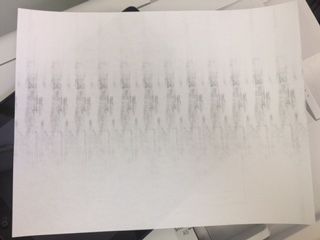
I have a printer model MF4550d but my scanner won't work anymore. I get a message "connect computer". I have recently changed to windows 8.Please help.
I have a PC980 copier that is showing a paper jam error. I've checked everything and cannot find a paper jam. I've turned the printer off and left it for 10 minutes and I'm it's still showing a paper jam. Any suggestions?
A friend of mine gave me his Canon D420 MF laser printer/scanner as he was moving out of the country. I am trying to enable the scanner on this. Unfortunately, I seem to have misplaced the CD that had all the necessary software. I was able to down...
Each time I submit a print request, my first print job prints and my other requests won't print. I will shut my printer on and off to reset the printer and for my requests to print.
I have a MF4890DW all-in-one laser printer. When I need to scan a document, I use "remote scanning" and initiate the scan from my Mac using the "MF Toolbox" software. The scanned copies always come out dull - many times not capturing anything writtem...
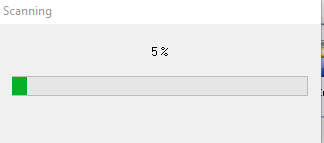
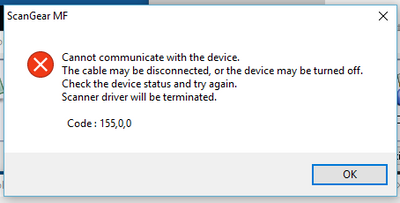
After Windows10, I can't scan with my mf 6160 via USB. I even update the NetworkUSBScanPatch and still don't work.Scan page went through but the dialog screen stop at 5% and error message came out.
I have to turn it off and restart the whole thing. What am I missing. Not addressed anywhere on line. Please help?
Is there any way I can get my ImageCLASS MF6550 to print a confirmation sheet ?
We have an Canon ImageClass MF8580Cdw, When document in placed on adf or on flat bed and if copy function is selected, nothing works. the LED on start buttons (B/W & Color) does not glow nor it function
where i can find lbp 810 win 10 64 bit driver?
We put a Canon 1133a Image Runner on the office network (cat5). Users can print from their workstations but cannot scan.i get the error error in scanner, follow instructions in the online manual.Scanner driver will be terminated: code 255,0,0 . Data ...
WHAT IS THE PROCEDURE/SETTINGS TO DO THE SCAN TO MAIL FUNCTION IN CANON 8580CDW
How do I set the default printing to grayscale?
The IR 5070 is set up to the office network. It prints fine but won't scan. The scanner shows online but it is not showing on any of the computers.
| Subject | Author | Posted |
|---|---|---|
| 09-10-2026 03:32 PM | ||
| 09-10-2026 03:25 PM | ||
| 09-09-2026 02:14 PM | ||
| 09-08-2026 06:01 PM | ||
| 09-07-2026 05:46 PM |
New to the community? Here's some information to help you get acquainted:
07/22/2026: New firmware updates are available.
EOS R6 Mark III - Version 1.1.0
05/13/2026: New firmware updates are available.
EOS R5 Mark II - Version 1.3.0
EOS R6 Mark II - Version 1.7.0
03/17/2026: New firmware updates are available.
SELPHY CP1500 - Version 1.0.7.0
01/20/2026: New firmware updates are available.
10/15/2025: New firmware updates are available.
Speedlite EL-5 - Version 1.2.0
Speedlite EL-1 - Version 1.1.0
Speedlite Transmitter ST-E10 - Version 1.2.0
Canon U.S.A Inc. All Rights Reserved. Reproduction in whole or part without permission is prohibited.