Turn on suggestions
Auto-suggest helps you quickly narrow down your search results by suggesting possible matches as you type.
- Canon Community
- Discussions & Help
- Printer
- Office Printers
- Help to factory reset a MF416DW
Options
- Subscribe to RSS Feed
- Mark Topic as New
- Mark Topic as Read
- Float this Topic for Current User
- Bookmark
- Subscribe
- Mute
- Printer Friendly Page

Options
- Mark as New
- Bookmark
- Subscribe
- Mute
- Subscribe to RSS Feed
- Permalink
- Report Inappropriate Content
02-16-2021 03:51 PM - edited 02-16-2021 03:56 PM
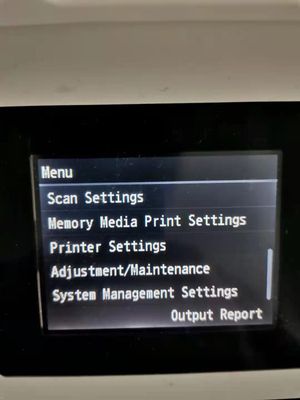
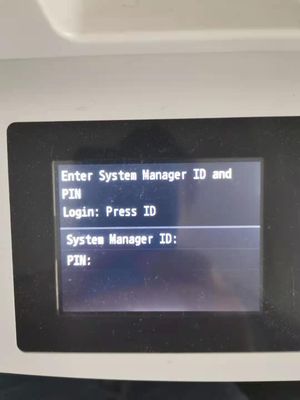
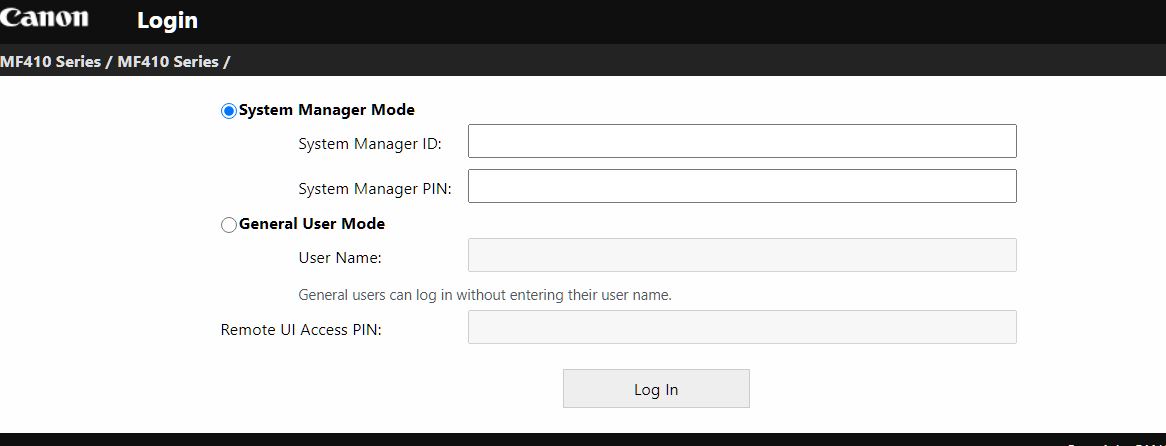
Hello, I have an imageclass MF416DW but I have lost it's System Manager ID and PIN. Though the General Mode(requires no password), I can see my System Manager ID is Admin, but I tried all of my PIN including the detaulf 7654321 and none of them worked. When I tried to go to System Management Settings under printer Menu, it still asks me for System Manager ID and PIN. It seems there is no way to factory reset it after losing the System Manager ID and PIN.
What can I do to reset it?
Thank you!

Solved! Go to Solution.
1 ACCEPTED SOLUTION
Accepted Solutions
Options
- Mark as New
- Bookmark
- Subscribe
- Mute
- Subscribe to RSS Feed
- Permalink
- Report Inappropriate Content
02-16-2021 04:20 PM
Problem Solved
After 1 hour waiting on the support line, I was instructed to first turn off the printer, press and hold 4 on the keypad, then turn on the printer. And then magically I can reset all it's settings under Menu. I wish this is on the user menu.
Thank you customer support!
4 REPLIES 4
Options
- Mark as New
- Bookmark
- Subscribe
- Mute
- Subscribe to RSS Feed
- Permalink
- Report Inappropriate Content
02-16-2021 04:20 PM
Problem Solved
After 1 hour waiting on the support line, I was instructed to first turn off the printer, press and hold 4 on the keypad, then turn on the printer. And then magically I can reset all it's settings under Menu. I wish this is on the user menu.
Thank you customer support!

Options
- Mark as New
- Bookmark
- Subscribe
- Mute
- Subscribe to RSS Feed
- Permalink
- Report Inappropriate Content
01-24-2023 08:13 PM
This didn't work on mine. It is darn near impossible to locate any customer support from Canon.
Options
- Mark as New
- Bookmark
- Subscribe
- Mute
- Subscribe to RSS Feed
- Permalink
- Report Inappropriate Content
03-19-2025 03:52 PM
Which key pad was it? I have a MF 632cdw and have the same issue. Thanks.


Options
- Mark as New
- Bookmark
- Subscribe
- Mute
- Subscribe to RSS Feed
- Permalink
- Report Inappropriate Content
03-19-2025 07:33 PM
Hi Hope123,
This topic is years old, and for another model printer than your Canon product. For your printer you will need to contact Canon Support for Remote UI / System Manager ID / PIN reset. Their number is 1-800-652-2666
~Rick
Bay Area - CA
~R5 C (1.1.3.1), ~RF Trinity, ~RF 100 Macro, ~RF 100~400, ~RF 100~500, ~RF 200-800, ~RF 1.4x TC, BG-R10, 430EX III-RT ~DxO PhotoLab Elite ~DaVinci Resolve Studio ~ImageClass MF644Cdw MF656Cdw ~Pixel 10 ~CarePaks Are Worth It

Announcements
07/22/2026: New firmware updates are available.
EOS R6 Mark III - Version 1.1.0
05/13/2026: New firmware updates are available.
EOS R5 Mark II - Version 1.3.0
EOS R6 Mark II - Version 1.7.0
04/28/2026: Service Notice: Caution Concerning use of Lithium Batteries
03/17/2026: New firmware updates are available.
SELPHY CP1500 - Version 1.0.7.0
02/23/2026: New firmware update is available for EOS C50- Version 1.0.3.1
01/23/2026: New firmware update is available for RF 24-105mm F4 IS USM- Version 2.0.7
01/20/2026: New firmware updates are available.
10/21/2025: Service Notice: To Users of the Compact Digital Camera PowerShot V1
10/15/2025: New firmware updates are available.
Speedlite EL-5 - Version 1.2.0
Speedlite EL-1 - Version 1.1.0
Speedlite Transmitter ST-E10 - Version 1.2.0
07/28/2025: Notice of Free Repair Service for the Mirrorless Camera EOS R50 (Black)
05/21/2025: New firmware update available for EOS C500 Mark II - Version 1.1.5.1
Related Content
- MF 269 dw II recognized by Mac but offline or online but will not print in Office Printers
- MF656Cdw Wireless Connection Suddenly Stopped Working in Printer Software & Networking
- imageCLASS MF753Cdw reset procedure not working in Office Printers
- Admin Password for PIXMA iP8720 in Printer Software & Networking
- LPB632cdw - ethernet port not working, wifi is in Printer Software & Networking

Ⓒ 2026
Canon U.S.A Inc. All Rights Reserved. Reproduction in whole or part without permission is prohibited.
