Turn on suggestions
Auto-suggest helps you quickly narrow down your search results by suggesting possible matches as you type.
- Canon Community
- Discussions & Help
- General Discussion
- General Discussion
- Re: ... print two-up 5X7 inch images from DPP 4.0 ...
Options
- Subscribe to RSS Feed
- Mark Topic as New
- Mark Topic as Read
- Float this Topic for Current User
- Bookmark
- Subscribe
- Mute
- Printer Friendly Page
... print two-up 5X7 inch images from DPP 4.0 ...

Options
- Mark as New
- Bookmark
- Subscribe
- Mute
- Subscribe to RSS Feed
- Permalink
- Report Inappropriate Content
04-01-2016 11:28 AM
I want to print two 5X7 images at one on a single sheet of 8.5 X 11 inch photo paper.
is it possible from DPP 4.0...?
IF not how do I accomplish that function...?
Until that time. . . Earl J.
7 REPLIES 7


Options
- Mark as New
- Bookmark
- Subscribe
- Mute
- Subscribe to RSS Feed
- Permalink
- Report Inappropriate Content
04-01-2016 03:57 PM
Same image twice, or two different images. This is usually accomplished in the actual printer driver software, not DPP.
--------------------------------------------------------
"Enjoying photography since 1972."
"Enjoying photography since 1972."
Options
- Mark as New
- Bookmark
- Subscribe
- Mute
- Subscribe to RSS Feed
- Permalink
- Report Inappropriate Content
04-01-2016 05:23 PM - edited 04-01-2016 05:23 PM
* * *
Thanks for the reply, Waddizzle. . .
perhaps I'm spoiled.
in the Lightroom menu for print functions, right within the LR application is the ability to choose multiple formats for printing images on a single sheet of paper...
The same applies to Photoshop Elements.
* * *
When I select properties in the printer display menu, I see items like paper quality, image orientation (landscape/portrait), and resolution (text/draft image/best image)...).
... hmmm ...
Until that time. . . Earl J.
Options
- Mark as New
- Bookmark
- Subscribe
- Mute
- Subscribe to RSS Feed
- Permalink
- Report Inappropriate Content
04-01-2016 06:35 PM
Depending upon the Canon printer you're using [you haven't said which Canon printer that you're using] you goto File : Plug-In Printing, and select which mode that you want the driver to use when it starts up.
--------------------------------------------------------
"Enjoying photography since 1972."
"Enjoying photography since 1972."

Options
- Mark as New
- Bookmark
- Subscribe
- Mute
- Subscribe to RSS Feed
- Permalink
- Report Inappropriate Content
04-01-2016 07:11 PM
In DPP4 choose Print Contact Sheets.
Then in printer dialog box popupo choose 2 columns and 1 row. Rotate as necessary.

John Hoffman
Conway, NH
R6 Mark III, M200 (converted to infrared), RF lenses, Pixma PRO-100, Pixma TR8620a, Lr Classic
Conway, NH
R6 Mark III, M200 (converted to infrared), RF lenses, Pixma PRO-100, Pixma TR8620a, Lr Classic
Options
- Mark as New
- Bookmark
- Subscribe
- Mute
- Subscribe to RSS Feed
- Permalink
- Report Inappropriate Content
04-01-2016 07:17 PM
Thank you for that solution, jrhoffman75. . .
except my dropdown menu does not have any print contact sheet option. . .
I did see that function under a dropdown menu n one of the videos,
but it is not available in my menuing system anywhere...
Perhaps I need to select more than one image...
that would be pretty sophisticated - to alter the menu according to the
number of images selected... (wink)
You find it under File... correct...?
Not there. . .
let me look again...
Until that time... Earl J.
Options
- Mark as New
- Bookmark
- Subscribe
- Mute
- Subscribe to RSS Feed
- Permalink
- Report Inappropriate Content
04-01-2016 07:29 PM
Filke, and the Print contact sheets (third entry; two below Print).
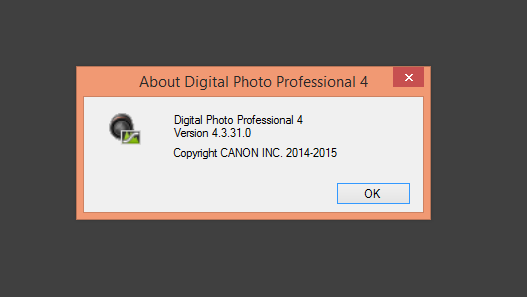
Download latest version of DPP from Canon (Version 4.4)
John Hoffman
Conway, NH
R6 Mark III, M200 (converted to infrared), RF lenses, Pixma PRO-100, Pixma TR8620a, Lr Classic
Conway, NH
R6 Mark III, M200 (converted to infrared), RF lenses, Pixma PRO-100, Pixma TR8620a, Lr Classic
Options
- Mark as New
- Bookmark
- Subscribe
- Mute
- Subscribe to RSS Feed
- Permalink
- Report Inappropriate Content
04-01-2016 07:31 PM - edited 04-01-2016 08:21 PM
that might be a big help. . .
I just need to find it. . . (dang it...!)
why must Canon make it so freakin' painful...? (sigh)

Announcements
07/22/2026: New firmware updates are available.
EOS R6 Mark III - Version 1.1.0
05/13/2026: New firmware updates are available.
EOS R5 Mark II - Version 1.3.0
EOS R6 Mark II - Version 1.7.0
04/28/2026: Service Notice: Caution Concerning use of Lithium Batteries
03/17/2026: New firmware updates are available.
SELPHY CP1500 - Version 1.0.7.0
02/23/2026: New firmware update is available for EOS C50- Version 1.0.3.1
01/23/2026: New firmware update is available for RF 24-105mm F4 IS USM- Version 2.0.7
01/20/2026: New firmware updates are available.
10/21/2025: Service Notice: To Users of the Compact Digital Camera PowerShot V1
10/15/2025: New firmware updates are available.
Speedlite EL-5 - Version 1.2.0
Speedlite EL-1 - Version 1.1.0
Speedlite Transmitter ST-E10 - Version 1.2.0
07/28/2025: Notice of Free Repair Service for the Mirrorless Camera EOS R50 (Black)
05/21/2025: New firmware update available for EOS C500 Mark II - Version 1.1.5.1
Related Content
- Ongoing Issues with i7 Laptop and Canon Printer - Seeking Advice in General Discussion
- Celebrating World Photography Day: Aug 19th 1839 in General Discussion
- My Image Garden useless replacement for Easy-PhotoPrint EX in General Discussion
- Considerations for People Seeking Gear Advice in General Discussion
- CanoScan LiDE 220 error message: cannot print because printer supported by software not installed in General Discussion

Ⓒ 2026
Canon U.S.A Inc. All Rights Reserved. Reproduction in whole or part without permission is prohibited.
