Turn on suggestions
Auto-suggest helps you quickly narrow down your search results by suggesting possible matches as you type.
- Canon Community
- Discussions & Help
- General Discussion
- General Discussion
- Re: Shooting with an overlayed guide/reference ima...
Options
- Subscribe to RSS Feed
- Mark Topic as New
- Mark Topic as Read
- Float this Topic for Current User
- Bookmark
- Subscribe
- Mute
- Printer Friendly Page
Shooting with an overlayed guide/reference image?

Options
- Mark as New
- Bookmark
- Subscribe
- Mute
- Subscribe to RSS Feed
- Permalink
- Report Inappropriate Content
01-15-2016 04:51 PM - edited 01-15-2016 04:57 PM
Hi there. I've done several google searches to absolutely no avail on this topic. I'm looking for a way to accomplish something akin to (in my imagination) inputing an image into the camera to act as the digital grid display would, as a transparent overlay to what I'm seeing through the viewfinder. I could then position myself/camera and the item to align perfectly with a reference image I want to match as closely as possible. In-camera software? Hardware? Other??
I've read about the in-camera dual exposure features, but what I need to do would be more like being able to see one exposure WHILE framing the next shot over it (as opposed to combining the two after both have been shot).
Suggestions welcome!
10 REPLIES 10

Options
- Mark as New
- Bookmark
- Subscribe
- Mute
- Subscribe to RSS Feed
- Permalink
- Report Inappropriate Content
01-18-2016 07:30 AM
@dreamrthts wrote:Hi there. I've done several google searches to absolutely no avail on this topic. I'm looking for a way to accomplish something akin to (in my imagination) inputing an image into the camera to act as the digital grid display would, as a transparent overlay to what I'm seeing through the viewfinder. I could then position myself/camera and the item to align perfectly with a reference image I want to match as closely as possible. In-camera software? Hardware? Other??
I've read about the in-camera dual exposure features, but what I need to do would be more like being able to see one exposure WHILE framing the next shot over it (as opposed to combining the two after both have been shot).
Suggestions welcome!
I doubt that any cameras currently in production are designed to allow what you're asking for. Moreover, I suspect tht aligning the new image with the old would be much more difficult than you imagine.
Bob
Philadelphia, Pennsylvania USA
Philadelphia, Pennsylvania USA
Options
- Mark as New
- Bookmark
- Subscribe
- Mute
- Subscribe to RSS Feed
- Permalink
- Report Inappropriate Content
01-18-2016 11:52 AM
@RobertTheFat thank you for the response. I agree there probably isn't currently anything designed for this. But that's exactly why I'm reaching out to the collective - curious to hear from any others who may have approached similar challenges. I have had a decent amount of success just by printing the drawing and visually referencing it as I shoot, then tweaking a bit in Photoshop, but...necessity is the mother of invention! I'm convinced there's a better way.


Options
- Mark as New
- Bookmark
- Subscribe
- Mute
- Subscribe to RSS Feed
- Permalink
- Report Inappropriate Content
02-01-2016 03:58 AM - edited 02-01-2016 04:02 AM
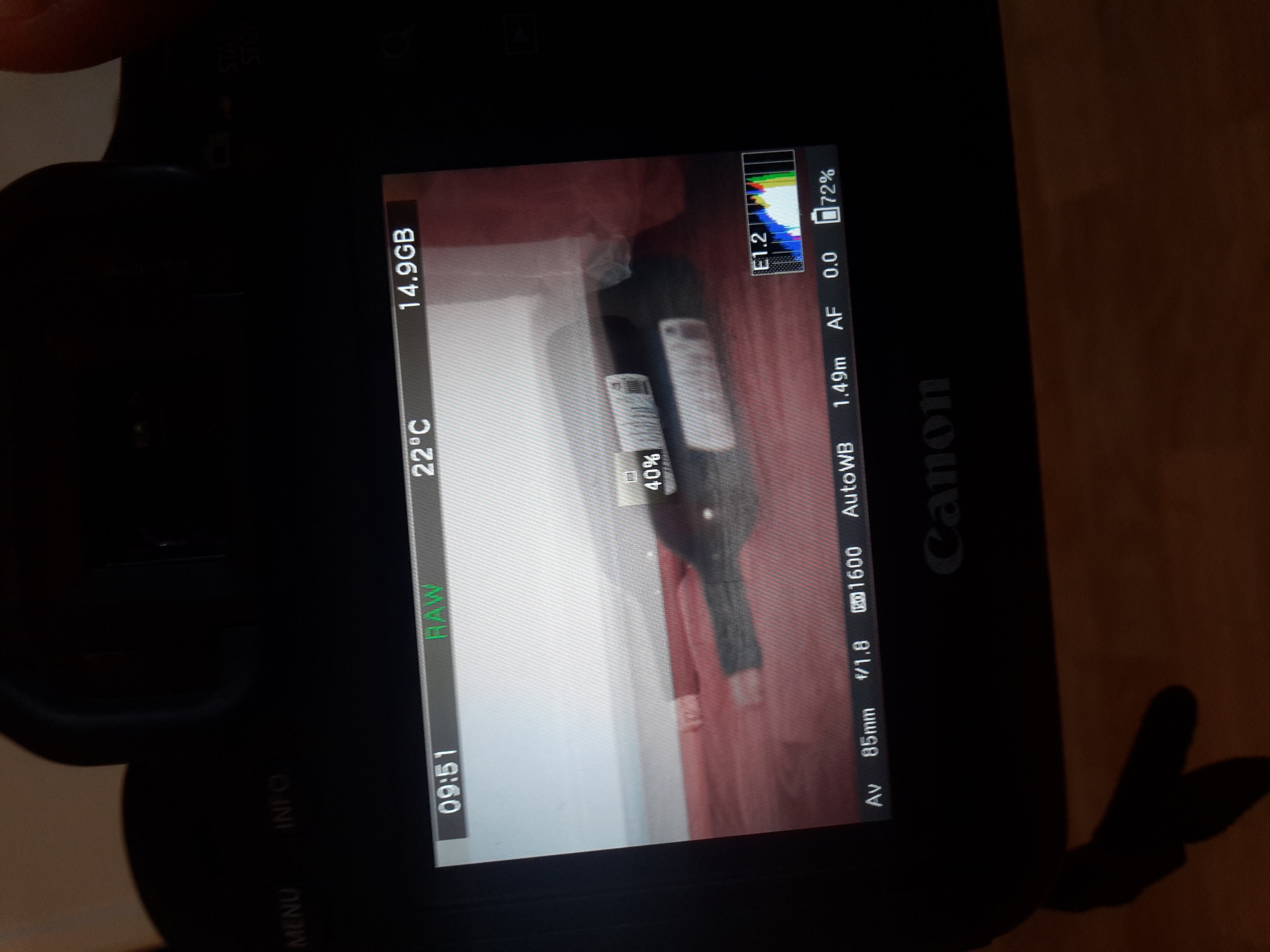
Something like that? A ghost image?
Options
- Mark as New
- Bookmark
- Subscribe
- Mute
- Subscribe to RSS Feed
- Permalink
- Report Inappropriate Content
02-01-2016 04:07 AM
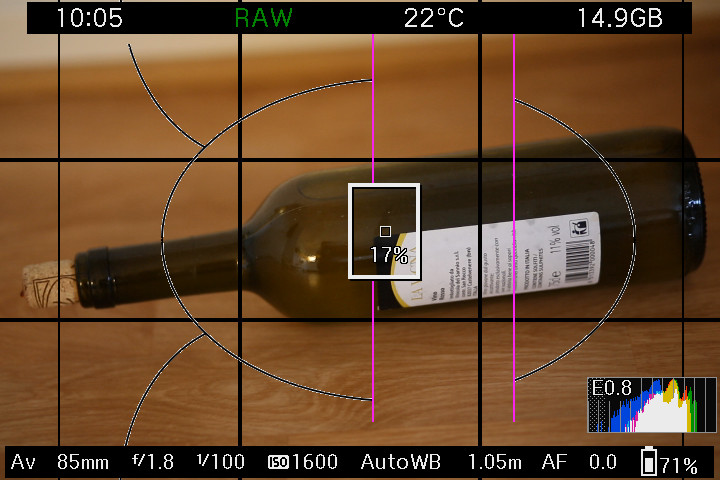
Or like this? Your own grid? Ghost image and own grid only work in Live View mode.
Options
- Mark as New
- Bookmark
- Subscribe
- Mute
- Subscribe to RSS Feed
- Permalink
- Report Inappropriate Content
02-01-2016 12:03 PM
Peter, those could definitely help, though I've never used them. No problem using Live View since it's really just to get it lined up anyway.
How does the ghost image work? And by "own grid" does that mean you somehow create (in camera) or upload a custom user-defined grid? I'm very interested in learning more about both options. Thanks for bringing them to my attention!
Options
- Mark as New
- Bookmark
- Subscribe
- Mute
- Subscribe to RSS Feed
- Permalink
- Report Inappropriate Content
02-01-2016 02:48 PM
With ghost image you take one picture and it will be your ghost image for the next one.
With your own cropmark/grid you can make your own in GIMP or Photoshop. You will need Magic Lantern.
With your own cropmark/grid you can make your own in GIMP or Photoshop. You will need Magic Lantern.
Options
- Mark as New
- Bookmark
- Subscribe
- Mute
- Subscribe to RSS Feed
- Permalink
- Report Inappropriate Content
02-01-2016 03:16 PM
Ah, ok, it's a Magic Lantern function! Just watched a YouTube video on it and that seems to be exactly what I was hoping for! Thanks again.
Options
- Mark as New
- Bookmark
- Subscribe
- Mute
- Subscribe to RSS Feed
- Permalink
- Report Inappropriate Content
02-01-2016 03:22 PM
Bob, it turns out there IS the technology! Once Peter put a name to it (ghost image) I was able to find a few YouTube tutorials on the MagicLantern function, and THIS which actually shows another native EOS utility option (part of LiveView).

Options
- Mark as New
- Bookmark
- Subscribe
- Mute
- Subscribe to RSS Feed
- Permalink
- Report Inappropriate Content
02-04-2016 09:18 AM
Seems to me that it would easy if you shot a clean shot of your background. Next, you would take photos of your subject(s), and then add them on different layers [and layer masks] to the background in Photoshop.
I would assume that all shots are being taken on a tripod, and that the position of the tripod and head can be accurately documented and reproduced. Otherwise, would need to take all of your shots in one session, without moving the camera. This is the sort of stuff that a "production designer" would do when filming a movie.
--------------------------------------------------------
"Enjoying photography since 1972."
"Enjoying photography since 1972."


Announcements
07/22/2026: New firmware updates are available.
EOS R6 Mark III - Version 1.1.0
05/13/2026: New firmware updates are available.
EOS R5 Mark II - Version 1.3.0
EOS R6 Mark II - Version 1.7.0
04/28/2026: Service Notice: Caution Concerning use of Lithium Batteries
03/17/2026: New firmware updates are available.
SELPHY CP1500 - Version 1.0.7.0
02/23/2026: New firmware update is available for EOS C50- Version 1.0.3.1
01/23/2026: New firmware update is available for RF 24-105mm F4 IS USM- Version 2.0.7
01/20/2026: New firmware updates are available.
10/21/2025: Service Notice: To Users of the Compact Digital Camera PowerShot V1
10/15/2025: New firmware updates are available.
Speedlite EL-5 - Version 1.2.0
Speedlite EL-1 - Version 1.1.0
Speedlite Transmitter ST-E10 - Version 1.2.0
07/28/2025: Notice of Free Repair Service for the Mirrorless Camera EOS R50 (Black)
05/21/2025: New firmware update available for EOS C500 Mark II - Version 1.1.5.1
Related Content
- Aperture recommendations for daytime city photos in General Discussion
- Focal Length Recommendations for Daytime City Street Photos in General Discussion
- Please Share your Astrophotography Shooting Setup and Experience in General Discussion
- Please Share Your Macro Shooting Setup and Experience in General Discussion
- Managing a small photography team is harder than the actual photography in General Discussion

Ⓒ 2026
Canon U.S.A Inc. All Rights Reserved. Reproduction in whole or part without permission is prohibited.
