- Meet Our Illuminaries
- Discussions & Help
- Gallery
- Learn With Canon
- About Our Community
- Meet Our Illuminaries
- Discussions & Help
- Gallery
- Learn With Canon
- About Our Community
Turn on suggestions
Auto-suggest helps you quickly narrow down your search results by suggesting possible matches as you type.
- Canon Community
- Discussions & Help
- EOS Webcam Utility Pro
- EOS Webcam Utility Pro - Discussions
- Re: Rebel T7 as Webcam issues
Options
- Subscribe to RSS Feed
- Mark Topic as New
- Mark Topic as Read
- Float this Topic for Current User
- Bookmark
- Subscribe
- Mute
- Printer Friendly Page
EOS Webcam Utility only shows app logo; How to get 1080p via USB from EOS Rebel T7

Options
- Mark as New
- Bookmark
- Subscribe
- Mute
- Subscribe to RSS Feed
- Permalink
- Report Inappropriate Content
08-05-2025
11:01 PM
- last edited on
08-06-2025
09:28 AM
by
 Danny
Danny
I've been using a Rebel T7 as a webcam for years, via the EOS Webcam Utility software (not the pro version). I connect to my PC with a USB cable. I recently discovered that it's outputting at 720p, and that using the HDMI output, I can get 1080p. I got that working with an HDMI adapter and OBS, but then, in movie mode, I have manual or autofocus rectangles on the screen. Canon tech support says you can't get rid of them. So I was thinking of upgrading to a better camera, such as an SL3.
But today I saw a video which claimed that using EOS Webcam Utility Pro, you can get 1080p with the USB cable. I'm not so sure about that. So far, I'm only seeing what you see below, both in EOS and in Riverside.fm. Can anyone comment on this? Maybe I'd get 1080p if I register for the paid version. I'll try that tomorrow. But why am I just seeing what you see in the screenshot, and not what my camera is pointing at?

9 REPLIES 9


Options
- Mark as New
- Bookmark
- Subscribe
- Mute
- Subscribe to RSS Feed
- Permalink
- Report Inappropriate Content
08-05-2025 11:14 PM
Greetings,
You are correct, the T7 does not support clean HDMI out so you are going to see OSD and focus boxes or overlays on the screen.
Upgrading from a T7... Do you have a budget for this endeavor? I would strongly urge you to consider a mirrorless body. It's more affordable than you might think.
~Rick
Bay Area - CA
~R5 C (1.1.3.1), ~RF Trinity, ~RF 100 Macro, ~RF 100~400, ~RF 100~500, ~RF 200-800, ~RF 1.4x TC, BG-R10, 430EX III-RT ~DxO PhotoLab Elite ~DaVinci Resolve Studio ~ImageClass MF644Cdw MF656Cdw ~Pixel 10 ~CarePaks Are Worth It
Options
- Mark as New
- Bookmark
- Subscribe
- Mute
- Subscribe to RSS Feed
- Permalink
- Report Inappropriate Content
08-06-2025 07:33 AM
Thanks for your response.
- Which model would you recommend?
- Is the SL3 a mirrorless body?
- Why am I getting the EOS Webcam Utility words (backwards) instead of what my camera is seeing?
- Can the T7 output at 1080p through the USB cable (and thus no focus boxes) if I get the EOS paid subscription?

Options
- Mark as New
- Bookmark
- Subscribe
- Mute
- Subscribe to RSS Feed
- Permalink
- Report Inappropriate Content
08-06-2025 08:08 AM
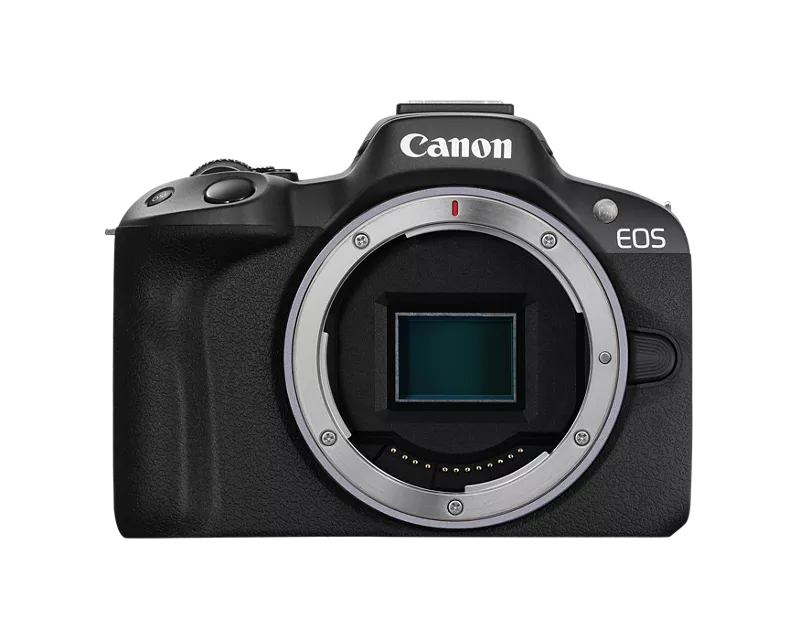
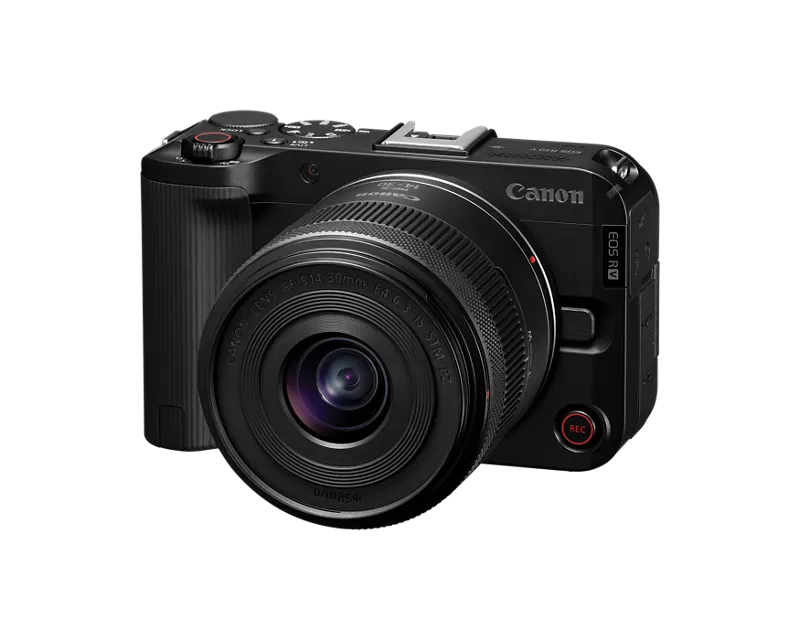
Both EOS R50 and EOS R50V can be configured to simply work as a webcam with a USB cable. They both have the option to support UVC/UAC connection over USB. With this enabled you just plug a USB C data cable in to the camera and the other end in to the computer. The camera will appear like any other webcam with both video and audio.
EOS R50 manual page - https://cam.start.canon/en/C011/manual/html/UG-09_Set-up_0230.html
EOS R50V manual page - https://cam.start.canon/en/C021/manual/html/UG-07_Network_0190.html
You don't need to use EOS Webcam Utility (free or paid) with either of these cameras. However make sure the USB-C cable supports at least 20Gbps data and you can power the camera over USB if the cable also supports at least 100W power. Look for USB-C to USB-C cables that support Thunderbolt3 or Thunderbolt4 to be sure.
EOS R50 V Camera + RF S14-30mm F4-6.3 IS STM PZ Lens Ki
EOS SL3 is a DSLR, not mirrorless
Brian
EOS specialist trainer, photographer and author
-- Note: my spell checker is set for EN-GB, not EN-US --
Options
- Mark as New
- Bookmark
- Subscribe
- Mute
- Subscribe to RSS Feed
- Permalink
- Report Inappropriate Content
08-06-2025 08:14 AM
Thanks. It's my understanding that HDMI is superior to (faster than) USB. I'm told that the SL3 outputs "clean" HDMI, without the focus boxes.
- Why am I getting the EOS Webcam Utility words (backwards) instead of what my camera is seeing?
- Can the T7 output at 1080p through the USB cable (and thus no focus boxes) if I get the EOS paid subscription?
Options
- Mark as New
- Bookmark
- Subscribe
- Mute
- Subscribe to RSS Feed
- Permalink
- Report Inappropriate Content
08-06-2025 11:37 AM
Greetings,
You didn't provide a budget so its difficult to make a camera recommendation. @Brian's suggestions are both excellent choices.
The logo in reverse likely has to due with mirroring. This setting might be found in the Webcam Pro utility or the streaming App you are using. The T7 (release date 2018) does not support clean HDMI so you'll get overlays and OSD. The SL3 (release date 2019) does support clean HDMI out.
I would still opt for a mirrorless body, no software or subscription required. Clean HDMI and out of the box support as a webcam. Credit @Brian 😃
~Rick
Bay Area - CA
~R5 C (1.1.3.1), ~RF Trinity, ~RF 100 Macro, ~RF 100~400, ~RF 100~500, ~RF 200-800, ~RF 1.4x TC, BG-R10, 430EX III-RT ~DxO PhotoLab Elite ~DaVinci Resolve Studio ~ImageClass MF644Cdw MF656Cdw ~Pixel 10 ~CarePaks Are Worth It
Options
- Mark as New
- Bookmark
- Subscribe
- Mute
- Subscribe to RSS Feed
- Permalink
- Report Inappropriate Content
08-06-2025 02:53 PM
I can pick up a refurbished SL3 for about $600. A new one for about $750. That's my budget range. I'm only going to use it as a webcam so if there's something cheaper that can serve that function just as well, I'd go for that. I understand it can do 4K, so I might as well make that a condition of anything else I might choose.
I'm still intrigued by the possibility of getting 1080p through USB with my T7, using EOS Webcam Utility Pro. I know I can't get it through HDMI without those focus boxes, but how about through USB? I saw a video saying it should be possible.
I appreciate everyone's help. I'm 75 and not an expert in this stuff, but I'm not a technical neophyte either.
Options
- Mark as New
- Bookmark
- Subscribe
- Mute
- Subscribe to RSS Feed
- Permalink
- Report Inappropriate Content
08-06-2025 04:24 PM
I solved it, with the help of Tony the Canon tech support guy! Another Canon utility was conflicting with EOS Webcam Utility Pro. Now I'm getting 1080p through my USB cable. No need to buy a new camera any time soon. Yay!
Options
- Mark as New
- Bookmark
- Subscribe
- Mute
- Subscribe to RSS Feed
- Permalink
- Report Inappropriate Content
08-21-2025 05:11 AM
Do you know which utility?
Options
- Mark as New
- Bookmark
- Subscribe
- Mute
- Subscribe to RSS Feed
- Permalink
- Report Inappropriate Content
08-21-2025 07:18 AM - edited 08-21-2025 07:19 AM
I forget. It was something that I think got installed when I installed EOS Webcam Utility Pro. It popped up on the upper RH side of my monitor.

Announcements
07/22/2026: New firmware updates are available.
EOS R6 Mark III - Version 1.1.0
05/13/2026: New firmware updates are available.
EOS R5 Mark II - Version 1.3.0
EOS R6 Mark II - Version 1.7.0
04/28/2026: Service Notice: Caution Concerning use of Lithium Batteries
03/17/2026: New firmware updates are available.
SELPHY CP1500 - Version 1.0.7.0
02/23/2026: New firmware update is available for EOS C50- Version 1.0.3.1
01/23/2026: New firmware update is available for RF 24-105mm F4 IS USM- Version 2.0.7
01/20/2026: New firmware updates are available.
10/21/2025: Service Notice: To Users of the Compact Digital Camera PowerShot V1
10/15/2025: New firmware updates are available.
Speedlite EL-5 - Version 1.2.0
Speedlite EL-1 - Version 1.1.0
Speedlite Transmitter ST-E10 - Version 1.2.0
07/28/2025: Notice of Free Repair Service for the Mirrorless Camera EOS R50 (Black)
05/21/2025: New firmware update available for EOS C500 Mark II - Version 1.1.5.1
Related Content
- EOS Webcam Utility PRO does not work after upgrade to Windows 11 in EOS Webcam Utility Pro - Discussions
- EOS Webcam Utility only shows app logo; How to get 1080p via USB from EOS Rebel T7 in EOS Webcam Utility Pro - Discussions
- WARNING: EOS Web Utility Pro (macOS) not worth paying for in its present state in EOS Webcam Utility Pro - Discussions
- Installation of EOS Webcam Pro (2.3.29) on Mac Fails due to Security Policy in EOS Webcam Utility Pro - Discussions
- EOS Rebel SL3 doesn't show up in Zoom or Google Meet via EOS Webcam Utility in EOS Webcam Utility Pro - Discussions

Ⓒ 2026
Canon U.S.A Inc. All Rights Reserved. Reproduction in whole or part without permission is prohibited.
