Turn on suggestions
Auto-suggest helps you quickly narrow down your search results by suggesting possible matches as you type.
- Canon Community
- Discussions & Help
- Camera
- EOS DSLR & Mirrorless Cameras
- Re: macOS support for CR3 flies from EOS R5 mark i...
Options
- Subscribe to RSS Feed
- Mark Topic as New
- Mark Topic as Read
- Float this Topic for Current User
- Bookmark
- Subscribe
- Mute
- Printer Friendly Page

Options
- Mark as New
- Bookmark
- Subscribe
- Mute
- Subscribe to RSS Feed
- Permalink
- Report Inappropriate Content
01-05-2025 08:24 PM
I am unable to open CR3 files from my new R5 mark ii on my Macbook pro using Preview or (Mac) Photos.
My camera is using latest firmware. My computer is using latest OS (Sequoia 15.2 (24C101)). I rebooted the computer a couple of times.
"Get info" correctly reads the file type, size, other data. However, it can't give a preview and the icon has no image.
I was able to import the CR3 files into Photos, but I cannot see previews or open them for editing. I was able to export CR3 files, but not jpgs, from Photos.
I am able to open the files (including the ones exported from Photos) using Canon's Digital Photo Professional 4.
In researching the problem online, I was able to download someone else's CR3 file from an R6 - it opens ok.
I realize I am probably part of a small group that buys the R5 mark ii and uses Mac Photos for editing. My previous camera was a Canon 5D mark iv and I never had problems with this computer and workflow.
Solved! Go to Solution.

1 ACCEPTED SOLUTION
Accepted Solutions


Options
- Mark as New
- Bookmark
- Subscribe
- Mute
- Subscribe to RSS Feed
- Permalink
- Report Inappropriate Content
01-05-2025 08:56 PM
It is not supported yet, you will have to wait for the next OS update:
https://support.apple.com/en-us/120534
41 REPLIES 41
Options
- Mark as New
- Bookmark
- Subscribe
- Mute
- Subscribe to RSS Feed
- Permalink
- Report Inappropriate Content
01-05-2025 08:56 PM
It is not supported yet, you will have to wait for the next OS update:
https://support.apple.com/en-us/120534
Options
- Mark as New
- Bookmark
- Subscribe
- Mute
- Subscribe to RSS Feed
- Permalink
- Report Inappropriate Content
01-05-2025 10:38 PM
I believe your answer is essentially correct, with the unimportant quibble that the link you provided is from September 16, 2024 and MasOS has been updated since then (but not the list). So, "some future OS update". Thank you for providing the solution though.
Options
- Mark as New
- Bookmark
- Subscribe
- Mute
- Subscribe to RSS Feed
- Permalink
- Report Inappropriate Content
02-16-2026 05:20 PM
Feb 2026 - Tahoe 26.3; Canon R5 Mark II Version 1.2.0.
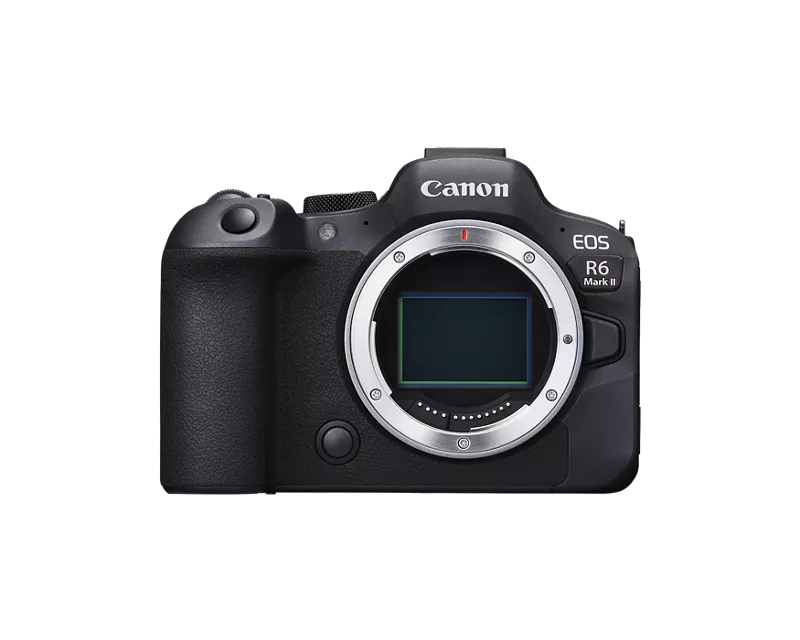
CR3 files show as grey thumbnails in MacOS Photos and upon clicking Edit, they just become completely red! This used to work couple days ago. What happened? I have a R6 Mark II and CR3 files work fine in MacOS Photos. What’s the difference and the issue with R5 Mark II CR3 files? Need an urgent fix to this!
Options
- Mark as New
- Bookmark
- Subscribe
- Mute
- Subscribe to RSS Feed
- Permalink
- Report Inappropriate Content
02-16-2026 05:49 PM
You might try to restart in safe mode. That can clear up weird issues like this

Options
- Mark as New
- Bookmark
- Subscribe
- Mute
- Subscribe to RSS Feed
- Permalink
- Report Inappropriate Content
02-16-2026 06:30 PM
Greetings,
How about installing DPP. That will open .CR3 files
Canon Support for EOS R5 Mark II | Canon U.S.A., Inc. https://share.google/neMy3IRi7DCxZcPYb
~Rick
Bay Area - CA
~R5 C (1.1.3.1), ~RF Trinity, ~RF 100 Macro, ~RF 100~400, ~RF 100~500, ~RF 200-800, ~RF 1.4x TC, BG-R10, 430EX III-RT ~DxO PhotoLab Elite ~DaVinci Resolve Studio ~ImageClass MF644Cdw MF656Cdw ~Pixel 10 ~CarePaks Are Worth It
Options
- Mark as New
- Bookmark
- Subscribe
- Mute
- Subscribe to RSS Feed
- Permalink
- Report Inappropriate Content
02-16-2026 07:18 PM
How come this just stopped working without any updates? It looks DPP isn't available for MacOS. I'll try with the iPad version.
Options
- Mark as New
- Bookmark
- Subscribe
- Mute
- Subscribe to RSS Feed
- Permalink
- Report Inappropriate Content
02-16-2026 07:32 PM
Oh my!! Canon DPP on the iPad cannot export without a monthly subscription.
Is this some Canon scheme to disable other App's abilities to process R5 Mark II CR3 files? Only to use their Canon DPP w/ subscription? Am I missing something here? Is DPP export free on the Windows App?
Options
- Mark as New
- Bookmark
- Subscribe
- Mute
- Subscribe to RSS Feed
- Permalink
- Report Inappropriate Content
02-16-2026 08:20 PM - edited 02-16-2026 08:43 PM
Greetings,
Use the link I provided above. Select downloads, select Mac, select Sequoia. Download DPP V4.21.0 and install it under Tahoe. Scroll all the way down at the very bottom. Press load more once or twice and you'll find the download. The desktop versions of DPP for PC or MAC are free to edit or export.
I was not aware that Canon started charging to export RAW images in DPP Express for iOS. The Android version does not support RAW export. I use Android. I don't do any of my RAW editing on an iPad. Only on PC or MAC. It seems this is a key differentiator between the desktop and mobile environment.
Did some quick research... Looks like it was done to cover the cost of continuous app development since Apple constantly changes its iOS requirements. Similar to you not being able to suddenly open .CR3 files under your desktop OS after going from 26.x to 26.3.
~Rick
Bay Area - CA
~R5 C (1.1.3.1), ~RF Trinity, ~RF 100 Macro, ~RF 100~400, ~RF 100~500, ~RF 200-800, ~RF 1.4x TC, BG-R10, 430EX III-RT ~DxO PhotoLab Elite ~DaVinci Resolve Studio ~ImageClass MF644Cdw MF656Cdw ~Pixel 10 ~CarePaks Are Worth It

Options
- Mark as New
- Bookmark
- Subscribe
- Mute
- Subscribe to RSS Feed
- Permalink
- Report Inappropriate Content
02-17-2026 09:52 AM
the $0.99/month charge for iOS DPP is for editing RAW files.
Image files can be downloaded to an iOS device by just connecting the device to the camera.. Direct connect for iOS devices with USB-C port or use Apple Camera Connect dongle for Lightning port.
You can export the downloaded files using iOS apps (Mail, Message, file moving etc.)
John Hoffman
Conway, NH
R6 Mark III, M200 (converted to infrared), RF lenses, Pixma PRO-100, Pixma TR8620a, Lr Classic
Conway, NH
R6 Mark III, M200 (converted to infrared), RF lenses, Pixma PRO-100, Pixma TR8620a, Lr Classic

Announcements
07/22/2026: New firmware updates are available.
EOS R6 Mark III - Version 1.1.0
05/13/2026: New firmware updates are available.
EOS R5 Mark II - Version 1.3.0
EOS R6 Mark II - Version 1.7.0
04/28/2026: Service Notice: Caution Concerning use of Lithium Batteries
03/17/2026: New firmware updates are available.
SELPHY CP1500 - Version 1.0.7.0
02/23/2026: New firmware update is available for EOS C50- Version 1.0.3.1
01/23/2026: New firmware update is available for RF 24-105mm F4 IS USM- Version 2.0.7
01/20/2026: New firmware updates are available.
10/21/2025: Service Notice: To Users of the Compact Digital Camera PowerShot V1
10/15/2025: New firmware updates are available.
Speedlite EL-5 - Version 1.2.0
Speedlite EL-1 - Version 1.1.0
Speedlite Transmitter ST-E10 - Version 1.2.0
07/28/2025: Notice of Free Repair Service for the Mirrorless Camera EOS R50 (Black)
05/21/2025: New firmware update available for EOS C500 Mark II - Version 1.1.5.1
Related Content
- Image Transfer Utility 2 on Sequoia does not launch in Camera Software
- New DPP version 4.20.30.0 in Camera Software
- EOS Utility tethering support for EOS R6 Mark II on macOS Big Sur in Camera Software
- Thoughts on the EOS VR Utility a macOS perspective - Support processing ProRes RAW in Camera Software
- macOS support for CR3 flies from EOS R5 mark ii in EOS DSLR & Mirrorless Cameras

Ⓒ 2026
Canon U.S.A Inc. All Rights Reserved. Reproduction in whole or part without permission is prohibited.
