Turn on suggestions
Auto-suggest helps you quickly narrow down your search results by suggesting possible matches as you type.
- Canon Community
- Discussions & Help
- Camera
- EOS DSLR & Mirrorless Cameras
- Transfering pre-shooting images cause the camera (...
Options
- Subscribe to RSS Feed
- Mark Topic as New
- Mark Topic as Read
- Float this Topic for Current User
- Bookmark
- Subscribe
- Mute
- Printer Friendly Page
Transfering pre-shooting images cause the camera (R7) to freeze

Options
- Mark as New
- Bookmark
- Subscribe
- Mute
- Subscribe to RSS Feed
- Permalink
- Report Inappropriate Content
08-04-2025 05:22 PM
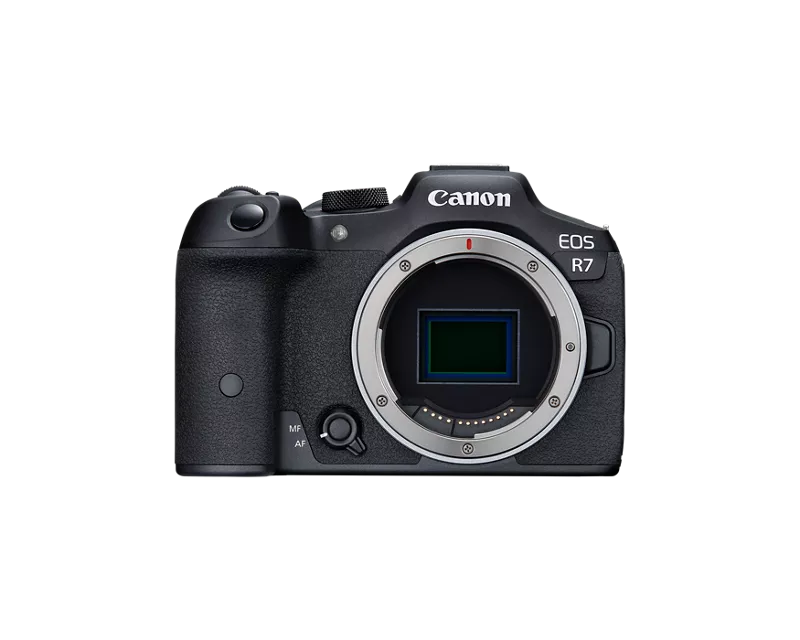
I have R7 with the latest update, and today I took some images using pre-shooting
I extracted the frames I wanted, and when I tried to transfer them to my phone (Android), "regular" images transferred with no issues, but the pre-shooting images immediately caused the camera to freeze.
I tried multiple WI-FI networks, different files, removing the battery, but nothing worked..
6 REPLIES 6


Options
- Mark as New
- Bookmark
- Subscribe
- Mute
- Subscribe to RSS Feed
- Permalink
- Report Inappropriate Content
08-04-2025 05:43 PM
roigreenberg,
I can't say that I have experience with pres-shooting, but it's possible that you couldn't transfer them, because the preshooting images weren't actually on your card.
Steve Thomas

Options
- Mark as New
- Bookmark
- Subscribe
- Mute
- Subscribe to RSS Feed
- Permalink
- Report Inappropriate Content
08-05-2025 03:49 AM
There may be a couple of factors here... the RAW burst function with pre-shooting will create a single "RAW" file that contains all the individual frames. From the EOS R7 I have a single RAW image that is 1.6GB in size and contains 85 individual RAW images. This will take a significant time to transfer compared to the 30-40MB sized single RAW images that the camera produces. It is also possible that this file cannot be transferred by camera connect.
Brian
EOS specialist trainer, photographer and author
-- Note: my spell checker is set for EN-GB, not EN-US --

Options
- Mark as New
- Bookmark
- Subscribe
- Mute
- Subscribe to RSS Feed
- Permalink
- Report Inappropriate Content
08-05-2025 06:15 AM
@Marc is is correct. The Canon Connect App will transfer a single RAW image that contains pre-capture images, but the captured frames have to be processed in an app like DPP, or other post editor. Apple devices support RAW image transfer. However, the Canon Connect app does not support pre-capture natively. I am not aware of any 3rd party apps that support pre-capture frame extraction. You'd have to research this for iOS.
Canon Connect does not support RAW image transfer on Android. However, I have transferred RAW images to my Pixel devices using a card reader. Again however, you can't do anything with the pre-captured frames in Canon Connect as it is not a editor.
~Rick
Bay Area - CA
~R5 C (1.1.3.1), ~RF Trinity, ~RF 100 Macro, ~RF 100~400, ~RF 100~500, ~RF 200-800, ~RF 1.4x TC, BG-R10, 430EX III-RT ~DxO PhotoLab Elite ~DaVinci Resolve Studio ~ImageClass MF644Cdw MF656Cdw ~Pixel 10 ~CarePaks Are Worth It
Options
- Mark as New
- Bookmark
- Subscribe
- Mute
- Subscribe to RSS Feed
- Permalink
- Report Inappropriate Content
08-05-2025 09:02 AM
I managed to copy the file to the computer, so it's there..
Options
- Mark as New
- Bookmark
- Subscribe
- Mute
- Subscribe to RSS Feed
- Permalink
- Report Inappropriate Content
08-05-2025 09:05 AM
As I wrote, I extracted the frames I wanted from the big RAW file, and tried to transfer the single RAWs.
At one case, I even deleted the original file before I tried to transfer the extracted frames..
Options
- Mark as New
- Bookmark
- Subscribe
- Mute
- Subscribe to RSS Feed
- Permalink
- Report Inappropriate Content
08-05-2025 09:09 AM
The APP doesn't support transferring RAW as RAW, but it does transfer them as JPEG.
I have done it a lot in the past, but after the latest firmware update, it started to fail. (and as I just replied to @p4pictures, the issue is not with the big RAW file, but with extracted single files..)

Announcements
07/22/2026: New firmware updates are available.
EOS R6 Mark III - Version 1.1.0
05/13/2026: New firmware updates are available.
EOS R5 Mark II - Version 1.3.0
EOS R6 Mark II - Version 1.7.0
04/28/2026: Service Notice: Caution Concerning use of Lithium Batteries
03/17/2026: New firmware updates are available.
SELPHY CP1500 - Version 1.0.7.0
02/23/2026: New firmware update is available for EOS C50- Version 1.0.3.1
01/23/2026: New firmware update is available for RF 24-105mm F4 IS USM- Version 2.0.7
01/20/2026: New firmware updates are available.
10/21/2025: Service Notice: To Users of the Compact Digital Camera PowerShot V1
10/15/2025: New firmware updates are available.
Speedlite EL-5 - Version 1.2.0
Speedlite EL-1 - Version 1.1.0
Speedlite Transmitter ST-E10 - Version 1.2.0
07/28/2025: Notice of Free Repair Service for the Mirrorless Camera EOS R50 (Black)
05/21/2025: New firmware update available for EOS C500 Mark II - Version 1.1.5.1
Related Content

Ⓒ 2026
Canon U.S.A Inc. All Rights Reserved. Reproduction in whole or part without permission is prohibited.
