Turn on suggestions
Auto-suggest helps you quickly narrow down your search results by suggesting possible matches as you type.
- Canon Community
- Discussions & Help
- Camera
- EOS DSLR & Mirrorless Cameras
- Re: R5 H264 videos produce visible artifacts under...
Options
- Subscribe to RSS Feed
- Mark Topic as New
- Mark Topic as Read
- Float this Topic for Current User
- Bookmark
- Subscribe
- Mute
- Printer Friendly Page
R5 H264 videos produce visible artifacts under some conditions

Options
- Mark as New
- Bookmark
- Subscribe
- Mute
- Subscribe to RSS Feed
- Permalink
- Report Inappropriate Content
08-30-2022 03:23 AM - edited 08-30-2022 06:43 AM
Hello!
I've tried to shoot some animal footage in 4k HQ mode and bumped into the problem with nasty artifacts: color blemishes. To make them visible clearly were used extreme settings.
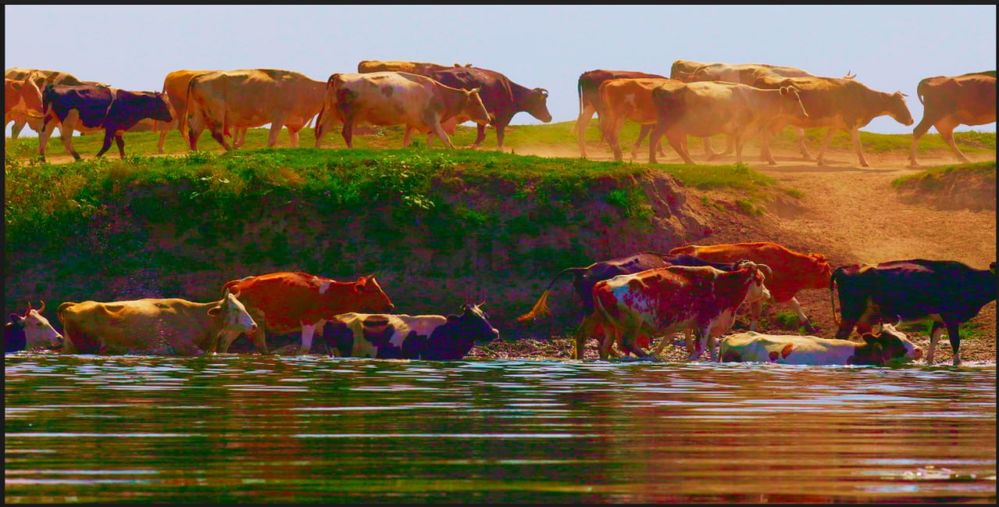
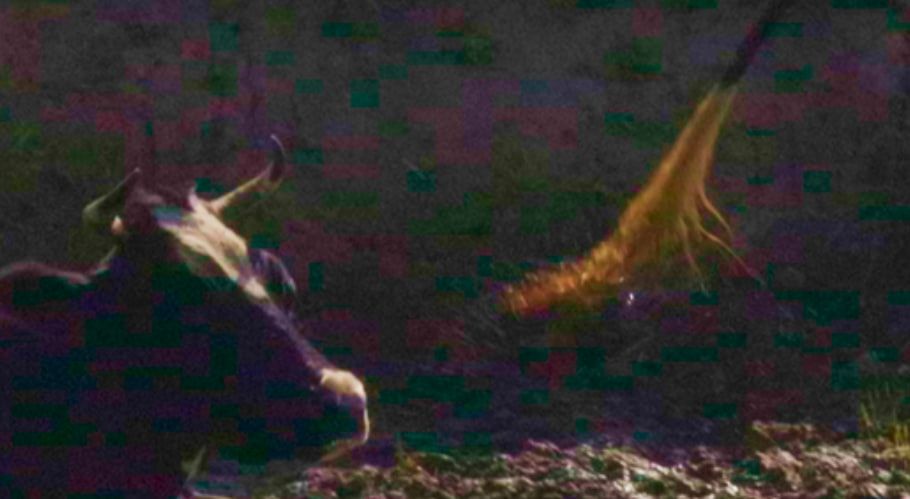
at the same time, another shot didn't show this problem
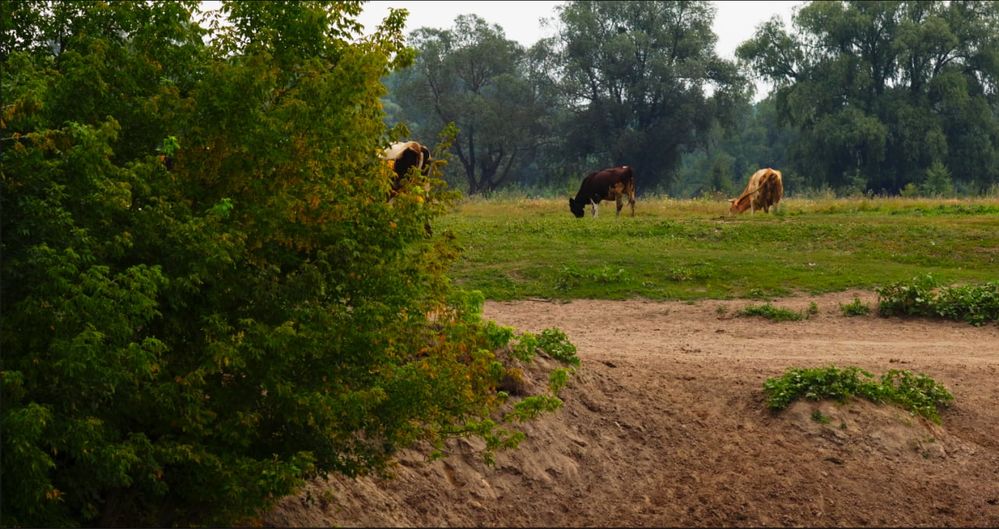
I used the same settings.
I was told that's the compression artifacts. The areas with less detail are affected.
Here are the Example videos
Can it be improved? Should I report it to Canon support?
5 REPLIES 5


Options
- Mark as New
- Bookmark
- Subscribe
- Mute
- Subscribe to RSS Feed
- Permalink
- Report Inappropriate Content
08-31-2022 08:36 AM
Hi Rustami,
Thanks for checking in.
It would help to know what 4K HQ settings you're selecting, along with the ISO, and the memory card you're using.
Try doing additional tests where you use a high-speed CFexpress card and shoot at All-I compression and shoot at ISO 1600 or lower.
Options
- Mark as New
- Bookmark
- Subscribe
- Mute
- Subscribe to RSS Feed
- Permalink
- Report Inappropriate Content
08-31-2022 08:57 AM
Hi!
It was All-I compression, ISO 800 (as I shoot in C-Log 3, it's a base ISO for C-Log 3) and CFexpress Sony Tough Type B 512 GB
Options
- Mark as New
- Bookmark
- Subscribe
- Mute
- Subscribe to RSS Feed
- Permalink
- Report Inappropriate Content
09-07-2022 04:30 AM
Hello!
Any ideas?
Options
- Mark as New
- Bookmark
- Subscribe
- Mute
- Subscribe to RSS Feed
- Permalink
- Report Inappropriate Content
09-07-2022 08:27 AM
Hi Rustami,
Thanks for your reply.
The forums are set up to allow the community to participate in the conversation. We moderate them, but don't respond here as frequently or as quickly as we do with phone and email support.
The settings and memory card you're using seem robust enough for what you're shooting. You mentioned earlier that you're using extreme settings to get those results. Do you mean in-camera color adjustments or when color grading? In either case, if you push the look to extreme shifts, you will see some artifacts.
If you're seeing that kind of artifacting with little to no post-processing, then that does suggest something is not quite right with your camera.
If problems persist, I suggest that you email us at cinemaeos@cits.canon.com with details about your camera, your date of purchase, and the state from where you are sending the camera, and we'll walk you through the repair process.
Options
- Mark as New
- Bookmark
- Subscribe
- Mute
- Subscribe to RSS Feed
- Permalink
- Report Inappropriate Content
09-08-2022 11:50 AM
Hi!
I saw some artifacts (like purpole or magenta blemishes) with almost no processing after shooting. So I gave this footage to the professional CG guy who applied this kind of processing to clearly see the problem. And as I said, it doesn't happen to all shots. I'll write to support, thank you


Announcements
05/13/2026: New firmware updates are available.
EOS R5 Mark II - Version 1.3.0
EOS R6 Mark II - Version 1.7.0
04/28/2026: Service Notice: Caution Concerning use of Lithium Batteries
03/17/2026: New firmware updates are available.
SELPHY CP1500 - Version 1.0.7.0
02/23/2026: New firmware update is available for EOS C50- Version 1.0.3.1
01/23/2026: New firmware update is available for RF 24-105mm F4 IS USM- Version 2.0.7
01/20/2026: New firmware updates are available.
12/22/2025: New firmware update is available for EOS R6 Mark III- Version 1.0.2
10/21/2025: Service Notice: To Users of the Compact Digital Camera PowerShot V1
10/15/2025: New firmware updates are available.
Speedlite EL-5 - Version 1.2.0
Speedlite EL-1 - Version 1.1.0
Speedlite Transmitter ST-E10 - Version 1.2.0
07/28/2025: Notice of Free Repair Service for the Mirrorless Camera EOS R50 (Black)
05/21/2025: New firmware update available for EOS C500 Mark II - Version 1.1.5.1
Related Content
- EOS R5 II Weather Sealing is Garbage in EOS DSLR & Mirrorless Cameras
- Marks on internal glass of Canon 200-400mm f4L? in EF & RF Lenses
- EOS R, viewfinder goes dark between shots in EOS DSLR & Mirrorless Cameras
- T8i visual artifact appears seemingly randomly in EOS DSLR & Mirrorless Cameras
- R5 H264 videos produce visible artifacts under some conditions in EOS DSLR & Mirrorless Cameras

Ⓒ 2026
Canon U.S.A Inc. All Rights Reserved. Reproduction in whole or part without permission is prohibited.
