Turn on suggestions
Auto-suggest helps you quickly narrow down your search results by suggesting possible matches as you type.
- Canon Community
- Discussions & Help
- Camera
- EOS DSLR & Mirrorless Cameras
- Re: How can I remove the white rectangle from Cano...
Options
- Subscribe to RSS Feed
- Mark Topic as New
- Mark Topic as Read
- Float this Topic for Current User
- Bookmark
- Subscribe
- Mute
- Printer Friendly Page
How can I remove the white rectangle from Canon 5D Mark iii while streaming?

Options
- Mark as New
- Bookmark
- Subscribe
- Mute
- Subscribe to RSS Feed
- Permalink
- Report Inappropriate Content
05-13-2020 10:49 PM - edited 05-14-2020 01:35 PM
Is there anyway to remove the white rectangle on my Canon 5D Mark III?
I'm streaming a live yoga class into an Elgato HD60+ then into my MacBook Pro. I'm wondering if I need to do download the Magic Lantern firmware? I'd rather not do that if possible. Any suggestions? Thanks!
9 REPLIES 9
Options
- Mark as New
- Bookmark
- Subscribe
- Mute
- Subscribe to RSS Feed
- Permalink
- Report Inappropriate Content
05-14-2020 10:16 PM
Paul9000,
You can try pressing the <INFO> button on the camera. Multiple button presses will change the on screen display until it eventually reaches a spot where it's blank and then back to full information display with several steps in between. This should change what you see onscreen as a result.
Did this answer your question? Please click the Accept as Solution button so that others may find the answer as well.
Options
- Mark as New
- Bookmark
- Subscribe
- Mute
- Subscribe to RSS Feed
- Permalink
- Report Inappropriate Content
05-21-2020 12:24 PM
No this did not help. I spent a long time with Canon support on the phone and came to the conclusion the hdmi is clean when feeding into a TV but NOT the elgato hd60+ capture card. I was able to get over these limitations by downloading the Magic Lantern firmware as suggested by one of your techs. Disappointing that Canon does not offer these features in its own firmware. Also disappointing that I had to spend many many hours trying to figure this out.


Options
- Mark as New
- Bookmark
- Subscribe
- Mute
- Subscribe to RSS Feed
- Permalink
- Report Inappropriate Content
05-21-2020 12:31 PM
Hello, Paul9000.
The 5D Mark III does not offer clean HDMI out, however, we do have a new EOS Webcam Utility Beta Software that may allow you to stream via USB. You can learn more at canon.us/livestream
You will also see all of the current models that offer clean HDMI out.
If your camera isn't listed, be sure to sign up to be notified for future EOS Webcam Utility Software updates & releases, as our team is actively developing the software and will be adding more camera models in the future.
Options
- Mark as New
- Bookmark
- Subscribe
- Mute
- Subscribe to RSS Feed
- Permalink
- Report Inappropriate Content
05-27-2020 01:51 PM
Set camera to manual focus. No more focus box around your face. Magic.
Options
- Mark as New
- Bookmark
- Subscribe
- Mute
- Subscribe to RSS Feed
- Permalink
- Report Inappropriate Content
06-17-2020 06:47 PM
AF off | AF on.
No matter what, i see a box. From my camera through camlink.
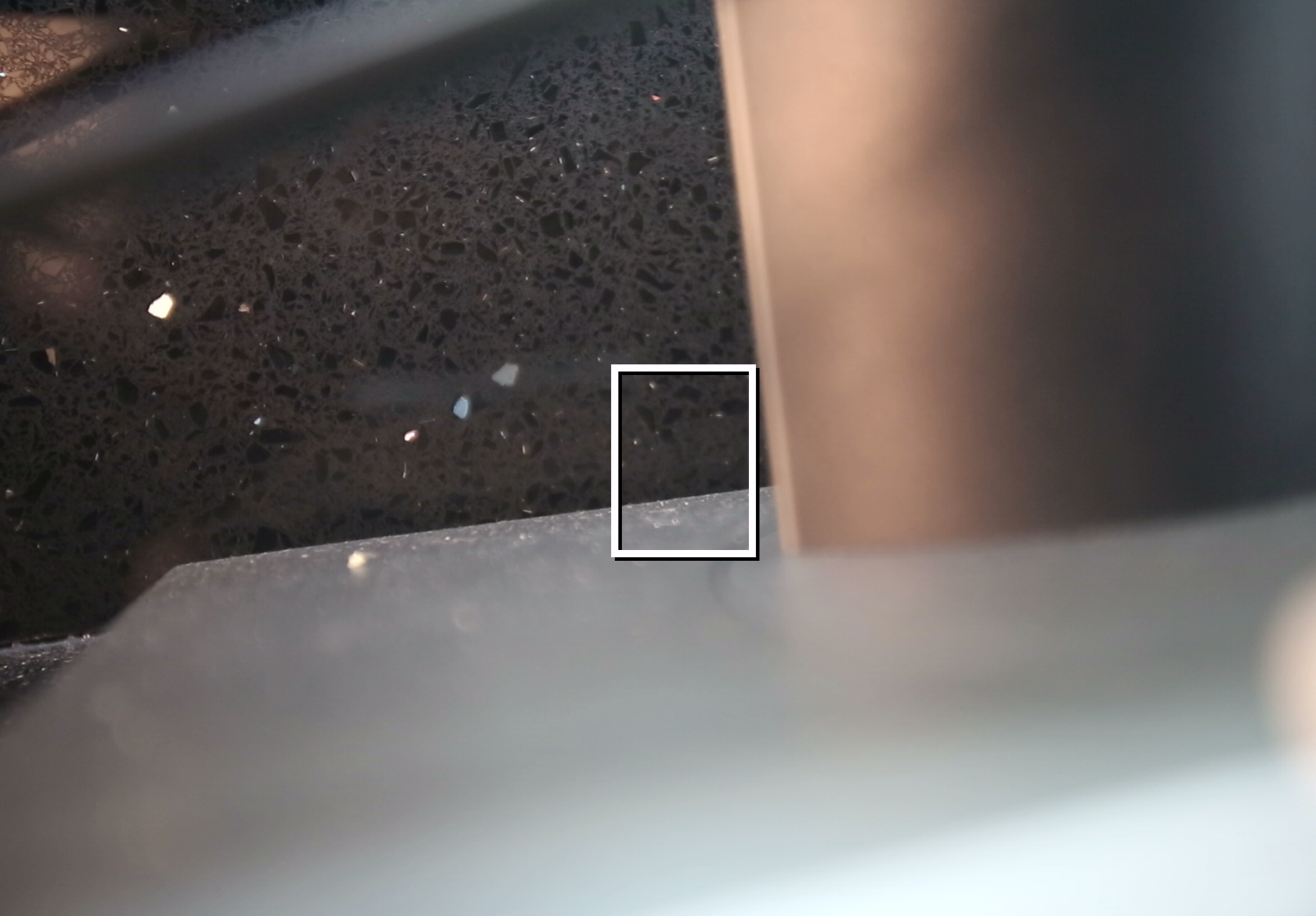
SURELY there's a way to fix this in the settings.
Do I really need to downgrade to 1.2.3, then install magic lantern to get this done?
I'm currently on 1.3.6
( 5d mark III )
This is super annoying.
Options
- Mark as New
- Bookmark
- Subscribe
- Mute
- Subscribe to RSS Feed
- Permalink
- Report Inappropriate Content
09-01-2020 09:24 AM
Paul9000, I’ve installed ML. What setting do I use to get rid of that white box?
Options
- Mark as New
- Bookmark
- Subscribe
- Mute
- Subscribe to RSS Feed
- Permalink
- Report Inappropriate Content
09-01-2020 09:25 AM
I finally did get the white box to go away, after installing Magic Lantern.
Options
- Mark as New
- Bookmark
- Subscribe
- Mute
- Subscribe to RSS Feed
- Permalink
- Report Inappropriate Content
09-01-2020 09:25 AM
Typically, hit the info button and it'll go away.
Options
- Mark as New
- Bookmark
- Subscribe
- Mute
- Subscribe to RSS Feed
- Permalink
- Report Inappropriate Content
09-01-2020 12:14 PM
Thank you! That worked!!! YAY!!!

Announcements
07/22/2026: New firmware updates are available.
EOS R6 Mark III - Version 1.1.0
05/13/2026: New firmware updates are available.
EOS R5 Mark II - Version 1.3.0
EOS R6 Mark II - Version 1.7.0
04/28/2026: Service Notice: Caution Concerning use of Lithium Batteries
03/17/2026: New firmware updates are available.
SELPHY CP1500 - Version 1.0.7.0
02/23/2026: New firmware update is available for EOS C50- Version 1.0.3.1
01/23/2026: New firmware update is available for RF 24-105mm F4 IS USM- Version 2.0.7
01/20/2026: New firmware updates are available.
10/21/2025: Service Notice: To Users of the Compact Digital Camera PowerShot V1
10/15/2025: New firmware updates are available.
Speedlite EL-5 - Version 1.2.0
Speedlite EL-1 - Version 1.1.0
Speedlite Transmitter ST-E10 - Version 1.2.0
07/28/2025: Notice of Free Repair Service for the Mirrorless Camera EOS R50 (Black)
05/21/2025: New firmware update available for EOS C500 Mark II - Version 1.1.5.1
Related Content
- Press <> (start/stop button) to prepare for movie shooting error, EOS 90D. in EOS DSLR & Mirrorless Cameras
- How to remove the frame when using the Rebel T6 as a webcam in EOS DSLR & Mirrorless Cameras
- Is it possible to remove the Canon G7XIII center focus box? in Point & Shoot Digital Cameras
- Autofocus / Face Tracking Rectangle Removal - 90D in EOS DSLR & Mirrorless Cameras
- EOS M50 autofocus while streaming not working in EOS DSLR & Mirrorless Cameras

Ⓒ 2026
Canon U.S.A Inc. All Rights Reserved. Reproduction in whole or part without permission is prohibited.
