Turn on suggestions
Auto-suggest helps you quickly narrow down your search results by suggesting possible matches as you type.
- Canon Community
- Discussions & Help
- Camera
- EOS DSLR & Mirrorless Cameras
- Re: CANON EOS R8 screen doesnt flip when i rotate ...
Options
- Subscribe to RSS Feed
- Mark Topic as New
- Mark Topic as Read
- Float this Topic for Current User
- Bookmark
- Subscribe
- Mute
- Printer Friendly Page
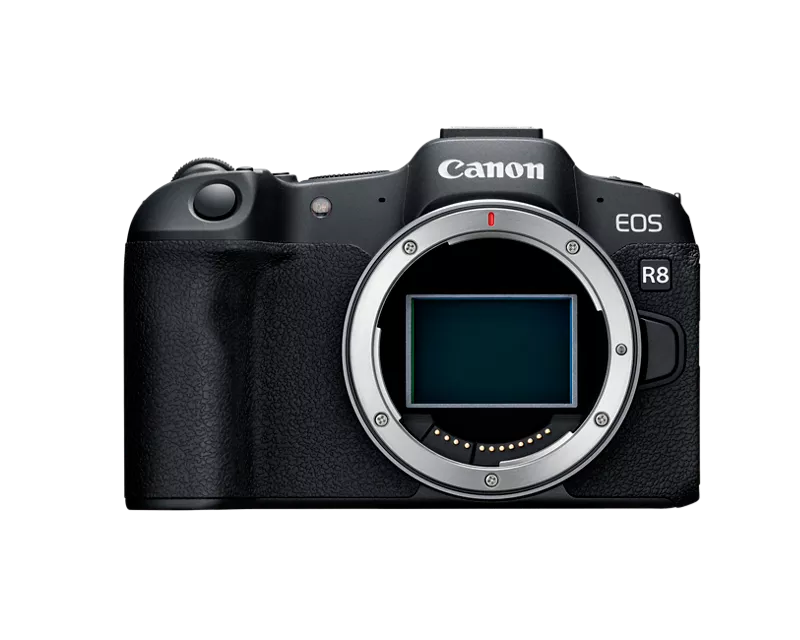
EOS R8 screen doesn't flip when i rotate it

Options
- Mark as New
- Bookmark
- Subscribe
- Mute
- Subscribe to RSS Feed
- Permalink
- Report Inappropriate Content
06-16-2026
12:15 AM
- last edited on
06-16-2026
08:13 AM
by
 James_C
when i oppen the screen to see what the camera sees it doesnt flip, its upside down, im forced to rotate the screen then pish it back into the place when the screen is on the body of the camera while the screen facing me to be able to see it good, any solution to the problem? basically the screen dont flip when i rotate or move the screen.
20 REPLIES 20


Options
- Mark as New
- Bookmark
- Subscribe
- Mute
- Subscribe to RSS Feed
- Permalink
- Report Inappropriate Content
06-16-2026 04:19 AM
Welcome to the forums.
Are saying that the display automatically flips or rotates is only when the screen is folded on the camera body, never when it is folded away from the camera body?
I believe that’s normal behavior.
--------------------------------------------------------
"Enjoying photography since 1972."
"Enjoying photography since 1972."
Options
- Mark as New
- Bookmark
- Subscribe
- Mute
- Subscribe to RSS Feed
- Permalink
- Report Inappropriate Content
06-16-2026 04:59 AM
no, so imagine you start the camera, then you flip the screen oppen to the left, usually the screen would flip so you can see everything but the problem is the screen dont flip, its upside down, the menu button dont work to, idk if its related but just putting it out there.


Options
- Mark as New
- Bookmark
- Subscribe
- Mute
- Subscribe to RSS Feed
- Permalink
- Report Inappropriate Content
06-16-2026 06:29 AM
Khaled1,
I have vague memory of something about a cable that needs repaired, perhaps in the hiinge maybe?
I'm sorry I can't remember the details. Perhaps a call to Canon Support might help.
Steve Thomas
Options
- Mark as New
- Bookmark
- Subscribe
- Mute
- Subscribe to RSS Feed
- Permalink
- Report Inappropriate Content
06-16-2026 07:26 AM - edited 06-16-2026 07:48 AM
“ no, so imagine you start the camera, then you flip the screen oppen to the left, usually the screen would flip so you can see everything but the problem is the screen dont flip, its upside down, the menu button dont work to, idk if its related but just putting it out there. “
I suggest that you fully reset your camera. Then test the camera display in Intelligent Auto shooting mode, Green [A+] on the top dial.
Your display has the appearance that it has been full rotated in the wrong direction. It’s not designed to be fully rotated 360 degrees.
--------------------------------------------------------
"Enjoying photography since 1972."
"Enjoying photography since 1972."
Options
- Mark as New
- Bookmark
- Subscribe
- Mute
- Subscribe to RSS Feed
- Permalink
- Report Inappropriate Content
06-16-2026 07:31 AM
yes but the problem is that if i reset the camera there is a risk that i wont be able to acces the menu becuse the menu button wont work and the button i chose for the menu will reset to its defult funtion
Options
- Mark as New
- Bookmark
- Subscribe
- Mute
- Subscribe to RSS Feed
- Permalink
- Report Inappropriate Content
06-16-2026 07:59 AM
“ Your display has the appearance that it has been full rotated in the wrong direction. It’s not designed to be fully rotated 360 degrees. The screen doesn’t need to or normally flip when you merely open it to the side, as in your photo sample “
--------------------------------------------------------
"Enjoying photography since 1972."
"Enjoying photography since 1972."
Options
- Mark as New
- Bookmark
- Subscribe
- Mute
- Subscribe to RSS Feed
- Permalink
- Report Inappropriate Content
06-16-2026 08:03 AM
normally as you see in the pic when i flip the screen to where it is right now it flips so it dont look upside down as it does on the pic, it rotates so it doesnt look upside down. so the way it is rn is ubnormal, it shouldnt be upside down like it is, it supposed to be normal.

Options
- Mark as New
- Bookmark
- Subscribe
- Mute
- Subscribe to RSS Feed
- Permalink
- Report Inappropriate Content
06-16-2026 08:22 AM
There is a broken sensor or cable. It needs to be sent to Canon to be fixed.
Options
- Mark as New
- Bookmark
- Subscribe
- Mute
- Subscribe to RSS Feed
- Permalink
- Report Inappropriate Content
06-16-2026 09:30 AM - edited 06-16-2026 09:38 AM
“
normally as you see in the pic when i flip the screen to where it is right now it flips so it dont look upside down as it does on the pic, it rotates so it doesnt look upside down. so the way it is rn is abnormal, it shouldnt be upside down like it is, it supposed to be normal. “
My colleagues kvbarkley is correct. You have a bad sensor or cable.
It is not normal for the screen to “flip” when you unfold it, and open it like a book. It seems your screen as been flipped or rotated in the wrong direction by. 360 degrees.
You could try rotating it back to the correct position. But if you look at the edge from the left, I can’t determine how to turn it, clockwise or counter clockwise. It depends entirely on the original mistake.
--------------------------------------------------------
"Enjoying photography since 1972."
"Enjoying photography since 1972."


Announcements
07/22/2026: New firmware updates are available.
EOS R6 Mark III - Version 1.1.0
05/13/2026: New firmware updates are available.
EOS R5 Mark II - Version 1.3.0
EOS R6 Mark II - Version 1.7.0
04/28/2026: Service Notice: Caution Concerning use of Lithium Batteries
03/17/2026: New firmware updates are available.
SELPHY CP1500 - Version 1.0.7.0
02/23/2026: New firmware update is available for EOS C50- Version 1.0.3.1
01/23/2026: New firmware update is available for RF 24-105mm F4 IS USM- Version 2.0.7
01/20/2026: New firmware updates are available.
10/21/2025: Service Notice: To Users of the Compact Digital Camera PowerShot V1
10/15/2025: New firmware updates are available.
Speedlite EL-5 - Version 1.2.0
Speedlite EL-1 - Version 1.1.0
Speedlite Transmitter ST-E10 - Version 1.2.0
07/28/2025: Notice of Free Repair Service for the Mirrorless Camera EOS R50 (Black)
05/21/2025: New firmware update available for EOS C500 Mark II - Version 1.1.5.1
Related Content
- Vertical banding on LCD when articulating screen — Canon R6 Mark II in EOS DSLR & Mirrorless Cameras
- EOS R8 screen doesn't flip when i rotate it in EOS DSLR & Mirrorless Cameras
- EOS R5 Time-lapse movies don't save, .dat file shows up on card in EOS DSLR & Mirrorless Cameras
- SX 740 HS Preview screen goes blank when camera rotated 90 degrees. in Point & Shoot Digital Cameras
- Canon R5 EV activation on shutter half press in EOS DSLR & Mirrorless Cameras

Ⓒ 2026
Canon U.S.A Inc. All Rights Reserved. Reproduction in whole or part without permission is prohibited.
