Turn on suggestions
Auto-suggest helps you quickly narrow down your search results by suggesting possible matches as you type.
- Canon Community
- Discussions & Help
- Camera
- EOS DSLR & Mirrorless Cameras
- EOS R6 Mark II bad focus help!
Options
- Subscribe to RSS Feed
- Mark Topic as New
- Mark Topic as Read
- Float this Topic for Current User
- Bookmark
- Subscribe
- Mute
- Printer Friendly Page
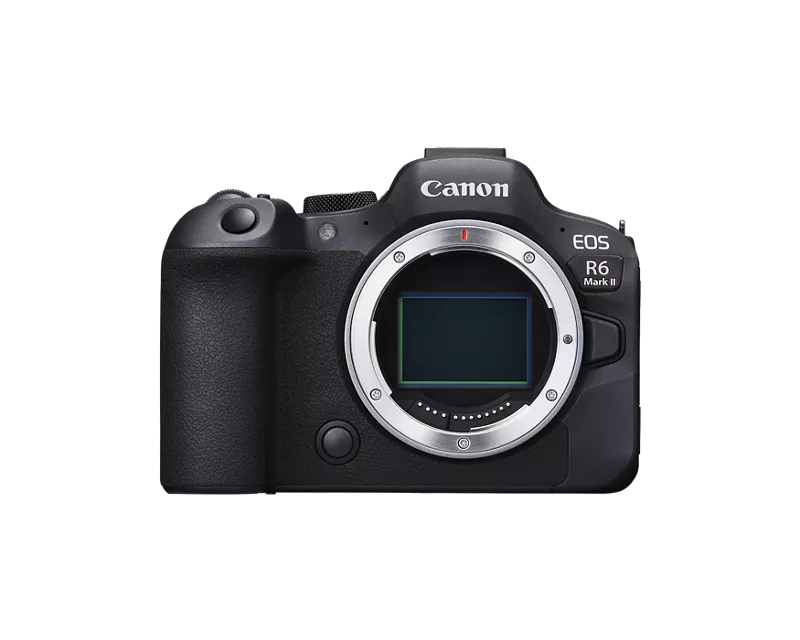
EOS R6 Mark II bad focus help!

Options
- Mark as New
- Bookmark
- Subscribe
- Mute
- Subscribe to RSS Feed
- Permalink
- Report Inappropriate Content
11-19-2025
06:36 AM
- last edited on
11-20-2025
07:55 AM
by
 James_C
Hi! I recently bought a Canon EOS R6 mark II and was super excited! Today I went outside to do a photoshoot. The result is terrible, the focus is not sharp at all. Im using an EF-R adapter marked Canon and a Canon 24-70 2.8 USM, i have also tried with different lenses and cleaned the glass of the lenses. I have not missed focus since the focus point is viewed where i want it to be (at the persons face). Settings were 1/250, f/ 2.8 iso 100.
Anyone know what the issue could be? I spent my life savings on this camera :'(

32 REPLIES 32


Options
- Mark as New
- Bookmark
- Subscribe
- Mute
- Subscribe to RSS Feed
- Permalink
- Report Inappropriate Content
11-19-2025 09:46 AM
I have a couple more questions. When you say “Canon marked adapter” is this the OEM mount adapter. Or is this a 3rd Party mount adapter. Also list the full names of all lenses you own. Some lenses have multiple versions so the exact name is needed. Not every EF lens supports all features of EOS R series cameras. Only the newest EF lenses do which were released in or after 2009. Example lenses are below to identify your lens model.


-Demetrius
Bodies: EOS 5D Mark IV
Lenses: EF F/2.8 Holy Trinity
Speedlites: 420EX, 470EX-AI, 550EX & 600EX II-RT
Bodies: EOS 5D Mark IV
Lenses: EF F/2.8 Holy Trinity
Speedlites: 420EX, 470EX-AI, 550EX & 600EX II-RT
Options
- Mark as New
- Bookmark
- Subscribe
- Mute
- Subscribe to RSS Feed
- Permalink
- Report Inappropriate Content
11-19-2025 11:05 AM
Yes, i missed the face at one of them, but the other one still has that weird "glow".
I have Continuous AF enabled because i mostly shoot concerts.
The Lens is a Canon 24-70 2.8 L USM so i dont think it has IS, no button for it.
I have tried 2 prime lenses, they were better but not perfect. I have tried another zoom lens, a Sigma 70-300 which have the same issue when zoomed.
I have tried both zoom lenses on the EF body and do not get the same issue. I had a similar problem with my Canon EOS RP camera, that the images werent sharp, thats why I thought maybe it was the adapter.
The adapter have the Canon mark and says "mount adapter ef-eos R", and nothing more (it was a gift so i dont have a box or any other information about it)
Options
- Mark as New
- Bookmark
- Subscribe
- Mute
- Subscribe to RSS Feed
- Permalink
- Report Inappropriate Content
11-19-2025 11:10 AM
Unfortunately i can not list all of my AF settings, as i just got this camera and i dont know them all yet. I have not changed alot since i got it, brand new with fabric settings.

Options
- Mark as New
- Bookmark
- Subscribe
- Mute
- Subscribe to RSS Feed
- Permalink
- Report Inappropriate Content
11-19-2025 11:13 AM
Numerous folks have reported issues when using a non-Canon brand adapter. If you have access to a camera store maybe you can try the Canon product and see if it resolves your issue.
Continuous autofocus essentially means the shutter button is always half-pressed. The camera will be constantly looking to find something to focus on.
John Hoffman
Conway, NH
R6 Mark III, M200 (converted to infrared), RF lenses, Pixma PRO-100, Pixma TR8620a, Lr Classic
Conway, NH
R6 Mark III, M200 (converted to infrared), RF lenses, Pixma PRO-100, Pixma TR8620a, Lr Classic
Options
- Mark as New
- Bookmark
- Subscribe
- Mute
- Subscribe to RSS Feed
- Permalink
- Report Inappropriate Content
11-19-2025 11:15 AM
If that’s the EF Mount version it never had IS. If it’s the original version it is NOT fully compatible with your camera. The AF motor is just too slow to keep up with your camera. I would also disable preview/ continuous af not only is it a drain on the battery. But older lenses aren’t designed for the AF to be constantly active. It’s also not compatible with the highly advanced AF system found in EOS R series cameras. These older lenses aren’t designed for eye detect af or high fps shooting. Cameras at the time couldn’t shoot 12 fps or support eye af. That’s because those features didn’t exist at the time of release. So I would turn off those features. The lens is not compatible with those features.
-Demetrius
Bodies: EOS 5D Mark IV
Lenses: EF F/2.8 Holy Trinity
Speedlites: 420EX, 470EX-AI, 550EX & 600EX II-RT
Bodies: EOS 5D Mark IV
Lenses: EF F/2.8 Holy Trinity
Speedlites: 420EX, 470EX-AI, 550EX & 600EX II-RT

Options
- Mark as New
- Bookmark
- Subscribe
- Mute
- Subscribe to RSS Feed
- Permalink
- Report Inappropriate Content
11-19-2025 11:28 AM
I don’t recommend using the H+, high speed, drive mode with any EF mount, adapted lenses. They simply cannot refocus fast enough.
Could you take a screenshot of this menu screen? Please, thanks. I also recommend these settings for use with older DSLR lenses.

--------------------------------------------------------
"Enjoying photography since 1972."
"Enjoying photography since 1972."
Options
- Mark as New
- Bookmark
- Subscribe
- Mute
- Subscribe to RSS Feed
- Permalink
- Report Inappropriate Content
11-19-2025 11:31 AM
I think you want high speed continuous shooting, not continuous autofocus.
John Hoffman
Conway, NH
R6 Mark III, M200 (converted to infrared), RF lenses, Pixma PRO-100, Pixma TR8620a, Lr Classic
Conway, NH
R6 Mark III, M200 (converted to infrared), RF lenses, Pixma PRO-100, Pixma TR8620a, Lr Classic
Options
- Mark as New
- Bookmark
- Subscribe
- Mute
- Subscribe to RSS Feed
- Permalink
- Report Inappropriate Content
11-19-2025 11:34 AM
Would you have access to a RF lens to see if using it helps?
Karl
Options
- Mark as New
- Bookmark
- Subscribe
- Mute
- Subscribe to RSS Feed
- Permalink
- Report Inappropriate Content
11-19-2025 11:46 AM
Thankyou for all the answers and tips!
I do not have access to a RF lens, but I will contact a camera store to see if I can try a different adapter.
And unfortunately it sounds like i have to buy a new 24-70 lens aswell, i really didnt wanna have to do that.
thanx!
Options
- Mark as New
- Bookmark
- Subscribe
- Mute
- Subscribe to RSS Feed
- Permalink
- Report Inappropriate Content
11-19-2025 11:52 AM - edited 11-19-2025 11:57 AM
“ 1-point AF with eyetracking. “
You probably don’t need a new lens.
I like John’s suggestion to test the camera in Intelligent Auto mode, Green [A+] mode. Doing so takes any settings changes that you might have made off the table,
Before you enable a Zone AF mode, go back to 1-pt AF and select the Center AF point. This seems to define an Initial AF Tracking Point.
--------------------------------------------------------
"Enjoying photography since 1972."
"Enjoying photography since 1972."


Announcements
07/22/2026: New firmware updates are available.
EOS R6 Mark III - Version 1.1.0
05/13/2026: New firmware updates are available.
EOS R5 Mark II - Version 1.3.0
EOS R6 Mark II - Version 1.7.0
04/28/2026: Service Notice: Caution Concerning use of Lithium Batteries
03/17/2026: New firmware updates are available.
SELPHY CP1500 - Version 1.0.7.0
02/23/2026: New firmware update is available for EOS C50- Version 1.0.3.1
01/23/2026: New firmware update is available for RF 24-105mm F4 IS USM- Version 2.0.7
01/20/2026: New firmware updates are available.
10/21/2025: Service Notice: To Users of the Compact Digital Camera PowerShot V1
10/15/2025: New firmware updates are available.
Speedlite EL-5 - Version 1.2.0
Speedlite EL-1 - Version 1.1.0
Speedlite Transmitter ST-E10 - Version 1.2.0
07/28/2025: Notice of Free Repair Service for the Mirrorless Camera EOS R50 (Black)
05/21/2025: New firmware update available for EOS C500 Mark II - Version 1.1.5.1
Related Content
- Watery/soupy/mushy photos in EOS DSLR & Mirrorless Cameras
- Odd Screen Display - EOS 5D Mark IV in EOS DSLR & Mirrorless Cameras
- Lenses in EOS DSLR & Mirrorless Cameras
- What EXIF changes do you suggest to improve the image? in EOS DSLR & Mirrorless Cameras
- EOS R5 Mark II with 6 Stop ND filter: Example images and situations? in EOS DSLR & Mirrorless Cameras

Ⓒ 2026
Canon U.S.A Inc. All Rights Reserved. Reproduction in whole or part without permission is prohibited.
