Turn on suggestions
Auto-suggest helps you quickly narrow down your search results by suggesting possible matches as you type.
- Canon Community
- Discussions & Help
- Camera
- EOS DSLR & Mirrorless Cameras
- Re: EOS R6 mark II bad focus help!
Options
- Subscribe to RSS Feed
- Mark Topic as New
- Mark Topic as Read
- Float this Topic for Current User
- Bookmark
- Subscribe
- Mute
- Printer Friendly Page
EOS R6 Mark II bad focus help!

Options
- Mark as New
- Bookmark
- Subscribe
- Mute
- Subscribe to RSS Feed
- Permalink
- Report Inappropriate Content
11-19-2025
06:36 AM
- last edited on
11-20-2025
07:55 AM
by
 James_C
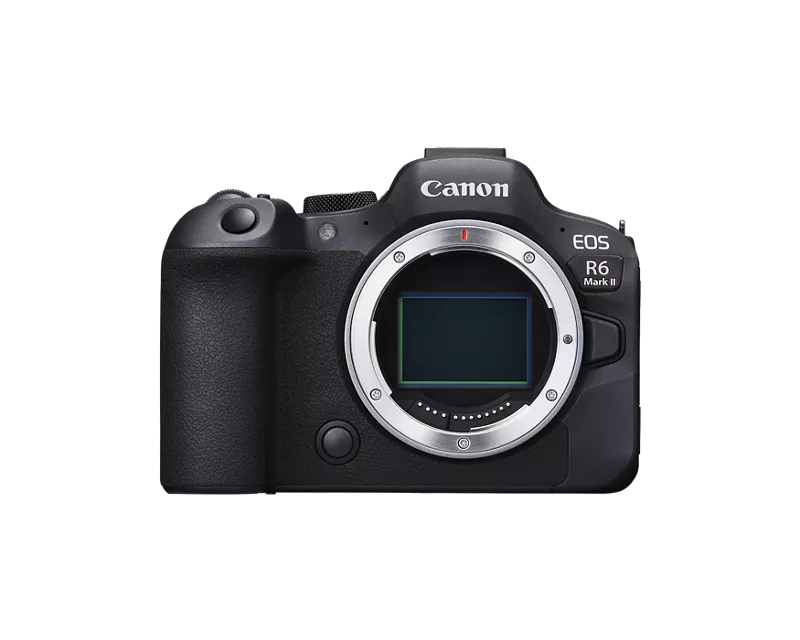
Hi! I recently bought a Canon EOS R6 mark II and was super excited! Today I went outside to do a photoshoot. The result is terrible, the focus is not sharp at all. Im using an EF-R adapter marked Canon and a Canon 24-70 2.8 USM, i have also tried with different lenses and cleaned the glass of the lenses. I have not missed focus since the focus point is viewed where i want it to be (at the persons face). Settings were 1/250, f/ 2.8 iso 100.
Anyone know what the issue could be? I spent my life savings on this camera :'(


32 REPLIES 32

Anonymous
Not applicable
Options
- Mark as New
- Bookmark
- Subscribe
- Mute
- Subscribe to RSS Feed
- Permalink
- Report Inappropriate Content
11-19-2025 06:49 AM
Nothing seems in focus, did the lens or camera fog up in the cold?
Try taking pictures in a controlled environment(indoors, tripod etc.) to see if there's a real problem with the equipment.


Options
- Mark as New
- Bookmark
- Subscribe
- Mute
- Subscribe to RSS Feed
- Permalink
- Report Inappropriate Content
11-19-2025 07:54 AM
“ Settings were 1/250, f/ 2.8 iso 100. “
Tell us about your AF settings.
--------------------------------------------------------
"Enjoying photography since 1972."
"Enjoying photography since 1972."
Options
- Mark as New
- Bookmark
- Subscribe
- Mute
- Subscribe to RSS Feed
- Permalink
- Report Inappropriate Content
11-19-2025 08:06 AM
1-point AF with eyetracking
Options
- Mark as New
- Bookmark
- Subscribe
- Mute
- Subscribe to RSS Feed
- Permalink
- Report Inappropriate Content
11-19-2025 08:07 AM
It was on a tripod at this shoot! But i will try indoors to see if there's any difference

Options
- Mark as New
- Bookmark
- Subscribe
- Mute
- Subscribe to RSS Feed
- Permalink
- Report Inappropriate Content
11-19-2025 08:21 AM
@Jaanieh wrote:
Hi! I recently bought a Canon EOS R6 mark II and was super excited! Today I went outside to do a photoshoot. The result is terrible, the focus is not sharp at all. Im using an EF-R adapter marked Canon and a Canon 24-70 2.8 USM, i have also tried with different lenses and cleaned the glass of the lenses. I have not missed focus since the focus point is viewed where i want it to be (at the persons face). Settings were 1/250, f/ 2.8 iso 100.
Anyone know what the issue could be? I spent my life savings on this camera :'(
Can you post the original file(s) (preferably RAW) to Drop Box or OneDrive so we can examine it/them?
John Hoffman
Conway, NH
R6 Mark III, M200 (converted to infrared), RF lenses, Pixma PRO-100, Pixma TR8620a, Lr Classic
Conway, NH
R6 Mark III, M200 (converted to infrared), RF lenses, Pixma PRO-100, Pixma TR8620a, Lr Classic
Options
- Mark as New
- Bookmark
- Subscribe
- Mute
- Subscribe to RSS Feed
- Permalink
- Report Inappropriate Content
11-19-2025 08:26 AM
@Anonymous wrote:
Nothing seems in focus, did the lens or camera fog up in the cold?
Try taking pictures in a controlled environment(indoors, tripod etc.) to see if there's a real problem with the equipment.
Fogging would typically occur when cold lens is brought indoors (moisture condenses on cold lens).
But I agree that a controlled test eliminating as many variables as possible possible is best.
Indoors on tripod with camera set at green square Auto.
John Hoffman
Conway, NH
R6 Mark III, M200 (converted to infrared), RF lenses, Pixma PRO-100, Pixma TR8620a, Lr Classic
Conway, NH
R6 Mark III, M200 (converted to infrared), RF lenses, Pixma PRO-100, Pixma TR8620a, Lr Classic
Options
- Mark as New
- Bookmark
- Subscribe
- Mute
- Subscribe to RSS Feed
- Permalink
- Report Inappropriate Content
11-19-2025 08:58 AM
Here is a link with raw files https://drive.google.com/drive/folders/16OvUAl6EGrEUl5jUMyEaDktXxtS5nex9?usp=sharing
I tested a bit indoors, it seems to be more of an issue when i zoom in. On prime lenses it sure is better. I mostly use my 24-70 for concert photography and if i cant zoom its not very useful, it should not be like this right?
Options
- Mark as New
- Bookmark
- Subscribe
- Mute
- Subscribe to RSS Feed
- Permalink
- Report Inappropriate Content
11-19-2025 09:27 AM
@Jaanieh wrote:
Here is a link with raw files https://drive.google.com/drive/folders/16OvUAl6EGrEUl5jUMyEaDktXxtS5nex9?usp=sharing
I tested a bit indoors, it seems to be more of an issue when i zoom in. On prime lenses it sure is better. I mostly use my 24-70 for concert photography and if i cant zoom its not very useful, it should not be like this right?
There is no fundamental reason why you should have a problem using an EF lens with adapter. I have the R6M2 and shot hundreds of images with EF 70-300L lens with Canon adapter and had no issues, so we should be able to get to the bottom of this. Just need to look for potential issues.


One image you missed the face.
I see you have Continuous AF enabled. Unless there is a special reason you are selecting it you should disable it; real waste of battery power.
You were on a tripod. Does the lens have IS; was it enabled? That can sometimes be an issue; try disabling it.
You had Servo enabled. If camera and subject were stationary One Shot AF should be OK to use.
You tried other EF lenses and they were OK? Can you try the zoom lens on an EF body to rule out a lens problem?
John Hoffman
Conway, NH
R6 Mark III, M200 (converted to infrared), RF lenses, Pixma PRO-100, Pixma TR8620a, Lr Classic
Conway, NH
R6 Mark III, M200 (converted to infrared), RF lenses, Pixma PRO-100, Pixma TR8620a, Lr Classic

Options
- Mark as New
- Bookmark
- Subscribe
- Mute
- Subscribe to RSS Feed
- Permalink
- Report Inappropriate Content
11-19-2025 09:34 AM
Could you list all of your AF settings? This camera has a lot of different setting for AF and it is possible that something is in conflict. I know I can't use the same settings for a landscape as I would for wildlife. Setting it AF up for yourself is an important step.


Announcements
07/22/2026: New firmware updates are available.
EOS R6 Mark III - Version 1.1.0
05/13/2026: New firmware updates are available.
EOS R5 Mark II - Version 1.3.0
EOS R6 Mark II - Version 1.7.0
04/28/2026: Service Notice: Caution Concerning use of Lithium Batteries
03/17/2026: New firmware updates are available.
SELPHY CP1500 - Version 1.0.7.0
02/23/2026: New firmware update is available for EOS C50- Version 1.0.3.1
01/23/2026: New firmware update is available for RF 24-105mm F4 IS USM- Version 2.0.7
01/20/2026: New firmware updates are available.
10/21/2025: Service Notice: To Users of the Compact Digital Camera PowerShot V1
10/15/2025: New firmware updates are available.
Speedlite EL-5 - Version 1.2.0
Speedlite EL-1 - Version 1.1.0
Speedlite Transmitter ST-E10 - Version 1.2.0
07/28/2025: Notice of Free Repair Service for the Mirrorless Camera EOS R50 (Black)
05/21/2025: New firmware update available for EOS C500 Mark II - Version 1.1.5.1
Related Content
- EOS R6 Mark III Firmware Request: Allow Manual (M) Exposure in PHOTO Mode When S&F Is Selected in EOS DSLR & Mirrorless Cameras
- Trouble Using Prefocus Setting EF600 f/4 USM III and Canon R5 Mk II in EF & RF Lenses
- EOS R5 Mark II Hot shoe keeps failing in EOS DSLR & Mirrorless Cameras
- EOS 6d Mark II Used camera Viewfinder Grid Lines - are these able to turn off? in EOS DSLR & Mirrorless Cameras
- EOS R5 Mark II: Moving Objects - Mechanical, or Electric Shutter Mode? in EOS DSLR & Mirrorless Cameras

Ⓒ 2026
Canon U.S.A Inc. All Rights Reserved. Reproduction in whole or part without permission is prohibited.
