Turn on suggestions
Auto-suggest helps you quickly narrow down your search results by suggesting possible matches as you type.
- Canon Community
- Discussions & Help
- Camera
- EOS DSLR & Mirrorless Cameras
- EOS R10 won't connect to iPhone via Wi-Fi
Options
- Subscribe to RSS Feed
- Mark Topic as New
- Mark Topic as Read
- Float this Topic for Current User
- Bookmark
- Subscribe
- Mute
- Printer Friendly Page
EOS R10 won't connect to iPhone via Wi-Fi

Options
- Mark as New
- Bookmark
- Subscribe
- Mute
- Subscribe to RSS Feed
- Permalink
- Report Inappropriate Content
08-16-2025
10:56 PM
- last edited on
08-19-2025
02:21 PM
by
 Danny
Danny
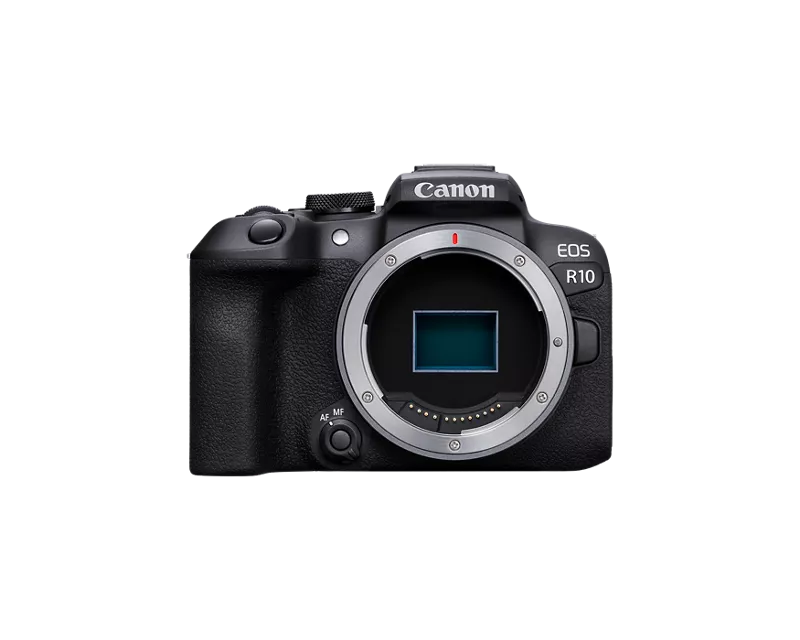
I have a new R10 that I can’t get to connect to my iPhone via WiFi, always says "Unable to join the network". When I go in my phone settings the R10 WiFi network doesn’t show up on phones (tried different phones) and laptop and even if I manually type the cameras WiFi address and password in, it can’t connect.
Bluetooth connection is okay, btw. Only the wi-fi is the problem.
Any fix for this?


9 REPLIES 9
Options
- Mark as New
- Bookmark
- Subscribe
- Mute
- Subscribe to RSS Feed
- Permalink
- Report Inappropriate Content
08-16-2025 10:57 PM
Already tried restarting, resetting wifi settings, deleting, reinstalling app. But no changes at all.


Options
- Mark as New
- Bookmark
- Subscribe
- Mute
- Subscribe to RSS Feed
- Permalink
- Report Inappropriate Content
08-16-2025 11:47 PM
Greetings,
The R10 uses the older connection standard like my R5 C.
How to tell.
Older wireless standard icon 
New wireless standard icon 
Once you enable Wi-Fi you need to select a connection type. Select Smart Phone. The LCD will change and display the camera's SSID name and password. With that displaying, open the wireless settings on your Mobile device. You should see the camera's broadcast as a selectable network.
Example:


Instructions for the R10
Canon : Product Manual : EOS R10 : Wi-Fi Connection via Access Points
If you don't see the broadcast and are using an iPhone, try disabling Wi-Fi Assist. Navigate to Settings > Cellular or Settings > Mobile Data, then scroll down and toggle the Wi-Fi Assist switch to the off position. Refresh the list of wireless networks and see if the Camera's SSID displays now.
~Rick
Bay Area - CA
~R5 C (1.1.3.1), ~RF Trinity, ~RF 100 Macro, ~RF 100~400, ~RF 100~500, ~RF 200-800, ~RF 1.4x TC, BG-R10, 430EX III-RT ~DxO PhotoLab Elite ~DaVinci Resolve Studio ~ImageClass MF644Cdw MF656Cdw ~Pixel 10 ~CarePaks Are Worth It
Options
- Mark as New
- Bookmark
- Subscribe
- Mute
- Subscribe to RSS Feed
- Permalink
- Report Inappropriate Content
08-16-2025 11:52 PM - edited 08-17-2025 12:01 AM
Already tried it including disabling wi-fi assist but my R10 wifi not showing up on the list.

Options
- Mark as New
- Bookmark
- Subscribe
- Mute
- Subscribe to RSS Feed
- Permalink
- Report Inappropriate Content
08-17-2025 12:29 AM
justbeat28,
And you're sure that wifi is enabled on your phone, and your airplane mode is turned off on both your camera and your phone?
Also, is your camera connected by cable to any other device?
Steve Thomas
Options
- Mark as New
- Bookmark
- Subscribe
- Mute
- Subscribe to RSS Feed
- Permalink
- Report Inappropriate Content
08-17-2025 12:32 AM
wifi on phone and camera are both ON and and also both are airplane mode OFF, Camera is also not connected to other device

Options
- Mark as New
- Bookmark
- Subscribe
- Mute
- Subscribe to RSS Feed
- Permalink
- Report Inappropriate Content
08-17-2025 06:58 AM
Give Canon support a call at 1-800-OK-CANON
John Hoffman
Conway, NH
R6 Mark III, M200 (converted to infrared), RF lenses, Pixma PRO-100, Pixma TR8620a, Lr Classic
Conway, NH
R6 Mark III, M200 (converted to infrared), RF lenses, Pixma PRO-100, Pixma TR8620a, Lr Classic

Options
- Mark as New
- Bookmark
- Subscribe
- Mute
- Subscribe to RSS Feed
- Permalink
- Report Inappropriate Content
08-17-2025 08:21 AM
It sounds like your camera may need service. Has the Wi-Fi ever worked?
I agree with Rick. You must first tell the camera what type of connection you wish to make.
When I connect to my iPhone, I am running the Canon Connect app. Once I first establish a Bluetooth connection between the phone and camera establishing a Wi-Fi connection is automatic.
I never see the list of hotspots or need to select one. I don’t need to provide a password. The two devices are already connected and communicating via Bluetooth.
I use these settings. Keep your eyes on both screens!

--------------------------------------------------------
"Enjoying photography since 1972."
"Enjoying photography since 1972."
Options
- Mark as New
- Bookmark
- Subscribe
- Mute
- Subscribe to RSS Feed
- Permalink
- Report Inappropriate Content
08-17-2025 08:32 AM
Steve mentioned a good point. I'd forgotten to mention the cable connection. Odd you're not seeing the broadcast in camera access point mode.
Take John's advice. Next step contact Canon support.
Register your camera in your MyCanon account. Then call support. 800-652-2666. I called last week about a CarePak issue and as usual got helped quickly. Rep was fantastic 😊
MyCanon https://share.google/LoIQmDBrppGB9Yepy
Let us know what they say please.
~Rick
Bay Area - CA
~R5 C (1.1.3.1), ~RF Trinity, ~RF 100 Macro, ~RF 100~400, ~RF 100~500, ~RF 200-800, ~RF 1.4x TC, BG-R10, 430EX III-RT ~DxO PhotoLab Elite ~DaVinci Resolve Studio ~ImageClass MF644Cdw MF656Cdw ~Pixel 10 ~CarePaks Are Worth It
Options
- Mark as New
- Bookmark
- Subscribe
- Mute
- Subscribe to RSS Feed
- Permalink
- Report Inappropriate Content
08-18-2025 12:36 AM
Thanks Guys, already sent it to service center today, faulty wi-fi board. I hope I can get it by this week too.

Announcements
07/22/2026: New firmware updates are available.
EOS R6 Mark III - Version 1.1.0
05/13/2026: New firmware updates are available.
EOS R5 Mark II - Version 1.3.0
EOS R6 Mark II - Version 1.7.0
04/28/2026: Service Notice: Caution Concerning use of Lithium Batteries
03/17/2026: New firmware updates are available.
SELPHY CP1500 - Version 1.0.7.0
02/23/2026: New firmware update is available for EOS C50- Version 1.0.3.1
01/23/2026: New firmware update is available for RF 24-105mm F4 IS USM- Version 2.0.7
01/20/2026: New firmware updates are available.
10/21/2025: Service Notice: To Users of the Compact Digital Camera PowerShot V1
10/15/2025: New firmware updates are available.
Speedlite EL-5 - Version 1.2.0
Speedlite EL-1 - Version 1.1.0
Speedlite Transmitter ST-E10 - Version 1.2.0
07/28/2025: Notice of Free Repair Service for the Mirrorless Camera EOS R50 (Black)
05/21/2025: New firmware update available for EOS C500 Mark II - Version 1.1.5.1
Related Content
- R6 Mark II WiFi Connectivity Issues when pushing to SFTP in EOS DSLR & Mirrorless Cameras
- EOS R5 Mark II firmware won't update in EOS DSLR & Mirrorless Cameras
- Camera Connect won't connect to PowerShot SX720 HS after app update in Camera Software
- Just bought Canon R100- questions about using bluetooth to transfer images to smartphone in EOS DSLR & Mirrorless Cameras
- EOS M50 - cant connect to Wi-Fi & Bluetooth in EOS DSLR & Mirrorless Cameras

Ⓒ 2026
Canon U.S.A Inc. All Rights Reserved. Reproduction in whole or part without permission is prohibited.
