Turn on suggestions
Auto-suggest helps you quickly narrow down your search results by suggesting possible matches as you type.
- Canon Community
- Discussions & Help
- Camera
- EOS DSLR & Mirrorless Cameras
- Re: EOS M50 Freezing/Crashing randomly
Options
- Subscribe to RSS Feed
- Mark Topic as New
- Mark Topic as Read
- Float this Topic for Current User
- Bookmark
- Subscribe
- Mute
- Printer Friendly Page
EOS M50 Freezing/Crashing randomly

Options
- Mark as New
- Bookmark
- Subscribe
- Mute
- Subscribe to RSS Feed
- Permalink
- Report Inappropriate Content
01-03-2020 04:33 PM
Hey! Thanks for taking a look at my post.
I've been having this crashing or freezing issue with my EOS M50 camera whilst Livestreaming with it. (Image at end of post)
- I use a 22mm lens.
- I have it connected via. USB to a PC to stop the camera from shutting off after 30 minutes using EOS Utility.
- I also use a power adapter so I don't need to change the battery all the time.
- I also use the HDMI out to a video capture device to capture the image from the camera's view. (Not record)
This issue occurs at completely random intervals. It can be 30 minutes, 2 hours or not happen at all for 6-8 hours.
Anyone have any idea as to whats going wrong here?
Thanks!
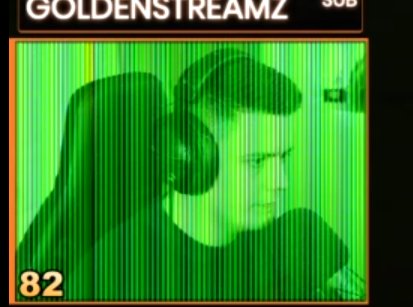
38 REPLIES 38


Options
- Mark as New
- Bookmark
- Subscribe
- Mute
- Subscribe to RSS Feed
- Permalink
- Report Inappropriate Content
01-03-2020 05:38 PM
I think you are destroying your camera, slowly but surely. It is most likely shutting down because the image sensor is overheating. You should see warning icons just before this happens.
--------------------------------------------------------
"Enjoying photography since 1972."
"Enjoying photography since 1972."
Options
- Mark as New
- Bookmark
- Subscribe
- Mute
- Subscribe to RSS Feed
- Permalink
- Report Inappropriate Content
01-03-2020 06:22 PM
Thanks for replying!
I don't think I see any warning icons before it happens though.
Where would the icons usually appear?
Also, it's only being used in Live View. I'm not recording anything on the camera itself. I'm essentially using the camera and lens for a better quality webcam on my PC.
I don't think I see any warning icons before it happens though.
Where would the icons usually appear?
Also, it's only being used in Live View. I'm not recording anything on the camera itself. I'm essentially using the camera and lens for a better quality webcam on my PC.

Options
- Mark as New
- Bookmark
- Subscribe
- Mute
- Subscribe to RSS Feed
- Permalink
- Report Inappropriate Content
01-03-2020 07:07 PM
Agree with Wadizzle that you are using your camera in a way not intended by Canon. It doesn't have to be recording, when it is in live view the sensor and A to D converters are running at full duty cycle and they were not designed with that thermal load in mine. True camcorders and dedicated webcams will have either passive or active cooling systems to manage the heat but with a DSLR the tradeoff is more towards providing a camera that is robust against environmental exposure.
I have used my 1DX and 1DX 2 cameras quite often when it is misting although I do use the Canon matching raincoats for any serious weather even though the 1DX series are rated for much worse than mist. However my XF-400 camcorder has an internal cooling fan with associated intake and exhaust vents to keep it happy under continuous sensor operation but I certainly couldn't use it in the rain.
My next upgrade will be a 1DX Mark III and not a mirrorless body because effectively being in live view with the heat generation and reduced battery life of mirrorless is not conducive to my use as a sports shooter and running a mirrorless or standard DSLR in the mode you are using will result in overheating.
Rodger
EOS 1DX M3, 1DX M2, 1DX, 5DS R, M6 Mark II, 1D M2, EOS 650 (film), many lenses, XF400 video
Options
- Mark as New
- Bookmark
- Subscribe
- Mute
- Subscribe to RSS Feed
- Permalink
- Report Inappropriate Content
01-03-2020 07:17 PM
Wow, thanks for the in-depth reply.
So, now my issue stands that I need a camera that can run for long periods of time, not overheat but also have a nice customisable depth of field.
So, now my issue stands that I need a camera that can run for long periods of time, not overheat but also have a nice customisable depth of field.
Options
- Mark as New
- Bookmark
- Subscribe
- Mute
- Subscribe to RSS Feed
- Permalink
- Report Inappropriate Content
01-04-2020 05:58 AM
@Hayz wrote:
Thanks for replying!
I don't think I see any warning icons before it happens though.
Where would the icons usually appear?
Also, it's only being used in Live View. I'm not recording anything on the camera itself. I'm essentially using the camera and lens for a better quality webcam on my PC.
They are there. Live View output is typically not a "clean" output. Live View typically has icons and other displays. But, some people have figured how to disable all of them.
--------------------------------------------------------
"Enjoying photography since 1972."
"Enjoying photography since 1972."
Options
- Mark as New
- Bookmark
- Subscribe
- Mute
- Subscribe to RSS Feed
- Permalink
- Report Inappropriate Content
02-07-2020 04:03 AM
I am having this same problem except I'm not livestreaming, just shooting video under battery power. Sometimes it will not happen at all, other times, after a few minutes of shooting. Camera is not hot.
Happens with both the 22mm lens and the 15-45mm kit lens. Genuine Canon batteries. Nothing plugged in to anything. Has happened with multiple different SD cards. Latest firmware on camera didn't fix it.
Options
- Mark as New
- Bookmark
- Subscribe
- Mute
- Subscribe to RSS Feed
- Permalink
- Report Inappropriate Content
02-07-2020 06:02 AM
@georgemc wrote:I am having this same problem except I'm not livestreaming, just shooting video under battery power. Sometimes it will not happen at all, other times, after a few minutes of shooting. Camera is not hot.
Happens with both the 22mm lens and the 15-45mm kit lens. Genuine Canon batteries. Nothing plugged in to anything. Has happened with multiple different SD cards. Latest firmware on camera didn't fix it.
You are a little sparse on the details. The camera not being hot may not mean anything. You have to keep your eyes open for the telltale icons that warn of heat buildup.
What make and type of SD cards are you using? If you are using micro-SD cards with adapters then that is your problem. If you do not format your cards prior to first use, then that is another problem. I recommend reformatting prior to very video shoot.
--------------------------------------------------------
"Enjoying photography since 1972."
"Enjoying photography since 1972."
Options
- Mark as New
- Bookmark
- Subscribe
- Mute
- Subscribe to RSS Feed
- Permalink
- Report Inappropriate Content
02-07-2020 06:33 AM
Thanks for replying.
I generally use Sandisk extreme pro cards, class 10, v30. Full size, not micro SD. Format before every use. I've tried various Sony and Kingston cards too. They all exhibit the same behaviour. Shooting 1080p/25fps exclusively.
I mention heat because OP has been told he's overheating his sensor. A camera kept in a drawer, only just turned on at room temperature, shouldn't be overheating after 5 minutes of shooting video.
Options
- Mark as New
- Bookmark
- Subscribe
- Mute
- Subscribe to RSS Feed
- Permalink
- Report Inappropriate Content
02-07-2020 01:17 PM
Contact Canon Support.
--------------------------------------------------------
"Enjoying photography since 1972."
"Enjoying photography since 1972."

Announcements
07/22/2026: New firmware updates are available.
EOS R6 Mark III - Version 1.1.0
05/13/2026: New firmware updates are available.
EOS R5 Mark II - Version 1.3.0
EOS R6 Mark II - Version 1.7.0
04/28/2026: Service Notice: Caution Concerning use of Lithium Batteries
03/17/2026: New firmware updates are available.
SELPHY CP1500 - Version 1.0.7.0
02/23/2026: New firmware update is available for EOS C50- Version 1.0.3.1
01/23/2026: New firmware update is available for RF 24-105mm F4 IS USM- Version 2.0.7
01/20/2026: New firmware updates are available.
10/21/2025: Service Notice: To Users of the Compact Digital Camera PowerShot V1
10/15/2025: New firmware updates are available.
Speedlite EL-5 - Version 1.2.0
Speedlite EL-1 - Version 1.1.0
Speedlite Transmitter ST-E10 - Version 1.2.0
07/28/2025: Notice of Free Repair Service for the Mirrorless Camera EOS R50 (Black)
05/21/2025: New firmware update available for EOS C500 Mark II - Version 1.1.5.1
Related Content
- EOS R5 Mark II "Card 1 Full" Error in EOS DSLR & Mirrorless Cameras
- PowerShot A1000IS shuts off immediately in Point & Shoot Digital Cameras
- canon powershot sd1000 flash stopped working in Point & Shoot Digital Cameras
- Powershot SX530 HS video stops randomly in Point & Shoot Digital Cameras
- R6 Mark III randomly, and intermittently, takes two exposures with one press of the shutter button. in EOS DSLR & Mirrorless Cameras

Ⓒ 2026
Canon U.S.A Inc. All Rights Reserved. Reproduction in whole or part without permission is prohibited.
