Turn on suggestions
Auto-suggest helps you quickly narrow down your search results by suggesting possible matches as you type.
- Canon Community
- Discussions & Help
- Camera
- EOS DSLR & Mirrorless Cameras
- Re: Canon R6 Mark II freezing with BUSY screen whe...
Options
- Subscribe to RSS Feed
- Mark Topic as New
- Mark Topic as Read
- Float this Topic for Current User
- Bookmark
- Subscribe
- Mute
- Printer Friendly Page
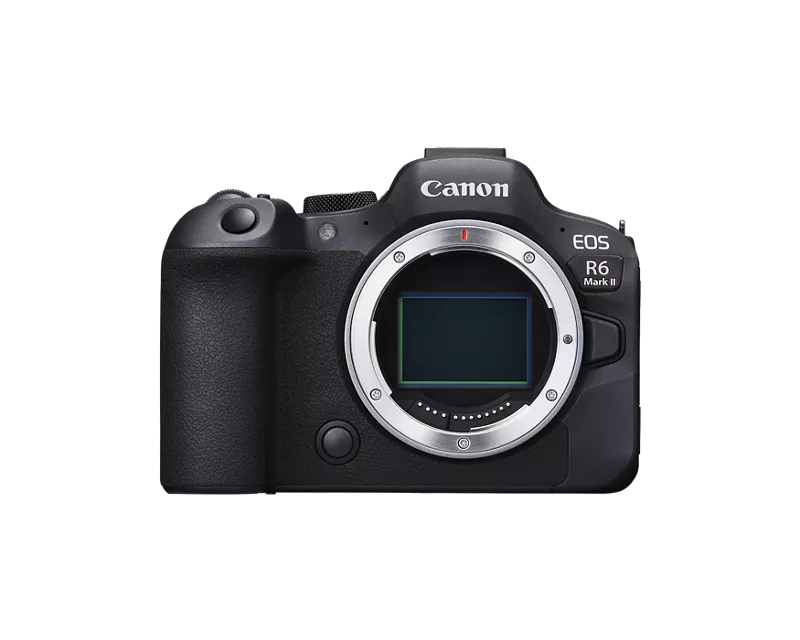
Canon R6 Mark II freezing with BUSY screen when in slower shutter speeds

Options
- Mark as New
- Bookmark
- Subscribe
- Mute
- Subscribe to RSS Feed
- Permalink
- Report Inappropriate Content
12-14-2025 10:17 AM
Hi all, hoping someone might be able to help with this issue or may know of a solution/fix.
I picked up a Canon R6 MKII only 3 months ago and have really enjoyed it, however I noticed when I set the shutter speed to anything slower than 1 second the camera (more often than not) freezes with the "BUSY" screen indefinitely. The camera gets stuck with that display even when switching the power off and doesn't go away unless I pull the battery.
I thought it could be an SD card issue and also tried reformatting (SanDisk Extreme Pro 170mb/s V30 Class 10) to no avail. I've also made sure firmware was up to date as well and slow shutter noise reduction was off. The thing that's throwing me off is the issue also occurs when I pull the SD card out and just doing a blank test shoot leaving me to believe this isn't an SD card issue.
Recently switched from a Sony A7III and never had this issue with the SD card with similar settings so kind of disappointing.
If anyone has had similar issues or know of a solution I'd greatly appreciate it.
5 REPLIES 5


Options
- Mark as New
- Bookmark
- Subscribe
- Mute
- Subscribe to RSS Feed
- Permalink
- Report Inappropriate Content
12-14-2025 11:17 AM
I'm on firmware 1.5 (my bad - I know that I need to upgrade to 1.6) and cannot replicate your scenario in M or Fv using an RF15-35mm f2.8. I have two identical V60 SD XC cards. These are a bit faster than your V30 cards but since we are not writing to them so I don't see how the card is an issue. You V30 card meets the UHS-1 compatibility stated in the Canon EOS R5 Mark ii manual. I tried multiple f-stops, ISOs, 1 to 4 seconds. Do you have two cards inserted and are they identical? For us here, the more details you can provide, the better. What shooting mode? What lens (or lenses), accessories, etc.? We will assume Canon battery unless you tell us otherwise (and I can tell you from personal experience that a third-party battery can offer you a different and undesirable shooting experience).
To me this sounds likely to be either a hardware or firmware issue, but I will be happy to try to replicate you problem with more details. If you feel it's warranted, I would certainly recommend calling Canon support at 1 (800) 652-2666. You will want to ensure your camera is registered in your account for ease of support (if in the US at https://myprofile.americas.canon.com/us/)
>> Owns/Owned both Canon EOS mirrorless full-frame and APS-C cameras and associated RF, RF-S and EF adapted lenses - inventory tends to change on short notice. Same for flashes, tripods, bags, straps, etc.
Plus>> Canon imagePROGRAF PRO-1100 Printer. My photos are edited using no Adobe products.
>>The opinions and assistance are my own. Please don't blame Canon for any mistakes on my part.

Options
- Mark as New
- Bookmark
- Subscribe
- Mute
- Subscribe to RSS Feed
- Permalink
- Report Inappropriate Content
12-14-2025 11:20 AM
You are right... it does not sound like an SD card issue. Since the camera is relatively new, have you tried Canon technical support? I'm not sure where you are located, but if it is in the USA the info is in the attached link. If you are outside the USA simply go to the Canon web site and find the info for your area to contact them. They are great to talk to.
https://www.usa.canon.com/contact-us/support
Gary
Lake Michigan Area MI
Digital Cameras: Canon EOS R6 Mk ll, EOS R8, EOS RP, ...and a few other brands
Film Cameras: Mostly Pentax, Kodak, and Zenit... and still heavily used
Options
- Mark as New
- Bookmark
- Subscribe
- Mute
- Subscribe to RSS Feed
- Permalink
- Report Inappropriate Content
12-14-2025 11:43 AM - edited 12-14-2025 11:43 AM
Thanks all for the quick responses! I seem to have isolated the issue:
I tested the camera enabling shutter without lens on and it worked just fine. I then reconnected my rf 35mm 1.8 STM lens back on and noticed the issue happen again. I turned off the AF and Stabilization switches on the lens and it solved the issue, so it seems like something with the lens's AF or stabilization switches are causing it to lock up.

Options
- Mark as New
- Bookmark
- Subscribe
- Mute
- Subscribe to RSS Feed
- Permalink
- Report Inappropriate Content
12-14-2025 02:21 PM
Prizmatic,
Is your 35mm the only lens you have?
Could you try a different lens and see if the situation repeats itself?
Steve Thomas

Options
- Mark as New
- Bookmark
- Subscribe
- Mute
- Subscribe to RSS Feed
- Permalink
- Report Inappropriate Content
12-14-2025 02:37 PM - edited 12-14-2025 02:40 PM
Greetings,
Prizmatic
Please perform a backup of of the camera's settings and save to SD card. Now Perform a full settings reset, both main and custom settings. Do not make any settings changes except for setting the date and time. Next put one card in the camera and format it in camera. Now retest. Report those results.
~Rick
Bay Area - CA
~R5 C (1.1.3.1), ~RF Trinity, ~RF 100 Macro, ~RF 100~400, ~RF 100~500, ~RF 200-800, ~RF 1.4x TC, BG-R10, 430EX III-RT ~DxO PhotoLab Elite ~DaVinci Resolve Studio ~ImageClass MF644Cdw MF656Cdw ~Pixel 10 ~CarePaks Are Worth It

Announcements
07/22/2026: New firmware updates are available.
EOS R6 Mark III - Version 1.1.0
05/13/2026: New firmware updates are available.
EOS R5 Mark II - Version 1.3.0
EOS R6 Mark II - Version 1.7.0
04/28/2026: Service Notice: Caution Concerning use of Lithium Batteries
03/17/2026: New firmware updates are available.
SELPHY CP1500 - Version 1.0.7.0
02/23/2026: New firmware update is available for EOS C50- Version 1.0.3.1
01/23/2026: New firmware update is available for RF 24-105mm F4 IS USM- Version 2.0.7
01/20/2026: New firmware updates are available.
10/21/2025: Service Notice: To Users of the Compact Digital Camera PowerShot V1
10/15/2025: New firmware updates are available.
Speedlite EL-5 - Version 1.2.0
Speedlite EL-1 - Version 1.1.0
Speedlite Transmitter ST-E10 - Version 1.2.0
07/28/2025: Notice of Free Repair Service for the Mirrorless Camera EOS R50 (Black)
05/21/2025: New firmware update available for EOS C500 Mark II - Version 1.1.5.1
Related Content
- EOS R5 hot pixels lower iso in video mode in EOS DSLR & Mirrorless Cameras
- EOS Rebel G Shutter Button not Working in EOS DSLR & Mirrorless Cameras
- Disappointed with EOS Rebel T7, issues with washed out, blurred images in EOS DSLR & Mirrorless Cameras
- Canon EOS R10: Lagging in manual movie mode when shutter speed under 25 in EOS DSLR & Mirrorless Cameras
- Shutter speed on Canon 4D(40D) in EOS DSLR & Mirrorless Cameras

Ⓒ 2026
Canon U.S.A Inc. All Rights Reserved. Reproduction in whole or part without permission is prohibited.
