Turn on suggestions
Auto-suggest helps you quickly narrow down your search results by suggesting possible matches as you type.
- Canon Community
- Discussions & Help
- Camera
- Camera Software
- Canon Connect won’t let me sign in.
Options
- Subscribe to RSS Feed
- Mark Topic as New
- Mark Topic as Read
- Float this Topic for Current User
- Bookmark
- Subscribe
- Mute
- Printer Friendly Page

Options
- Mark as New
- Bookmark
- Subscribe
- Mute
- Subscribe to RSS Feed
- Permalink
- Report Inappropriate Content
04-06-2025 07:12 PM
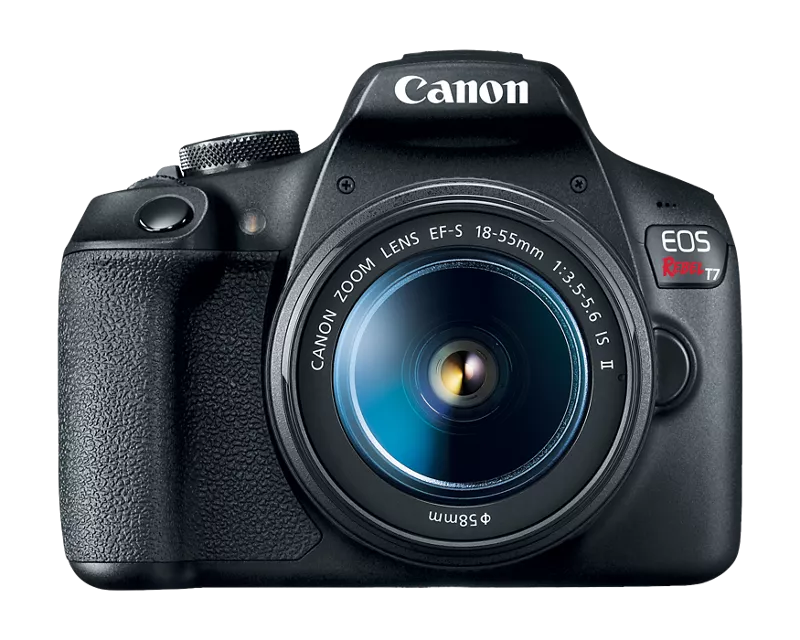
So recently I just got my Canon Rebel T7. It was great, I set it up with the canon camera connect app and it worked perfectly for me for about 3 months. Then recently it just signed me out. I thought no big deal but when I went to sign in it keeps giving me the same error code. I even tried downloading a different canon app and I still got the error code 403. It happens when I get directed to the myid.canon website. Can anyone help me with this? EOS Rebel T7 EF-S 18-55mm IS II Kit

Solved! Go to Solution.
17 REPLIES 17
Options
- Mark as New
- Bookmark
- Subscribe
- Mute
- Subscribe to RSS Feed
- Permalink
- Report Inappropriate Content
04-28-2025 03:58 AM
Good idea Peter.
At this point, I've
1) renamed the nicknames for each R5
2) deleted and reinstalled camera connect
3) turned off the VPN on the iphone
4) attempted to connect each R5 ( separately) to the iPhone-- the WiFi connection fails because the sign in to camera connect times out ( there is never any visible sign in process on the iPhone screens, there is simply a message from Safari that the process timed out.).
Since this process isn't working-- and I won't have a data cable until May 11, I'm in need of a work around.
Q: how do I get to a back level version of camera connect in the App Store?
Thank you ALL for your time, patience and support!


Options
- Mark as New
- Bookmark
- Subscribe
- Mute
- Subscribe to RSS Feed
- Permalink
- Report Inappropriate Content
04-28-2025 04:24 AM
As a workaround you can try the third-party app Camera Connect & Control on Appstore.
Options
- Mark as New
- Bookmark
- Subscribe
- Mute
- Subscribe to RSS Feed
- Permalink
- Report Inappropriate Content
04-28-2025 04:58 AM
Thank you for your prompt reply, will investigate 3rd party apps. Was hoping to somehow get a back level copy of Camera Connect, since the current version isn't working as designed with my R5's.
Options
- Mark as New
- Bookmark
- Subscribe
- Mute
- Subscribe to RSS Feed
- Permalink
- Report Inappropriate Content
04-28-2025 08:43 PM
No success with Camera Connect & Control. Since this isn't a support forum for that app, I won't share those details here.
Question: what are the next steps to get Canon Connect to work with my R5's? I have image captures from the iPhone of the sequence of events from each failure to connect-- when Safari produces the message that it has timed out.
Thank you all for your time, patience and support.
Options
- Mark as New
- Bookmark
- Subscribe
- Mute
- Subscribe to RSS Feed
- Permalink
- Report Inappropriate Content
04-29-2025 12:44 AM
Update: found a previous version of Canon Connect-- on an iPad-- that doesn't require login. Unfortunately the R5's won't connect with the iPad, even though it has Bluetooth, and WiFi. Drat.
Options
- Mark as New
- Bookmark
- Subscribe
- Mute
- Subscribe to RSS Feed
- Permalink
- Report Inappropriate Content
04-29-2025 04:21 AM
Success!!!
Connected each of the R5's to the iPad running the back level version of Canon Camera Connect that doesn't require sign in to mid.canon!!! Have successfully transferred 1700 photos. Had to follow the Bluetooth and the WiFi setup steps for the R5's to connect to the iPad. The R5 nicknames don't appear when the camera and iPad connect-- the longer network names for the R5's appear. Not a complaint, just an observation. The iPad and the iPhone are on the same Cloud account, so this is all good. Won't be doing any software updates for the Canon Software on the iPad until the signin to myid.canon on the iPhone works. What a relief!

Options
- Mark as New
- Bookmark
- Subscribe
- Mute
- Subscribe to RSS Feed
- Permalink
- Report Inappropriate Content
05-01-2025 11:26 PM
I think the Canon Customer Alienation and Disengagement Department is battling 1000. My Canon ID, complete with years of product registrations, works from the web. The Canon Connection app wants a new id to so I can’t use app as a guest, which I wasn’t doing???
Maybe it’s time to trade the R5 and throw in the towel on 45 years of Canon ownership. Photography hobby is supposed to be relaxing fun. If I want annoyances I can go to work.
Options
- Mark as New
- Bookmark
- Subscribe
- Mute
- Subscribe to RSS Feed
- Permalink
- Report Inappropriate Content
05-01-2025 11:40 PM
Thank you for your message. Sorry you're having this login problem with the Canon Camera Connect app too. I'd been thinking for a week that I was the only Canon user who couldn't sign in through the latest version of the app, but could sign in through the web.
Wonder what's the documented process for raising this to Canon and getting their attention that their app that requires sign in isn't working.

- « Previous
-
- 1
- 2
- Next »
- « Previous
-
- 1
- 2
- Next »
Announcements
07/22/2026: New firmware updates are available.
EOS R6 Mark III - Version 1.1.0
05/13/2026: New firmware updates are available.
EOS R5 Mark II - Version 1.3.0
EOS R6 Mark II - Version 1.7.0
04/28/2026: Service Notice: Caution Concerning use of Lithium Batteries
03/17/2026: New firmware updates are available.
SELPHY CP1500 - Version 1.0.7.0
02/23/2026: New firmware update is available for EOS C50- Version 1.0.3.1
01/23/2026: New firmware update is available for RF 24-105mm F4 IS USM- Version 2.0.7
01/20/2026: New firmware updates are available.
10/21/2025: Service Notice: To Users of the Compact Digital Camera PowerShot V1
10/15/2025: New firmware updates are available.
Speedlite EL-5 - Version 1.2.0
Speedlite EL-1 - Version 1.1.0
Speedlite Transmitter ST-E10 - Version 1.2.0
07/28/2025: Notice of Free Repair Service for the Mirrorless Camera EOS R50 (Black)
05/21/2025: New firmware update available for EOS C500 Mark II - Version 1.1.5.1
Related Content
- EOS R50 Failed Bluetooth Connection in EOS DSLR & Mirrorless Cameras
- Where to download Canon Camera Connect v3 for Windows 11 in Camera Software
- Canon Connect no longer working in Camera Software
- Just bought Canon R100- questions about using bluetooth to transfer images to smartphone in EOS DSLR & Mirrorless Cameras
- PowerShot SX620 HS Zoom and other functions limited via Canon Connect in Point & Shoot Digital Cameras

Ⓒ 2026
Canon U.S.A Inc. All Rights Reserved. Reproduction in whole or part without permission is prohibited.
