Turn on suggestions
Auto-suggest helps you quickly narrow down your search results by suggesting possible matches as you type.
- Canon Community
- Discussions & Help
- Camera
- Camera Software
- Canon Connect no longer working
Options
- Subscribe to RSS Feed
- Mark Topic as New
- Mark Topic as Read
- Float this Topic for Current User
- Bookmark
- Subscribe
- Mute
- Printer Friendly Page
Canon Connect no longer working

Options
- Mark as New
- Bookmark
- Subscribe
- Mute
- Subscribe to RSS Feed
- Permalink
- Report Inappropriate Content
08-21-2026 02:13 PM
I bought a $1200 iPad Air for the Canon Connect app. It worked, but it was a real pain at times. You would spend a long time with it, and it would eventually work. On my camera, there was an icon to connect the app to an iPad.
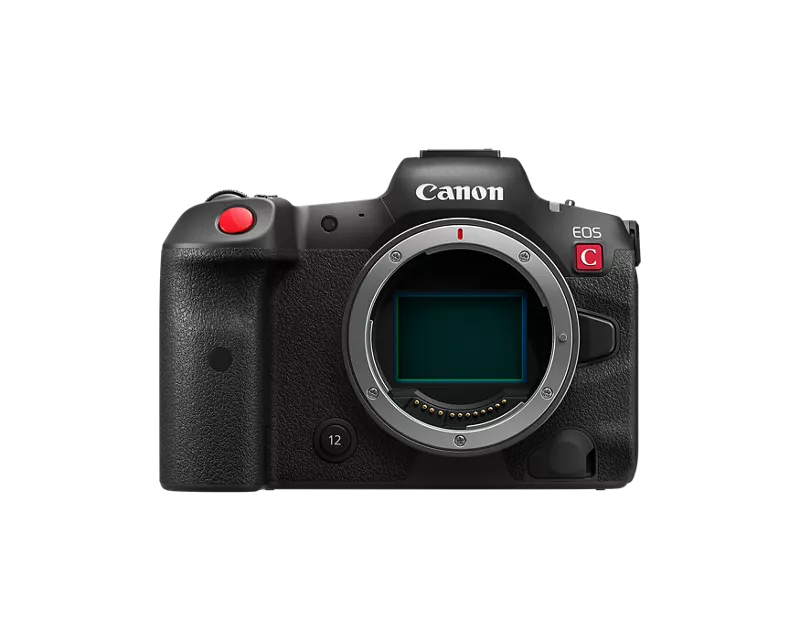
Then I sent my R5 C to Canon for repair. When it returned, there was no icon on my camera to connect with my iPad. I've spent a long time with Canon tech support to get this thing to work. It won't work.
The annoying thing is spending $1,200 for an iPad Air that now will not connect. I've tried and tried. Nothing works. Tech support said the problem is with the app. I hope Canon sees this. I'm not happy, although I love my R5 C.
2 REPLIES 2


Options
- Mark as New
- Bookmark
- Subscribe
- Mute
- Subscribe to RSS Feed
- Permalink
- Report Inappropriate Content
08-21-2026 03:44 PM
Greetings,
Appreciate it if you could provide us a little backstory. Why did your R5 C require service. What work was performed?
What firmware version are you running on your R5 C?
Upon the camera's return have you reset its network configuration?
Review the R5 C (photo) user guide. See page 601.
eosr5c-aug8-photo-en.pdf https://share.google/KmCO5YezFen6oQ19J
Once you've done that, open the Canon connect app on your iPad. Click the hamburger menu. Three lines, top right hand corner and select manage registered cameras. Click the trash can icon next to the R5 C. You're now ready to start from a clean configuration.
The camera supports 2 connection methods. Access point mode which allows your mobile device to connect directly to the camera or standard wireless, which requires a separate wireless router and network. In this situation, your camera and mobile device will connect to an external network for pairing.
Neither one of these connection methods requires that you use the optional QR code displayed on the camera. Which method do you intend to use?
~Rick
Bay Area - CA
~R5 C (1.1.3.1), ~RF Trinity, ~RF 100 Macro, ~RF 100~400, ~RF 100~500, ~RF 200-800, ~RF 1.4x TC, BG-R10, 430EX III-RT ~DxO PhotoLab Elite ~DaVinci Resolve Studio ~ImageClass MF644Cdw MF656Cdw ~Pixel 10 ~CarePaks Are Worth It

Options
- Mark as New
- Bookmark
- Subscribe
- Mute
- Subscribe to RSS Feed
- Permalink
- Report Inappropriate Content
08-22-2026 11:53 AM - edited 08-22-2026 11:54 AM
I don’t have your camera. But, I do know that most of the R Series cameras have a setting in the wireless menus (usually the first page) where you must tell the camera what type of device that want to connect.
Are saying a smart phone / tablet is not an option?
--------------------------------------------------------
"Enjoying photography since 1972."
"Enjoying photography since 1972."


Announcements
07/22/2026: New firmware updates are available.
EOS R6 Mark III - Version 1.1.0
05/13/2026: New firmware updates are available.
EOS R5 Mark II - Version 1.3.0
EOS R6 Mark II - Version 1.7.0
04/28/2026: Service Notice: Caution Concerning use of Lithium Batteries
03/17/2026: New firmware updates are available.
SELPHY CP1500 - Version 1.0.7.0
02/23/2026: New firmware update is available for EOS C50- Version 1.0.3.1
01/23/2026: New firmware update is available for RF 24-105mm F4 IS USM- Version 2.0.7
01/20/2026: New firmware updates are available.
10/21/2025: Service Notice: To Users of the Compact Digital Camera PowerShot V1
10/15/2025: New firmware updates are available.
Speedlite EL-5 - Version 1.2.0
Speedlite EL-1 - Version 1.1.0
Speedlite Transmitter ST-E10 - Version 1.2.0
07/28/2025: Notice of Free Repair Service for the Mirrorless Camera EOS R50 (Black)
05/21/2025: New firmware update available for EOS C500 Mark II - Version 1.1.5.1
Related Content
- Camera Connect won't connect to PowerShot SX720 HS after app update in Camera Software
- R7 Problem connecting to iOS via Camera Connect, but Android Works in Camera Software
- PowerShot SX620 HS Zoom and other functions limited via Canon Connect in Point & Shoot Digital Cameras
- EOS 7D Mark II - will not connect to laptop in EOS DSLR & Mirrorless Cameras

Ⓒ 2026
Canon U.S.A Inc. All Rights Reserved. Reproduction in whole or part without permission is prohibited.
