Turn on suggestions
Auto-suggest helps you quickly narrow down your search results by suggesting possible matches as you type.
- Canon Community
- Discussions & Help
- Printer
- Scanners
- Re: Lide 400 driver not installing
Options
- Subscribe to RSS Feed
- Mark Topic as New
- Mark Topic as Read
- Float this Topic for Current User
- Bookmark
- Subscribe
- Mute
- Printer Friendly Page
Lide 400 driver not installing

Options
- Mark as New
- Bookmark
- Subscribe
- Mute
- Subscribe to RSS Feed
- Permalink
- Report Inappropriate Content
06-17-2021 09:19 PM - edited 06-17-2021 09:21 PM
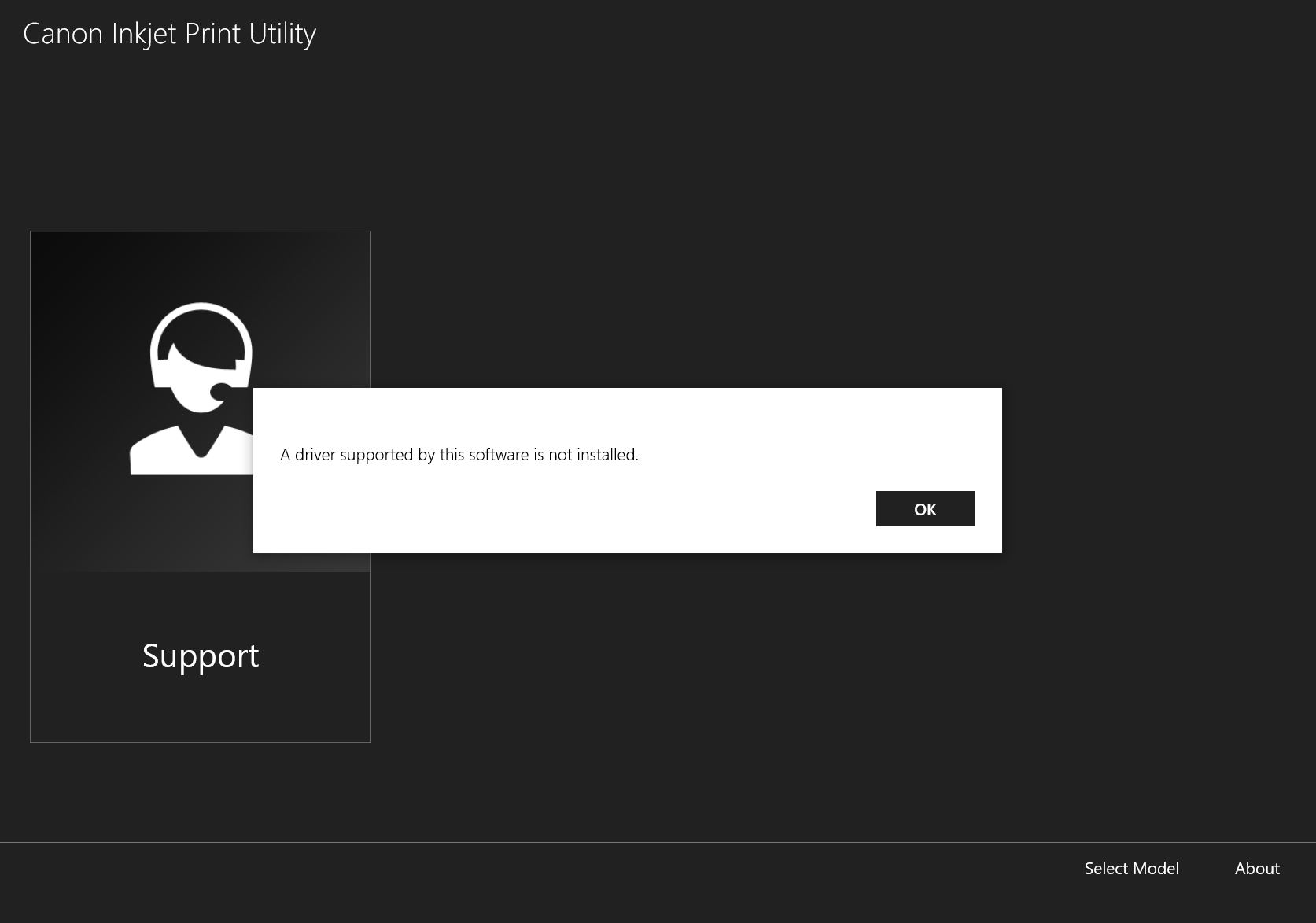
I have installed and deleted and reinstalled the driver from the Canon website several times and each time when the scanner is connected the application says that a driver supported by the software is not installed, as shown in the screenshot. The driver is downloaded to my computer but the scanner application is not recognizing it. I am using Windows 10.
What is the best way to proceed and is there a fix. Thank you.
2 REPLIES 2


Options
- Mark as New
- Bookmark
- Subscribe
- Mute
- Subscribe to RSS Feed
- Permalink
- Report Inappropriate Content
08-13-2021 02:11 PM
Hi kj5000,
The Canon Inkjet Print Utility is not used with the CanoScan LiDE 400, as the LiDE 400 is not a printer.
Please use the IJ Scan Utility to scan with your CanoScan LiDE 400:
https://ij.manual.canon/ij/webmanual/ScanUtility/W/LiDE%20400/1.1/EN/SU/su_scan01_w.html

Options
- Mark as New
- Bookmark
- Subscribe
- Mute
- Subscribe to RSS Feed
- Permalink
- Report Inappropriate Content
09-12-2022 02:50 AM
Locate your scanner on the list, right-click it and choose Update driver. Select the Browse my computer for drivers option. Click the Browse button and locate the files that you extracted in Step 3. Click Next and the driver should be manually updated.
Regards,
Jimmy wick

Announcements
07/22/2026: New firmware updates are available.
EOS R6 Mark III - Version 1.1.0
05/13/2026: New firmware updates are available.
EOS R5 Mark II - Version 1.3.0
EOS R6 Mark II - Version 1.7.0
04/28/2026: Service Notice: Caution Concerning use of Lithium Batteries
03/17/2026: New firmware updates are available.
SELPHY CP1500 - Version 1.0.7.0
02/23/2026: New firmware update is available for EOS C50- Version 1.0.3.1
01/23/2026: New firmware update is available for RF 24-105mm F4 IS USM- Version 2.0.7
01/20/2026: New firmware updates are available.
10/21/2025: Service Notice: To Users of the Compact Digital Camera PowerShot V1
10/15/2025: New firmware updates are available.
Speedlite EL-5 - Version 1.2.0
Speedlite EL-1 - Version 1.1.0
Speedlite Transmitter ST-E10 - Version 1.2.0
07/28/2025: Notice of Free Repair Service for the Mirrorless Camera EOS R50 (Black)
05/21/2025: New firmware update available for EOS C500 Mark II - Version 1.1.5.1
Related Content
- RS40 Scanner driver installation error on Windows 11 in Scanners
- MF662Cdw Driver Install Pack for Windows Error in Printer Software & Networking
- CP2025-005 - Are Canon Generic drivers affected or only Canon Generic Plus? in Production Printing
- PIXMA TS6520 cannot install ARM drivers in Printer Software & Networking
- imageCLASS MF665Cdw driver won't install, Winzip can't create output file in Printer Software & Networking

Ⓒ 2026
Canon U.S.A Inc. All Rights Reserved. Reproduction in whole or part without permission is prohibited.
