09-10-2017 07:35 PM
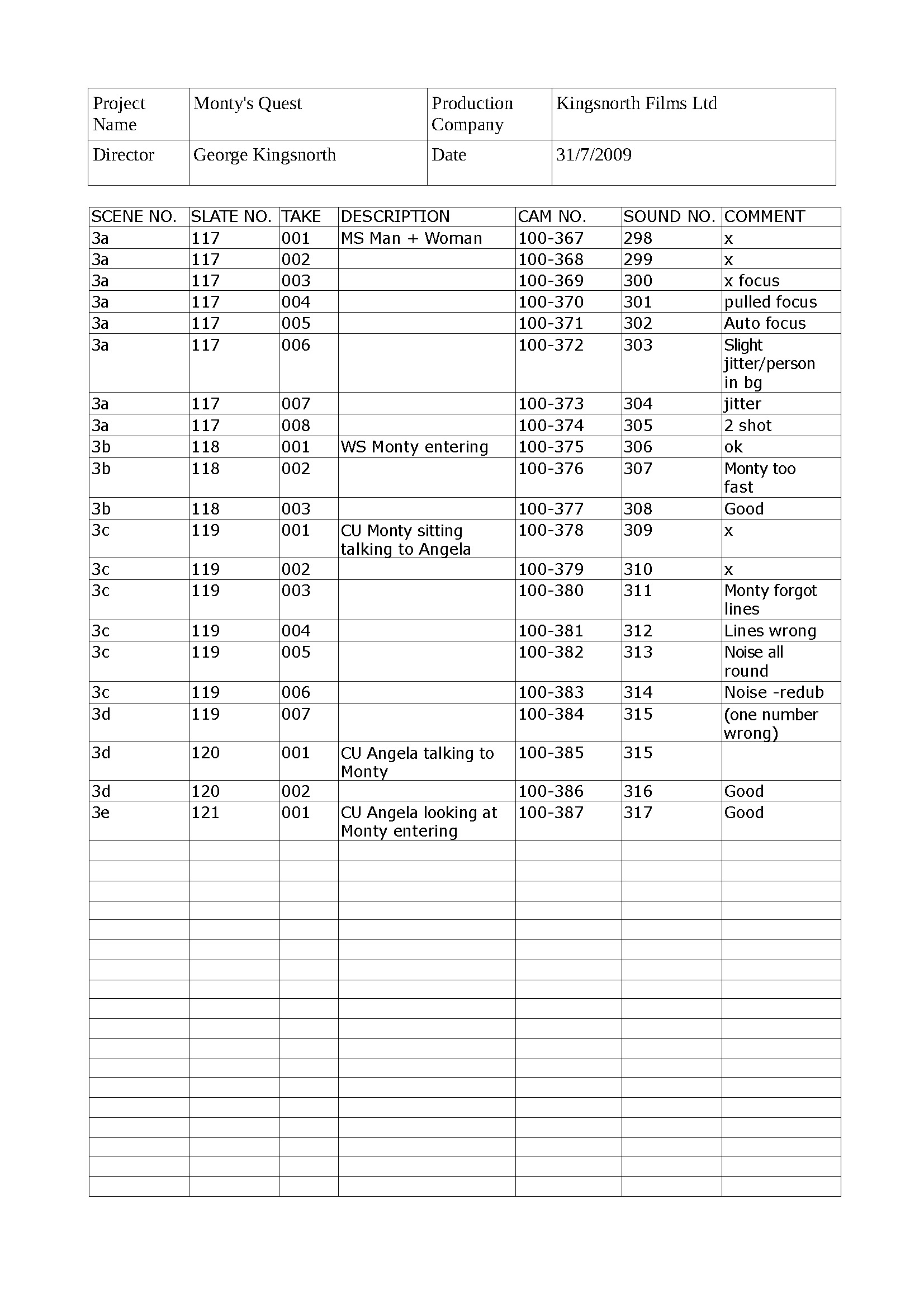
I just took a film class where during the filming, they kept a log of the digital files from the camera and the audio recording system and I liked that and wanted to use it with my own filming. However, I can not find a setting to display the file name that is being filmed. I am using a Cinema C100 Mark I. Any help will be appreciated.
09-11-2017 09:14 AM
So, this doesn't seem to be something I can get. I did come up with a couple of workaraounds:
1) Set User Bit to Time and display it.
2) Log the time code at the begining of the scene.
3) Use Data Import set to Recorded Date + text when I import the files.
Alternatively, I could also have the logger have a watch set to the same time as the camera and just note the time when the shot started, skipping step 1.

12/18/2025: New firmware updates are available.
11/20/2025: New firmware updates are available.
EOS R5 Mark II - Version 1.2.0
PowerShot G7 X Mark III - Version 1.4.0
PowerShot SX740 HS - Version 1.0.2
10/15/2025: New firmware updates are available.
Speedlite EL-5 - Version 1.2.0
Speedlite EL-1 - Version 1.1.0
Speedlite Transmitter ST-E10 - Version 1.2.0
7/17/2025: New firmware updates are available.
02/20/2025: New firmware updates are available.
RF70-200mm F2.8 L IS USM Z - Version 1.0.6
RF24-105mm F2.8 L IS USM Z - Version 1.0.9
RF100-300mm F2.8 L IS USM - Version 1.0.8
Canon U.S.A Inc. All Rights Reserved. Reproduction in whole or part without permission is prohibited.