Turn on suggestions
Auto-suggest helps you quickly narrow down your search results by suggesting possible matches as you type.
- Canon Community
- Discussions & Help
- Printer
- Professional Photo Printers
- Re: yellow cast to color prints even in the border...
Options
- Subscribe to RSS Feed
- Mark Topic as New
- Mark Topic as Read
- Float this Topic for Current User
- Bookmark
- Subscribe
- Mute
- Printer Friendly Page
yellow cast to color prints even in the border areas

Options
- Mark as New
- Bookmark
- Subscribe
- Mute
- Subscribe to RSS Feed
- Permalink
- Report Inappropriate Content
05-19-2015 07:23 AM
We have a new Pixma Pro 100 printer and have had an issue with a yellow cast being printed on color images. It is even printing in the white borders. The intensity of yellow has varied from so strong the image can't be used to barely noticable. Any ideas as to what the issue is?
16 REPLIES 16
Options
- Mark as New
- Bookmark
- Subscribe
- Mute
- Subscribe to RSS Feed
- Permalink
- Report Inappropriate Content
05-31-2015 02:43 PM - edited 06-01-2015 10:16 AM
While the last suggestion was quite extensive, this one sentence
You can not set the printer to match the monitor. You must set the monitor to match the printer.
is counter to the instructions of every single authority in the world on this point.
Setting your monitor to match your printer means:
- If you send your images to anyone else who uses a calibrated monitor they won't see a quality image.
- If you send a file out to be printed, the printer won't know what it really looks like,
- If you get another printer, you'll have to change you monitor,
- If you use two color printers, what will you do then.
There is an industry making monitor calibrators and every reputable photo-related site I have ever seen considers monitor calibration a must.
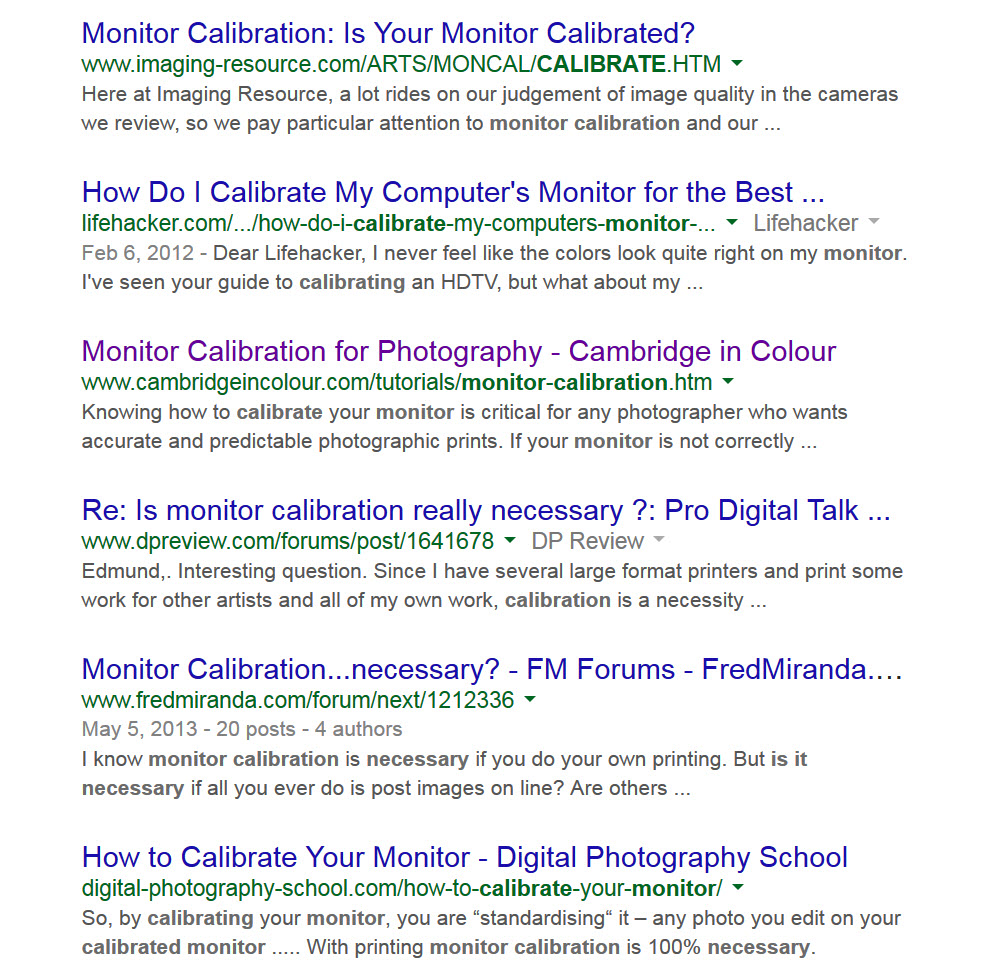
A search on Do I Need to Calibrate my Monitor brings back a huge number of responses
Don't take my word for it, read a bunch and see what they say:


Options
- Mark as New
- Bookmark
- Subscribe
- Mute
- Subscribe to RSS Feed
- Permalink
- Report Inappropriate Content
05-31-2015 07:21 PM - edited 05-31-2015 07:26 PM
Printers like the Pro100 are calibrated. Setting the monitor to the ptinter works very well. It also does not require you buy extra gadgets to accomplish.
It is shear nonsense about getting good prints from commerical printing services.
You can try either way and see which is easier.
I have done it this way for years and sold many, many prints.
EB
EOS 1DX and many lenses.
EOS 1DX and many lenses.
Options
- Mark as New
- Bookmark
- Subscribe
- Mute
- Subscribe to RSS Feed
- Permalink
- Report Inappropriate Content
06-01-2015 09:59 AM
And could you explain how you know that everyone's printer is perfectly calibrated and worthy of being a substitution for an actual calibration device?
Perhaps you could explain why every authority in the photo world says that monitor calibration is important - but you don't.
And we should believe you?
Options
- Mark as New
- Bookmark
- Subscribe
- Mute
- Subscribe to RSS Feed
- Permalink
- Report Inappropriate Content
06-01-2015 10:15 AM
"And we should believe you?"
I don't care one way or the other. Do as you like. You have my permission.
EB
EOS 1DX and many lenses.
EOS 1DX and many lenses.
Options
- Mark as New
- Bookmark
- Subscribe
- Mute
- Subscribe to RSS Feed
- Permalink
- Report Inappropriate Content
06-01-2015 11:22 AM
Thank you for your response. I will read through the info on my lunch hour. I have an Eizo calibrated monitor. The first few prints didn't have the yellow cast so I'm not sure what happened.
I appreciate your input.
I appreciate your input.
Options
- Mark as New
- Bookmark
- Subscribe
- Mute
- Subscribe to RSS Feed
- Permalink
- Report Inappropriate Content
06-01-2015 11:40 AM
Reguardless of the other posters comments, I suggest you give my method a try. He just wants an argument started.
It is free and if it should not work for you, you have not lost anything. Not that it means anything but I was in the business for 40 years.
EB
EOS 1DX and many lenses.
EOS 1DX and many lenses.
Options
- Mark as New
- Bookmark
- Subscribe
- Mute
- Subscribe to RSS Feed
- Permalink
- Report Inappropriate Content
06-01-2015 05:12 PM
Thank you I am going to read through the images you posted. I have an EIZO calibrated monitor, my issue is not with the monitor, it is with color management and making sure Ps is the controling factor. So I won't need to worry about calibration.
I need to make sure that there is no other software adding it's two cents (or yellows) to my images. Thank you again for your time.

- « Previous
-
- 1
- 2
- Next »
- « Previous
-
- 1
- 2
- Next »

Announcements
05/13/2026: New firmware updates are available.
EOS R5 Mark II - Version 1.3.0
EOS R6 Mark II - Version 1.7.0
04/28/2026: Service Notice: Caution Concerning use of Lithium Batteries
03/17/2026: New firmware updates are available.
SELPHY CP1500 - Version 1.0.7.0
02/23/2026: New firmware update is available for EOS C50- Version 1.0.3.1
01/23/2026: New firmware update is available for RF 24-105mm F4 IS USM- Version 2.0.7
01/20/2026: New firmware updates are available.
12/22/2025: New firmware update is available for EOS R6 Mark III- Version 1.0.2
10/21/2025: Service Notice: To Users of the Compact Digital Camera PowerShot V1
10/15/2025: New firmware updates are available.
Speedlite EL-5 - Version 1.2.0
Speedlite EL-1 - Version 1.1.0
Speedlite Transmitter ST-E10 - Version 1.2.0
07/28/2025: Notice of Free Repair Service for the Mirrorless Camera EOS R50 (Black)
05/21/2025: New firmware update available for EOS C500 Mark II - Version 1.1.5.1
Related Content
- PIXMA TS6420a lines dragging issues in Desktop Inkjet Printers
- imagePROGRAF PRO-1100 never gave me "ink out" warning in Professional Photo Printers
- PIXMA MG7520 Printing yellow ink reads about 1/4 left in Desktop Inkjet Printers
- PIXMA G7020 how to optimize print settings for a certain sized envelope? in Desktop Inkjet Printers
- TR8620a Not printing Yellow band during nozzle check in Desktop Inkjet Printers

Ⓒ 2026
Canon U.S.A Inc. All Rights Reserved. Reproduction in whole or part without permission is prohibited.
