Turn on suggestions
Auto-suggest helps you quickly narrow down your search results by suggesting possible matches as you type.
- Canon Community
- Discussions & Help
- Printer
- Professional Photo Printers
- START Button Request
Options
- Subscribe to RSS Feed
- Mark Topic as New
- Mark Topic as Read
- Float this Topic for Current User
- Bookmark
- Subscribe
- Mute
- Printer Friendly Page
START Button Request

Options
- Mark as New
- Bookmark
- Subscribe
- Mute
- Subscribe to RSS Feed
- Permalink
- Report Inappropriate Content
08-04-2026 12:37 PM
Here's a personal preference issue:
When printing using the manual feeder, I usually preload the paper before starting the print. My desk is several feet from the printer so this involves standing up, loading the paper, going back to the computer and inaugurating the print.
But once my app has started the print process, I've got the standard driver screen telling me to load the paper and go back to the printer to press its START button. Stand up again, go back to the printer again, press the start button.
How about adding a START (OK) button to the on-screen dialog at that point so that I'm saved a trip back to the printer?
3 REPLIES 3


Options
- Mark as New
- Bookmark
- Subscribe
- Mute
- Subscribe to RSS Feed
- Permalink
- Report Inappropriate Content
08-04-2026 12:53 PM
Hello!
I’m sorry to hear that you’re having trouble with your printer. To help the community assist you better, we need a bit more information:
- What is the exact model of your printer? (It can usually be found on the top or front of the unit.)
- Are you seeing any error messages?
- Which version of Windows or macOS are you using?
- How do you connect to your printer: via USB or Wi-Fi?
Any additional details you provide will help the community better understand your issue.
If you are in the United States and need urgent support, please click HERE to visit your My Canon Account for personalized support options.
If you are outside the USA, please click HERE to find support options for your country.
Thank you, and have a great day!


Options
- Mark as New
- Bookmark
- Subscribe
- Mute
- Subscribe to RSS Feed
- Permalink
- Report Inappropriate Content
08-04-2026 08:17 PM
Agree it would be helpful. The Windows driver for the Pro-100 has an on-screen button. The macOS driver does not.
John Hoffman
Conway, NH
R6 Mark III, M200 (converted to infrared), RF lenses, Pixma PRO-100, Pixma TR8620a, Lr Classic
Conway, NH
R6 Mark III, M200 (converted to infrared), RF lenses, Pixma PRO-100, Pixma TR8620a, Lr Classic
Options
- Mark as New
- Bookmark
- Subscribe
- Mute
- Subscribe to RSS Feed
- Permalink
- Report Inappropriate Content
08-05-2026 11:57 AM
It’s not a bug, it’s a feature request.
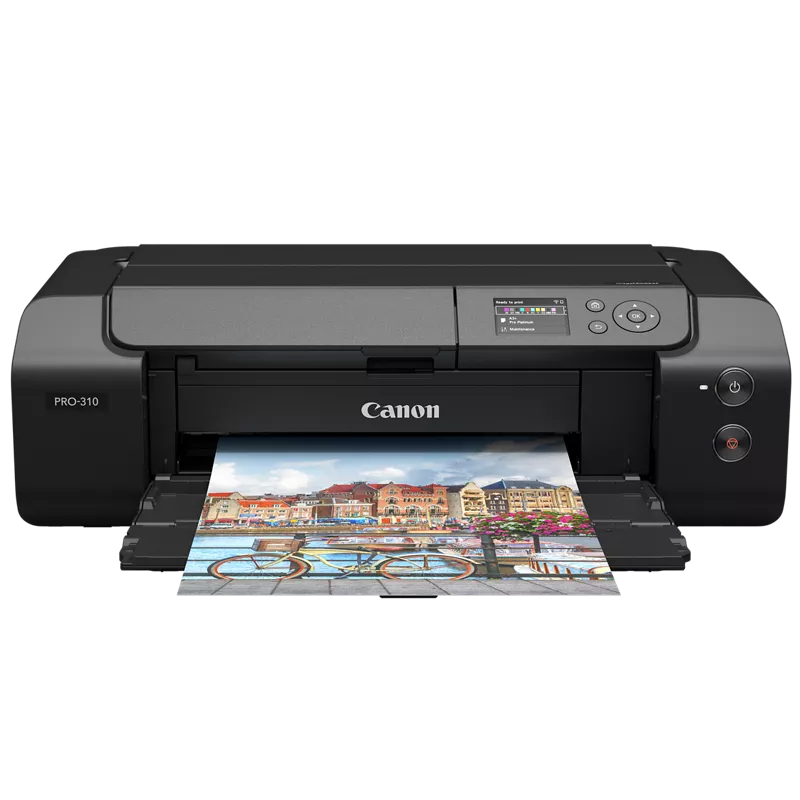
imagePrograf 310. Windows 11. Ethernet connection.
To repeat, when printing from the manual feed, I’m requesting a “Start” button on the driver dialog screen that pops up telling me to “load the paper and then press the OK button on the printer’s console”.
It would save me having to get out of my chair and walk over to the printer.
Thx


Announcements
07/22/2026: New firmware updates are available.
EOS R6 Mark III - Version 1.1.0
05/13/2026: New firmware updates are available.
EOS R5 Mark II - Version 1.3.0
EOS R6 Mark II - Version 1.7.0
04/28/2026: Service Notice: Caution Concerning use of Lithium Batteries
03/17/2026: New firmware updates are available.
SELPHY CP1500 - Version 1.0.7.0
02/23/2026: New firmware update is available for EOS C50- Version 1.0.3.1
01/23/2026: New firmware update is available for RF 24-105mm F4 IS USM- Version 2.0.7
01/20/2026: New firmware updates are available.
10/21/2025: Service Notice: To Users of the Compact Digital Camera PowerShot V1
10/15/2025: New firmware updates are available.
Speedlite EL-5 - Version 1.2.0
Speedlite EL-1 - Version 1.1.0
Speedlite Transmitter ST-E10 - Version 1.2.0
07/28/2025: Notice of Free Repair Service for the Mirrorless Camera EOS R50 (Black)
05/21/2025: New firmware update available for EOS C500 Mark II - Version 1.1.5.1
Related Content
- imageCLASS D420 getting a E225 error on boot up in Office Printers
- PIXMA TS3720 Printing blank pages and unable to find admin password in Desktop Inkjet Printers
- PIXMA TR8620 error code 6800 solution in Desktop Inkjet Printers
- PRO-300 Printer - Still says replace Red ink when I already have ! in Professional Photo Printers

Ⓒ 2026
Canon U.S.A Inc. All Rights Reserved. Reproduction in whole or part without permission is prohibited.
