09-23-2019 03:26 PM
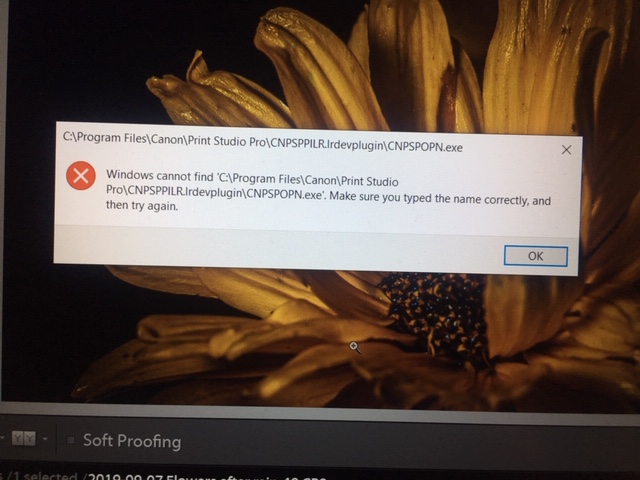
When trying to use the Plugin in Lightroom on Windows 10 and I get this message. I have tried re-installing and still get the message. I had it on an old computer and it worked fine and now I get the same message on the old computer. Any suggestions.
09-23-2019 07:55 PM
Try this:
Run the PSP Plugin Installer software:

It should be in C: Drive Programs folder in Canon Utilities.
You should windup with this:

You can also copy from there to your Lightroom folder:

09-23-2019 07:56 PM
Thank you. I will give it a try and see if it works.
12/18/2025: New firmware updates are available.
11/20/2025: New firmware updates are available.
EOS R5 Mark II - Version 1.2.0
PowerShot G7 X Mark III - Version 1.4.0
PowerShot SX740 HS - Version 1.0.2
10/15/2025: New firmware updates are available.
Speedlite EL-5 - Version 1.2.0
Speedlite EL-1 - Version 1.1.0
Speedlite Transmitter ST-E10 - Version 1.2.0
7/17/2025: New firmware updates are available.
02/20/2025: New firmware updates are available.
RF70-200mm F2.8 L IS USM Z - Version 1.0.6
RF24-105mm F2.8 L IS USM Z - Version 1.0.9
RF100-300mm F2.8 L IS USM - Version 1.0.8
Canon U.S.A Inc. All Rights Reserved. Reproduction in whole or part without permission is prohibited.