Turn on suggestions
Auto-suggest helps you quickly narrow down your search results by suggesting possible matches as you type.
- Canon Community
- Discussions & Help
- Printer
- Professional Photo Printers
- Pixma Pro-200: Prints are suddenly oversaturated
Options
- Subscribe to RSS Feed
- Mark Topic as New
- Mark Topic as Read
- Float this Topic for Current User
- Bookmark
- Subscribe
- Mute
- Printer Friendly Page
Pixma Pro-200: Prints are suddenly oversaturated

Options
- Mark as New
- Bookmark
- Subscribe
- Mute
- Subscribe to RSS Feed
- Permalink
- Report Inappropriate Content
06-25-2025 08:45 PM
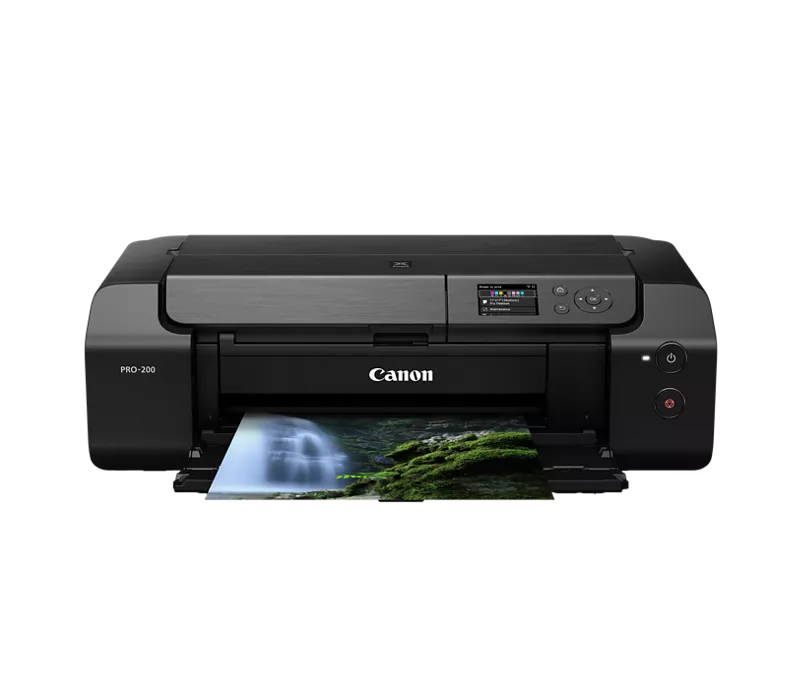
We use a Pixma Pro-200 Airprint printer for printing illustrations for business. It's worked fine for years, and suddenly prints have started coming out oversaturated, especially the yellows, but all color in general.
No changes have been made to the computer or printer since the last successful print, which has thrown us for a loop, and we can't figure out how to fix the issue. Any insights or help would be greatly appreciated! This has pretty much put business at a standstill until we sort it out.
Here's our technical specs:
- Apple iMac (Retina 5K, 27-inch, Late 2015)
- iMac OS: MacOS Monterey 12.7.6 (the latest this computer can support, and it's never been an issue until suddenly)
- Printer firmware is up to date
- No errors appear on either the computer or printer, it successfully prints each time, just oversaturated
- We're sure we're printing on the same paper as always, and also tried swapping out ink cartridges for new ones just in case
Here's what we've tried so far:
- Restarting the computer and printer
- Printing from both USB and wirelessly (including trying several different cables)
- Uninstalling the printer and reinstalling it via System Settings/Preferences
- Uninstalling the printer, manually deleting driver and preference files from "Macintosh HD > Library > Printers > Canon" as well as "../PPDs", and "~/Library/Application Support/" and similar user library locations. Then we reinstalled the printer and drivers manually
- Tried printing from an iPad instead of the iMac, it came out exactly the same
- We ran every cleaning mechanism and procedure the printer offers
- Threatened it, it did not respond to that either 😞
Attached is a photo comparing what the print should look like (left) vs what it prints like now (right). Some other prints come out so saturated it seems distorted. Some light greys come out brown and yellow.
We're sort of at our wit's end. If anyone has any other ideas we'd love the help!! Wouldn't you know this would happen right before an art market we're prepping for?

1 REPLY 1


Options
- Mark as New
- Bookmark
- Subscribe
- Mute
- Subscribe to RSS Feed
- Permalink
- Report Inappropriate Content
06-26-2025 06:23 AM
@vexima wrote:
We use a Pixma Pro-200 Airprint printer for printing illustrations for business. It's worked fine for years, and suddenly prints have started coming out oversaturated, especially the yellows, but all color in general.
No changes have been made to the computer or printer since the last successful print, which has thrown us for a loop, and we can't figure out how to fix the issue. Any insights or help would be greatly appreciated! This has pretty much put business at a standstill until we sort it out.
Here's our technical specs:
- Apple iMac (Retina 5K, 27-inch, Late 2015)
- iMac OS: MacOS Monterey 12.7.6 (the latest this computer can support, and it's never been an issue until suddenly)
- Printer firmware is up to date
- No errors appear on either the computer or printer, it successfully prints each time, just oversaturated
- We're sure we're printing on the same paper as always, and also tried swapping out ink cartridges for new ones just in case
Here's what we've tried so far:
- Restarting the computer and printer
- Printing from both USB and wirelessly (including trying several different cables)
- Uninstalling the printer and reinstalling it via System Settings/Preferences
- Uninstalling the printer, manually deleting driver and preference files from "Macintosh HD > Library > Printers > Canon" as well as "../PPDs", and "~/Library/Application Support/" and similar user library locations. Then we reinstalled the printer and drivers manually
- Tried printing from an iPad instead of the iMac, it came out exactly the same
- We ran every cleaning mechanism and procedure the printer offers
- Threatened it, it did not respond to that either 😞
Attached is a photo comparing what the print should look like (left) vs what it prints like now (right). Some other prints come out so saturated it seems distorted. Some light greys come out brown and yellow.
We're sort of at our wit's end. If anyone has any other ideas we'd love the help!! Wouldn't you know this would happen right before an art market we're prepping for?
Any reason you aren't using the Canon printer driver instead of AirPrint?

John Hoffman
Conway, NH
R6 Mark III, M200 (converted to infrared), RF lenses, Pixma PRO-100, Pixma TR8620a, Lr Classic
Conway, NH
R6 Mark III, M200 (converted to infrared), RF lenses, Pixma PRO-100, Pixma TR8620a, Lr Classic

Announcements
07/22/2026: New firmware updates are available.
EOS R6 Mark III - Version 1.1.0
05/13/2026: New firmware updates are available.
EOS R5 Mark II - Version 1.3.0
EOS R6 Mark II - Version 1.7.0
04/28/2026: Service Notice: Caution Concerning use of Lithium Batteries
03/17/2026: New firmware updates are available.
SELPHY CP1500 - Version 1.0.7.0
02/23/2026: New firmware update is available for EOS C50- Version 1.0.3.1
01/23/2026: New firmware update is available for RF 24-105mm F4 IS USM- Version 2.0.7
01/20/2026: New firmware updates are available.
10/21/2025: Service Notice: To Users of the Compact Digital Camera PowerShot V1
10/15/2025: New firmware updates are available.
Speedlite EL-5 - Version 1.2.0
Speedlite EL-1 - Version 1.1.0
Speedlite Transmitter ST-E10 - Version 1.2.0
07/28/2025: Notice of Free Repair Service for the Mirrorless Camera EOS R50 (Black)
05/21/2025: New firmware update available for EOS C500 Mark II - Version 1.1.5.1
Related Content
- MacBook M5 Pro Suddenly Stopped Recognizing Canon Pixma MX922 scanner - but printer works fine in Desktop Inkjet Printers
- PRO-1100 is suddenly printing very slowly and color is off in Professional Photo Printers
- #MG5750 suddenly printing blank sheets. in Desktop Inkjet Printers
- imageCLASS MF753Cdw Not printing from iPhone suddenly in Office Printers
- PIXMA MG3620 stopped scanning in Desktop Inkjet Printers

Ⓒ 2026
Canon U.S.A Inc. All Rights Reserved. Reproduction in whole or part without permission is prohibited.
