Turn on suggestions
Auto-suggest helps you quickly narrow down your search results by suggesting possible matches as you type.
- Canon Community
- Discussions & Help
- Printer
- Professional Photo Printers
- Re: Lightroom can't print from Print Studio Pro
Options
- Subscribe to RSS Feed
- Mark Topic as New
- Mark Topic as Read
- Float this Topic for Current User
- Bookmark
- Subscribe
- Mute
- Printer Friendly Page

Options
- Mark as New
- Bookmark
- Subscribe
- Mute
- Subscribe to RSS Feed
- Permalink
- Report Inappropriate Content
12-09-2019 02:44 PM
Using Light Room Classic CC 9.0
Mac Pro Desktop with Mohave 10.14.5
When I try and print from Lightroom I get the following error. "The destination folder for this operation is missing ... /Library/Caches/Canon/PrintStudioPro/PrintStudioPro_LR_TEMP
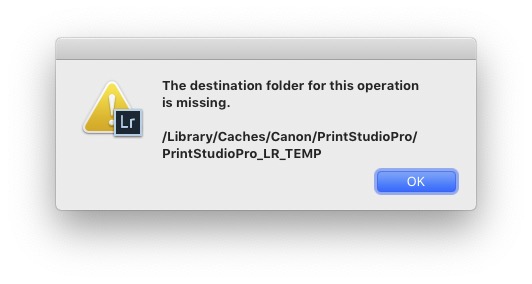
Any idea how to fix this?
Solved! Go to Solution.
1 ACCEPTED SOLUTION
Accepted Solutions
Options
- Mark as New
- Bookmark
- Subscribe
- Mute
- Subscribe to RSS Feed
- Permalink
- Report Inappropriate Content
12-09-2019 02:52 PM
Oops. Sorry. Found the answer on this forum through google. Just manually create the directory, being very careful to match the directory name exactly with the error message.
4 REPLIES 4
Options
- Mark as New
- Bookmark
- Subscribe
- Mute
- Subscribe to RSS Feed
- Permalink
- Report Inappropriate Content
12-09-2019 02:52 PM
Oops. Sorry. Found the answer on this forum through google. Just manually create the directory, being very careful to match the directory name exactly with the error message.

Options
- Mark as New
- Bookmark
- Subscribe
- Mute
- Subscribe to RSS Feed
- Permalink
- Report Inappropriate Content
03-25-2021 04:08 PM
This error:
The destination folder for this operation is missing.
/Library/Caches/Canon/PrintStudioPro/PrintStudioPro_LR_TEMP
Options
- Mark as New
- Bookmark
- Subscribe
- Mute
- Subscribe to RSS Feed
- Permalink
- Report Inappropriate Content
03-25-2021 04:09 PM
how do I enter this file manually
Options
- Mark as New
- Bookmark
- Subscribe
- Mute
- Subscribe to RSS Feed
- Permalink
- Report Inappropriate Content
03-25-2021 04:22 PM
For me, I went to /Library on my Mac and created the missing directory, and made sure the directory had write permissions. For some reason the directory didn't get created during the install process.

Announcements
07/22/2026: New firmware updates are available.
EOS R6 Mark III - Version 1.1.0
05/13/2026: New firmware updates are available.
EOS R5 Mark II - Version 1.3.0
EOS R6 Mark II - Version 1.7.0
04/28/2026: Service Notice: Caution Concerning use of Lithium Batteries
03/17/2026: New firmware updates are available.
SELPHY CP1500 - Version 1.0.7.0
02/23/2026: New firmware update is available for EOS C50- Version 1.0.3.1
01/23/2026: New firmware update is available for RF 24-105mm F4 IS USM- Version 2.0.7
01/20/2026: New firmware updates are available.
10/21/2025: Service Notice: To Users of the Compact Digital Camera PowerShot V1
10/15/2025: New firmware updates are available.
Speedlite EL-5 - Version 1.2.0
Speedlite EL-1 - Version 1.1.0
Speedlite Transmitter ST-E10 - Version 1.2.0
07/28/2025: Notice of Free Repair Service for the Mirrorless Camera EOS R50 (Black)
05/21/2025: New firmware update available for EOS C500 Mark II - Version 1.1.5.1
Related Content
- PRO-1100 is suddenly printing very slowly and color is off in Professional Photo Printers
- PIXMA PRO-200S How to use ICC profiles in PP&L in Professional Photo Printers
- Professional Print and Layout won't print in Printer Software & Networking
- PIXMA PRO-100 What software do I need? in Printer Software & Networking
- Canon Print Studio Pro Plugin dropped? in Printer Software & Networking

Ⓒ 2026
Canon U.S.A Inc. All Rights Reserved. Reproduction in whole or part without permission is prohibited.
