- Meet Our Illuminaries
- Discussions & Help
- Gallery
- Learn With Canon
- About Our Community
- Meet Our Illuminaries
- Discussions & Help
- Gallery
- Learn With Canon
- About Our Community
Turn on suggestions
Auto-suggest helps you quickly narrow down your search results by suggesting possible matches as you type.
- Canon Community
- Discussions & Help
- Printer
- Professional Photo Printers
- Canon Pro-310 – Visible white lines, scratches and...
Options
- Subscribe to RSS Feed
- Mark Topic as New
- Mark Topic as Read
- Float this Topic for Current User
- Bookmark
- Subscribe
- Mute
- Printer Friendly Page
Canon Pro-310 – Visible white lines, scratches and bent corners on prints

Options
- Mark as New
- Bookmark
- Subscribe
- Mute
- Subscribe to RSS Feed
- Permalink
- Report Inappropriate Content
03-05-2026 11:46 AM
Hi,
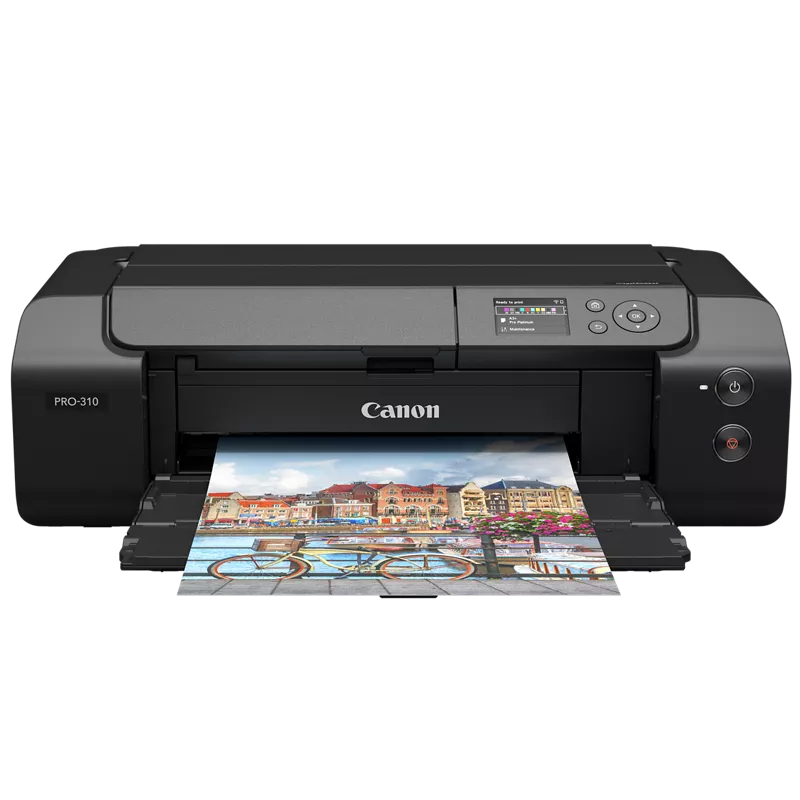
I am experiencing an issue with my printer that manifests as light streaks at the end of the print, combined with one bent corner and visible scratches along the entire length of the streak. There are also more pronounced scratches near the bent corner.
Interestingly, this occurs primarily with glossy papers such as Canson Infinity Baryta Photographique II. On semi-glossy papers like Canson Infinity Platine Fibre Rag, the issue still persists but is less frequent/noticeable.
I have already tried the cleaning function, but it did not help.
Could you please assist me? The printer is almost brand new (less than 50 prints made).


5 REPLIES 5


Options
- Mark as New
- Bookmark
- Subscribe
- Mute
- Subscribe to RSS Feed
- Permalink
- Report Inappropriate Content
03-05-2026 12:06 PM
Visible white lines, scratches, and bent corners on prints from the Canon Pro-310 can be caused by issues such as incorrect paper type settings, dirty print heads, or problems with the paper feed mechanism. Additionally, using low-quality paper or having debris in the printer can also contribute to these printing defects. I suggest you inspect the inside of the printer for debris along the paper path, under and around the feed rollers, and the print head carriage.

Options
- Mark as New
- Bookmark
- Subscribe
- Mute
- Subscribe to RSS Feed
- Permalink
- Report Inappropriate Content
03-06-2026 07:29 AM
My colleague DerrickL is the expert, but I've seen similar results when using smaller sized paper and had some leading-edge feed issues on the Pro-1100. I've had some luck by adding a bigger stack of paper and/or making sure the paper is fully forward to allow the roller to engage feeding a bit easier.
>> Owns/Owned both Canon EOS mirrorless full-frame and APS-C cameras and associated RF, RF-S and EF adapted lenses - inventory tends to change on short notice. Same for flashes, tripods, bags, straps, etc.
Plus>> Canon imagePROGRAF PRO-1100 Printer
>>The opinions and assistance are my own. Please don't blame Canon for any mistakes on my part.

Options
- Mark as New
- Bookmark
- Subscribe
- Mute
- Subscribe to RSS Feed
- Permalink
- Report Inappropriate Content
03-06-2026 04:48 PM
Is there a Prevent paper abrasion option in the driver?
John Hoffman
Conway, NH
R6 Mark III, M200 (converted to infrared), RF lenses, Pixma PRO-100, Pixma TR8620a, Lr Classic
Conway, NH
R6 Mark III, M200 (converted to infrared), RF lenses, Pixma PRO-100, Pixma TR8620a, Lr Classic
Options
- Mark as New
- Bookmark
- Subscribe
- Mute
- Subscribe to RSS Feed
- Permalink
- Report Inappropriate Content
03-09-2026 01:46 PM
Hi, I had the same issue with a brand new unit. I tried the cleaning function and the marks disappeared. Don't know if it's the nicest and long-term solution but hope that can help people reading this
Options
- Mark as New
- Bookmark
- Subscribe
- Mute
- Subscribe to RSS Feed
- Permalink
- Report Inappropriate Content
03-09-2026 06:32 PM
Good point above. We should be running a test pattern on these printers every week or two that they are idle to keep the inks flowing nicely.
>> Owns/Owned both Canon EOS mirrorless full-frame and APS-C cameras and associated RF, RF-S and EF adapted lenses - inventory tends to change on short notice. Same for flashes, tripods, bags, straps, etc.
Plus>> Canon imagePROGRAF PRO-1100 Printer
>>The opinions and assistance are my own. Please don't blame Canon for any mistakes on my part.

Announcements
04/28/2026: Service Notice: Caution Concerning use of Lithium Batteries
02/23/2026: New firmware update is available for EOS C50- Version 1.0.3.1
01/23/2026: New firmware update is available for RF 24-105mm F4 IS USM- Version 2.0.7
12/22/2025: New firmware update is available for EOS R6 Mark III- Version 1.0.2
10/21/2025: Service Notice: To Users of the Compact Digital Camera PowerShot V1
07/28/2025: Notice of Free Repair Service for the Mirrorless Camera EOS R50 (Black)
05/21/2025: New firmware update available for EOS C500 Mark II - Version 1.1.5.1
03/17/2026: New firmware updates are available.
SELPHY CP1500 - Version 1.0.7.0
02/23/2026: New firmware update is available for EOS C50- Version 1.0.3.1
01/23/2026: New firmware update is available for RF 24-105mm F4 IS USM- Version 2.0.7
01/20/2026: New firmware updates are available.
12/22/2025: New firmware update is available for EOS R6 Mark III- Version 1.0.2
11/20/2025: New firmware updates are available.
EOS R5 Mark II - Version 1.2.0
PowerShot G7 X Mark III - Version 1.4.0
PowerShot SX740 HS - Version 1.0.2
10/21/2025: Service Notice: To Users of the Compact Digital Camera PowerShot V1
10/15/2025: New firmware updates are available.
Speedlite EL-5 - Version 1.2.0
Speedlite EL-1 - Version 1.1.0
Speedlite Transmitter ST-E10 - Version 1.2.0
07/28/2025: Notice of Free Repair Service for the Mirrorless Camera EOS R50 (Black)
7/17/2025: New firmware updates are available.
05/21/2025: New firmware update available for EOS C500 Mark II - Version 1.1.5.1

Ⓒ 2026
Canon U.S.A Inc. All Rights Reserved. Reproduction in whole or part without permission is prohibited.
