Hello,
I have a Canon pro-1000 which I use for printing graphic design assets on.
Often the prints are fine, but sometimes I get particular designs it struggles with - when there are large blocks of solid colors it will sometimes show a gradient as it begins or finishes printing the block.
Also, where I use an off-white background it will sometimes fail in sections leaving a banding of unprinted area.
I've tried doing a deep-clean of the print nozzles, aligning the print heads, wired and wireless connections.
The examples attached demonstrate this:
This should be a solid block of sand-color but it bleeds in to grey
 eg1.jpg
Here the grey-bleed is smaller but visible just as the shape begins
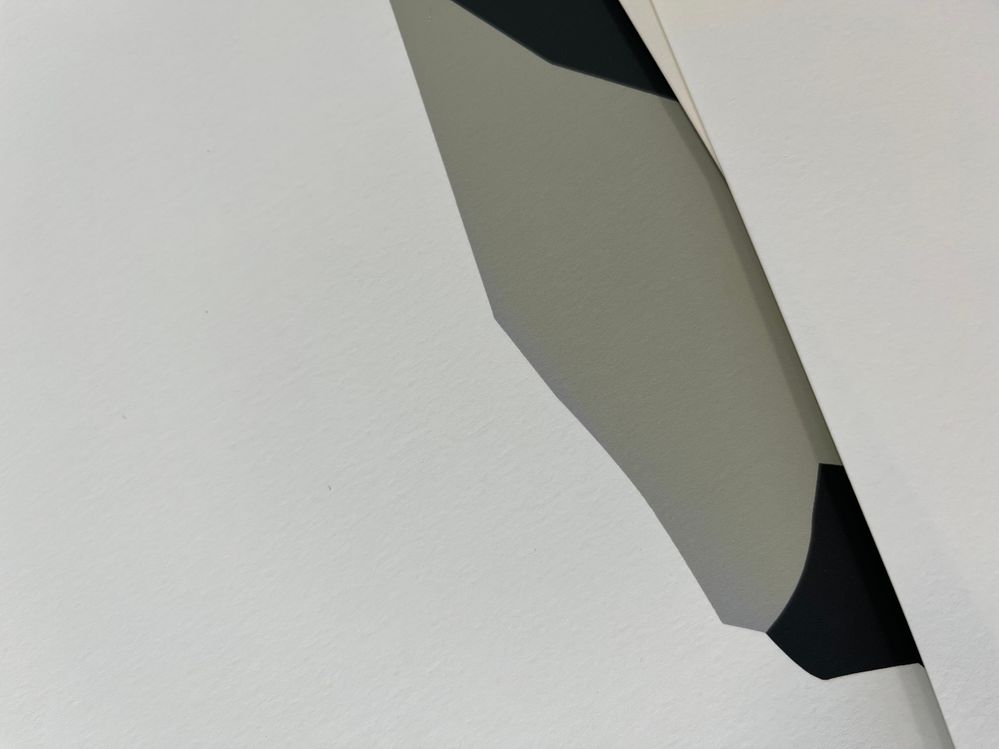 eg2.jpg
Another view of the grey bleed
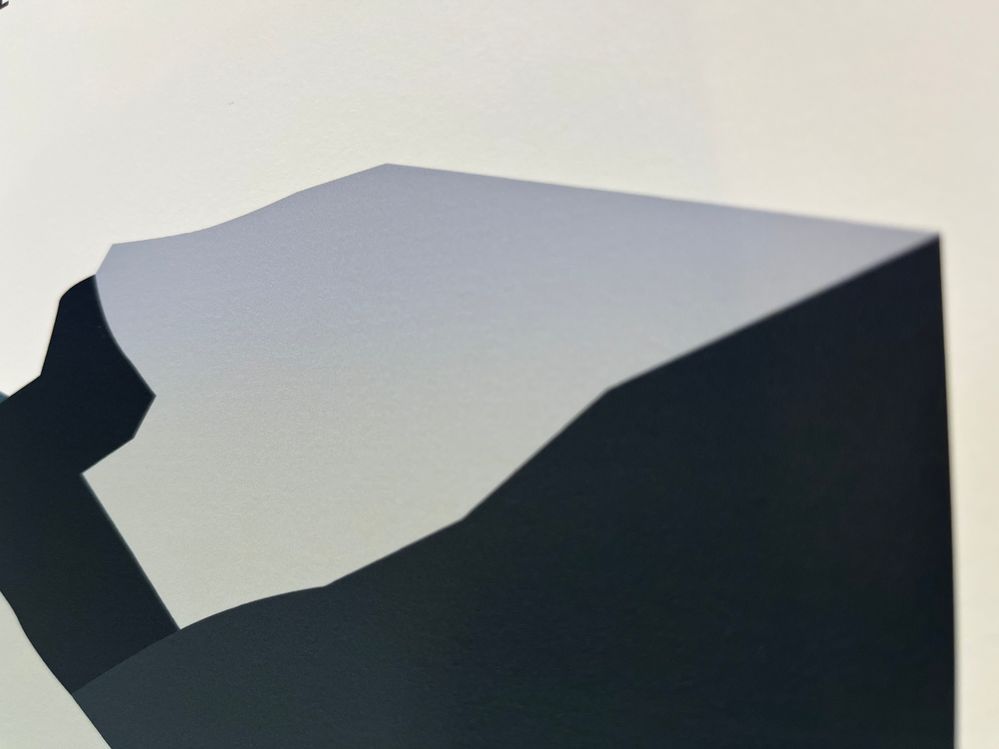 eg3.jpg
Here is some banding where the off-white background has failed right near the end of the print
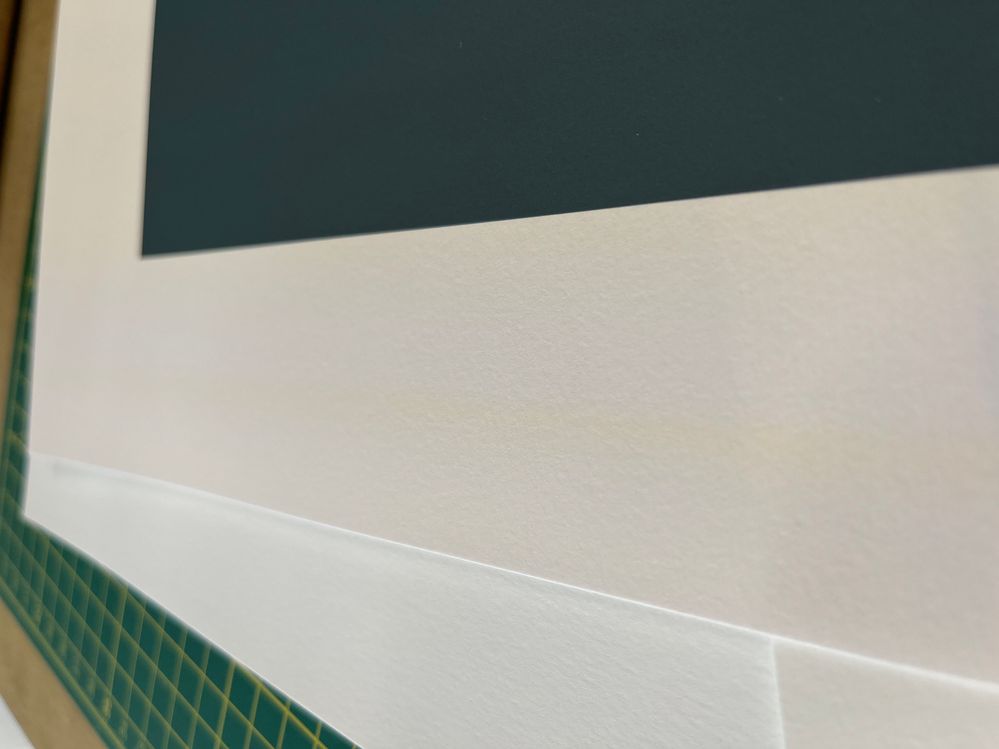 eg4.jpg
Here's another example which should be solid green but has a gradient in to teal
 eg5.jpg



