Turn on suggestions
Auto-suggest helps you quickly narrow down your search results by suggesting possible matches as you type.
- Canon Community
- Discussions & Help
- Printer
- Professional Photo Printers
- Re: Canon Pro-10: Memory may be insufficient for p...
Options
- Subscribe to RSS Feed
- Mark Topic as New
- Mark Topic as Read
- Float this Topic for Current User
- Bookmark
- Subscribe
- Mute
- Printer Friendly Page
Canon Pro-10: Memory may be insufficient for printing error - What do I do?

Options
- Mark as New
- Bookmark
- Subscribe
- Mute
- Subscribe to RSS Feed
- Permalink
- Report Inappropriate Content
12-10-2022 04:15 PM
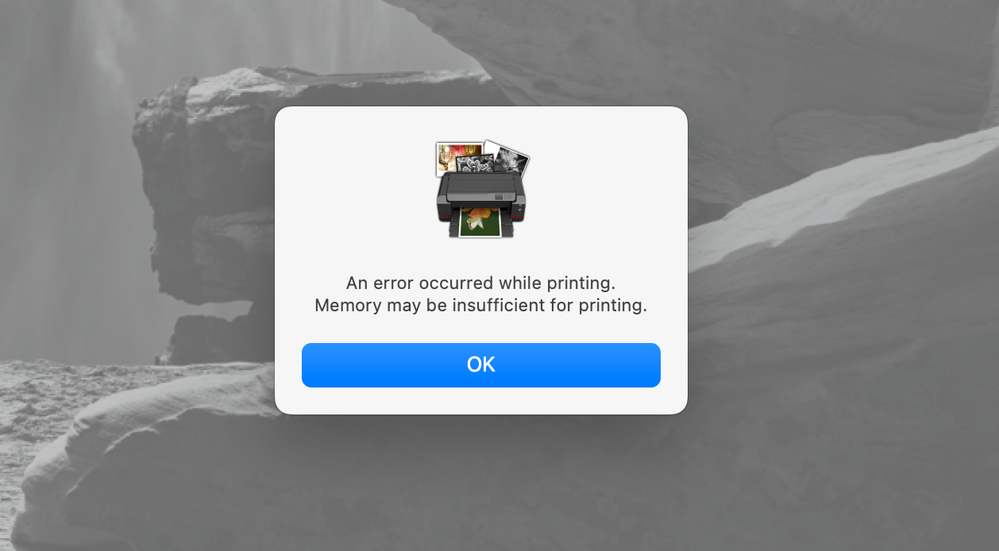
Canon Print Studio Pro is driving me INSANE. I cannot print from Photoshop or Lightroom Classic. I keep getting an error stating "Memory may be insufficient for printing". I'm running a new M1 Max Mac Studio, so it's definitely not a memory problem.
10 REPLIES 10


Options
- Mark as New
- Bookmark
- Subscribe
- Mute
- Subscribe to RSS Feed
- Permalink
- Report Inappropriate Content
12-10-2022 07:01 PM
Same thing happens with a Ventura M2 MacBook Air. PSP bug that Ned’s to be corrected.
John Hoffman
Conway, NH
R6 Mark III, M200 (converted to infrared), RF lenses, Pixma PRO-100, Pixma TR8620a, Lr Classic
Conway, NH
R6 Mark III, M200 (converted to infrared), RF lenses, Pixma PRO-100, Pixma TR8620a, Lr Classic

Options
- Mark as New
- Bookmark
- Subscribe
- Mute
- Subscribe to RSS Feed
- Permalink
- Report Inappropriate Content
12-26-2022 09:24 AM
Getting same error on my MacBook Pro with Intel Processor with Ventura. Tried to re-install LR and PS. No luck. Just bought the Printer 2 weeks ago and cannot use PSP.. 😞
Canon Pro-1000
Options
- Mark as New
- Bookmark
- Subscribe
- Mute
- Subscribe to RSS Feed
- Permalink
- Report Inappropriate Content
02-04-2023 11:44 AM
Having similar problems with my Canon Pro10. Do not understand why Canon lags so far behind other manufacturers. Very irritating
Options
- Mark as New
- Bookmark
- Subscribe
- Mute
- Subscribe to RSS Feed
- Permalink
- Report Inappropriate Content
02-14-2023 09:45 AM
Hi,
I haven't printed in a while and i get the same error (latest Ventura). Does anyone have any workaround?
Options
- Mark as New
- Bookmark
- Subscribe
- Mute
- Subscribe to RSS Feed
- Permalink
- Report Inappropriate Content
02-14-2023 09:51 AM
Since you have the Pro-1000 use Professional Print & Layout. Newer equivalent to PSP.
John Hoffman
Conway, NH
R6 Mark III, M200 (converted to infrared), RF lenses, Pixma PRO-100, Pixma TR8620a, Lr Classic
Conway, NH
R6 Mark III, M200 (converted to infrared), RF lenses, Pixma PRO-100, Pixma TR8620a, Lr Classic
Options
- Mark as New
- Bookmark
- Subscribe
- Mute
- Subscribe to RSS Feed
- Permalink
- Report Inappropriate Content
02-14-2023 10:02 AM
Thanks John. I reseted my macbook and installed OS Monterey. It works fine now. I dont think I will upgrade soon to newer OS versions.
Canon Pro-1000
Options
- Mark as New
- Bookmark
- Subscribe
- Mute
- Subscribe to RSS Feed
- Permalink
- Report Inappropriate Content
02-14-2023 10:04 AM
I went back to Monterey
Canon Pro-1000
Options
- Mark as New
- Bookmark
- Subscribe
- Mute
- Subscribe to RSS Feed
- Permalink
- Report Inappropriate Content
02-14-2023 12:02 PM
Ouch, I really don't want to do that......
Can one use Professional Print & Layout with the Pro-10?
Options
- Mark as New
- Bookmark
- Subscribe
- Mute
- Subscribe to RSS Feed
- Permalink
- Report Inappropriate Content
02-14-2023 03:00 PM
@zuru wrote:Ouch, I really don't want to do that......
Can one use Professional Print & Layout with the Pro-10?
I don't think so. It doesn't work with the Pro-100.
John Hoffman
Conway, NH
R6 Mark III, M200 (converted to infrared), RF lenses, Pixma PRO-100, Pixma TR8620a, Lr Classic
Conway, NH
R6 Mark III, M200 (converted to infrared), RF lenses, Pixma PRO-100, Pixma TR8620a, Lr Classic

Announcements
07/22/2026: New firmware updates are available.
EOS R6 Mark III - Version 1.1.0
05/13/2026: New firmware updates are available.
EOS R5 Mark II - Version 1.3.0
EOS R6 Mark II - Version 1.7.0
04/28/2026: Service Notice: Caution Concerning use of Lithium Batteries
03/17/2026: New firmware updates are available.
SELPHY CP1500 - Version 1.0.7.0
02/23/2026: New firmware update is available for EOS C50- Version 1.0.3.1
01/23/2026: New firmware update is available for RF 24-105mm F4 IS USM- Version 2.0.7
01/20/2026: New firmware updates are available.
10/21/2025: Service Notice: To Users of the Compact Digital Camera PowerShot V1
10/15/2025: New firmware updates are available.
Speedlite EL-5 - Version 1.2.0
Speedlite EL-1 - Version 1.1.0
Speedlite Transmitter ST-E10 - Version 1.2.0
07/28/2025: Notice of Free Repair Service for the Mirrorless Camera EOS R50 (Black)
05/21/2025: New firmware update available for EOS C500 Mark II - Version 1.1.5.1
Related Content
- ImageClass MF753Cdw II – Error 853 on PCL6 & PS3 Test Pages After Firmware Reinstall (UFR II OK) in Office Printers
- G6020 keeps printing a previous image with new copy in Desktop Inkjet Printers
- ImageClass LBP674CDW II - Not spooling jobs correctly in Office Printers
- PIXMA MX920 printing old data in Desktop Inkjet Printers
- imagePROGRAF PRO-2100 - PPL "memory may be insufficient for printing" error in Professional Photo Printers

Ⓒ 2026
Canon U.S.A Inc. All Rights Reserved. Reproduction in whole or part without permission is prohibited.
