Turn on suggestions
Auto-suggest helps you quickly narrow down your search results by suggesting possible matches as you type.
- Canon Community
- Discussions & Help
- Printer
- Printer Software & Networking
- Re: Pixma MG 3600 connectivity issues
Options
- Subscribe to RSS Feed
- Mark Topic as New
- Mark Topic as Read
- Float this Topic for Current User
- Bookmark
- Subscribe
- Mute
- Printer Friendly Page
Pixma MG 3600 connectivity issues

Options
- Mark as New
- Bookmark
- Subscribe
- Mute
- Subscribe to RSS Feed
- Permalink
- Report Inappropriate Content
10-22-2020 04:30 PM - edited 10-23-2020 02:51 PM
The printer has always been showing offline after initial set up on Laptop.
Then on my iPad I have the canon print app. it was working fine as well on the initial set up.
Then it would be saying my device isn’t connect to wifi when i can use my device to search on internet...
So I remove the printer profile, power off and on and try again using wifi connection( hold the network buttom have to canon_ij_xxxxx wifi out and connect it to type in my wifi configuration. )
While that successed a couple of times in the past. today it is totally failed me.
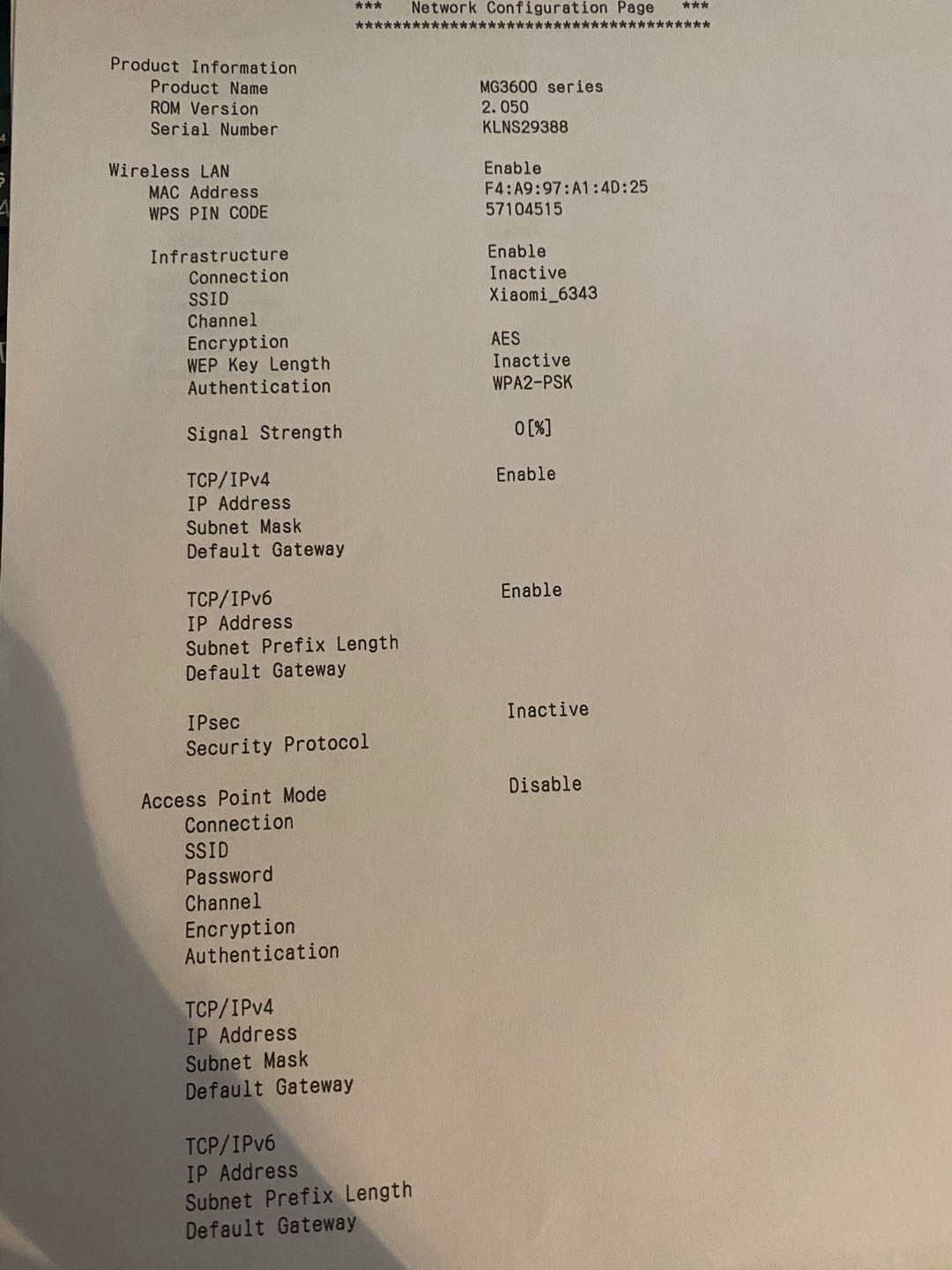
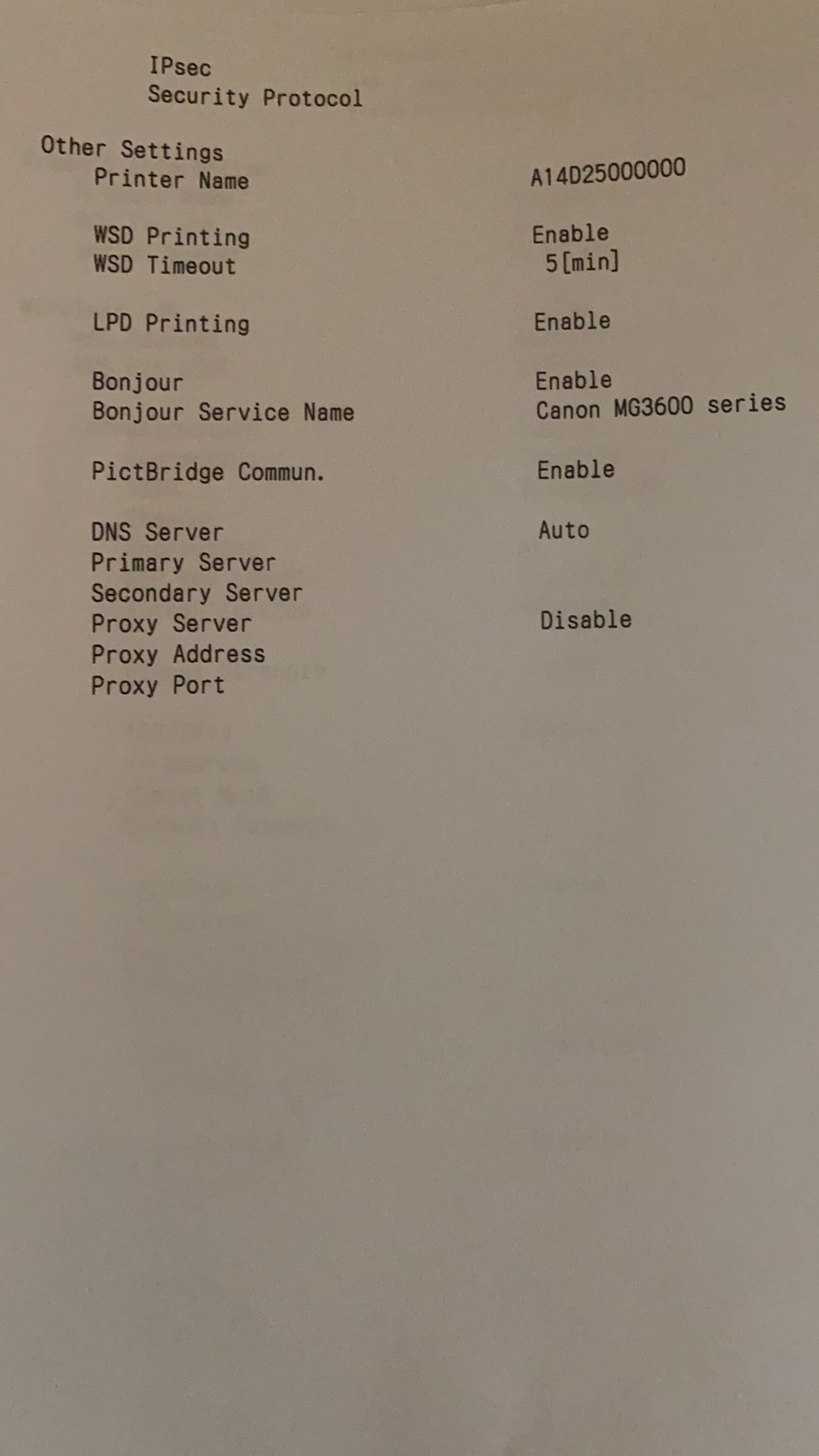
I tried to printer out the network config of the canon printer and manually type in the IPv4 in my laptop cause the printer can’t be detected. It was successfully connected but the printer isn’t able to print anything.
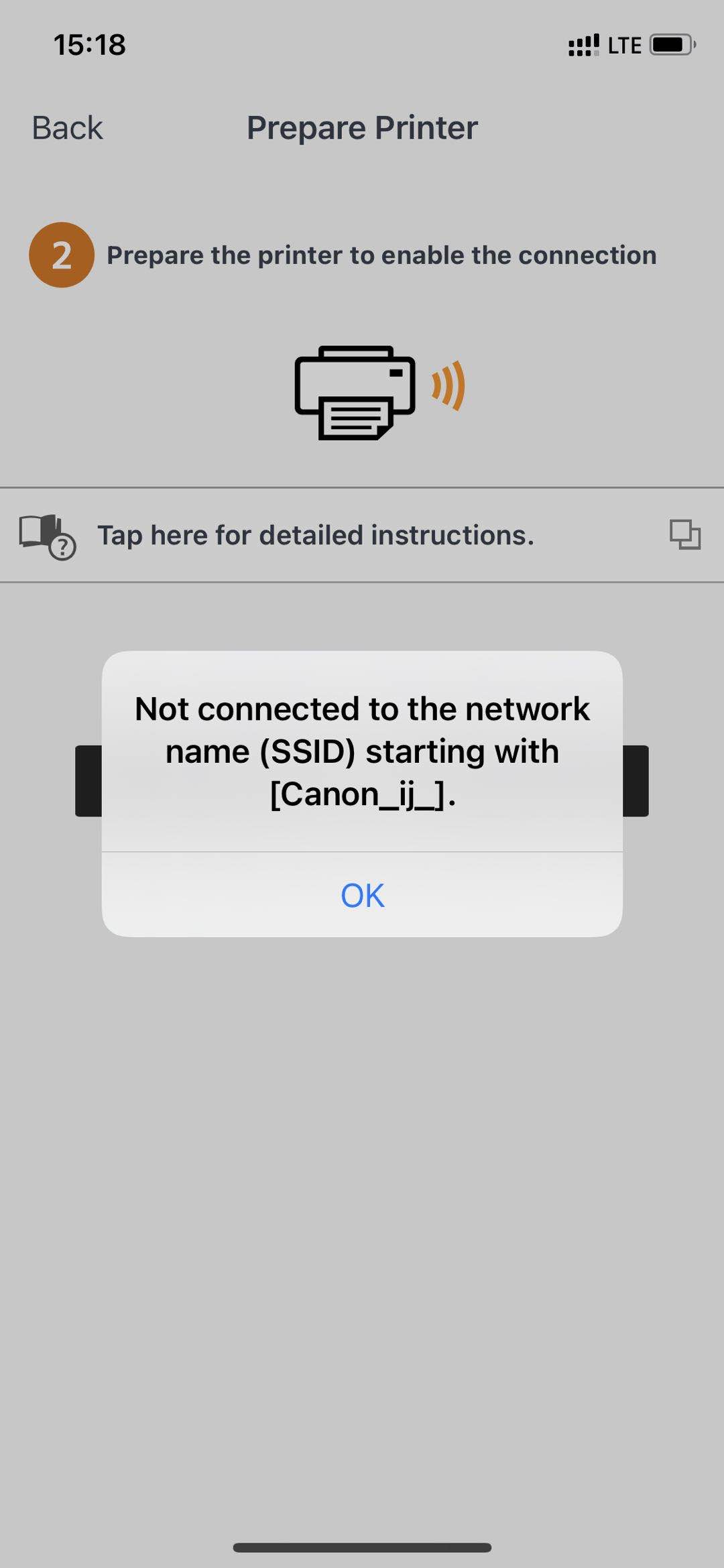
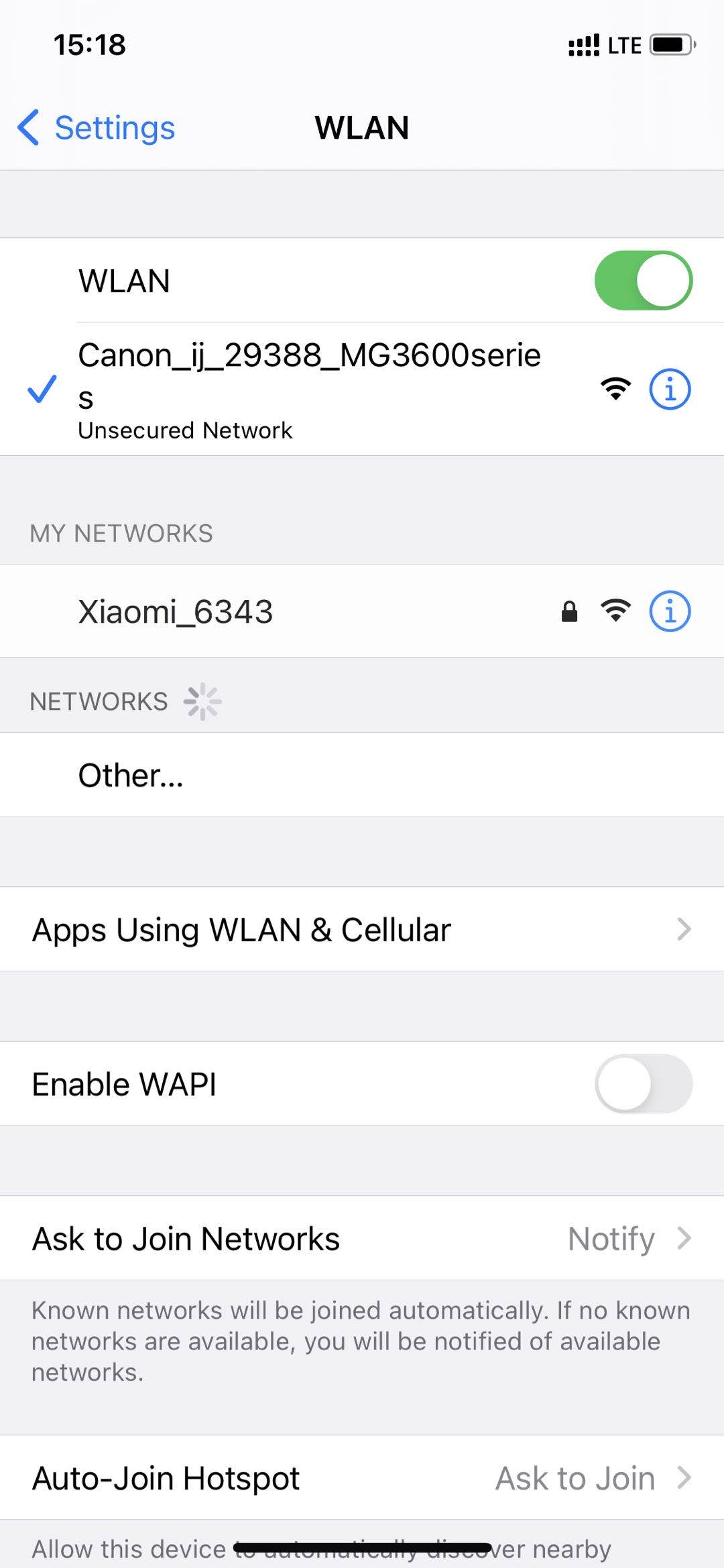
Then I tried it with my phone canon print app. While I have connected to canon_ij_xxxxx on my iPhone, but it is shown no such Canon_ij_xxxx no SSID found.
attaching the network config.
4 REPLIES 4


Options
- Mark as New
- Bookmark
- Subscribe
- Mute
- Subscribe to RSS Feed
- Permalink
- Report Inappropriate Content
10-23-2020 09:25 AM
Hi, AmberCxx!
Including images is easy! When composing your message, click the "Insert/Edit Image" icon at the top of the text box. It's near the center of the formatting options ribbon and it's a square with a pair of mountain peaks in it. Click on it and you'll get more instructions.
That's all there is to it. We look forward to seeing what you share!
Options
- Mark as New
- Bookmark
- Subscribe
- Mute
- Subscribe to RSS Feed
- Permalink
- Report Inappropriate Content
10-23-2020 02:28 PM
oh I was using iPhone safari and not seeing the option. I guess I will use the laptop.
Options
- Mark as New
- Bookmark
- Subscribe
- Mute
- Subscribe to RSS Feed
- Permalink
- Report Inappropriate Content
11-03-2020 06:35 PM
Image is attached.

Options
- Mark as New
- Bookmark
- Subscribe
- Mute
- Subscribe to RSS Feed
- Permalink
- Report Inappropriate Content
11-19-2020 03:24 PM
Hello AmberCxx,
It looks like the printer does not have an active network connection and needs to be setup. I would suggest starting off with resetting the network settings by holding down the stop button on the printer until the orange alarm light flashes 21 times and then letting go. Once that is done, you can try connecting the printer to your network using the app or the setup from on your computer. To put the printer into the wireless setup mode you can follow the steps found in the link HERE.
Once the printer is in setup mode, you can download and run the setup from your computer using the link provided HERE or you can try setting up the printer using the app again to see if it finds the printer.
Did this answer your question? Please click the Accept as Solution button so that others may find the answer as well.

Announcements
07/22/2026: New firmware updates are available.
EOS R6 Mark III - Version 1.1.0
05/13/2026: New firmware updates are available.
EOS R5 Mark II - Version 1.3.0
EOS R6 Mark II - Version 1.7.0
04/28/2026: Service Notice: Caution Concerning use of Lithium Batteries
03/17/2026: New firmware updates are available.
SELPHY CP1500 - Version 1.0.7.0
02/23/2026: New firmware update is available for EOS C50- Version 1.0.3.1
01/23/2026: New firmware update is available for RF 24-105mm F4 IS USM- Version 2.0.7
01/20/2026: New firmware updates are available.
10/21/2025: Service Notice: To Users of the Compact Digital Camera PowerShot V1
10/15/2025: New firmware updates are available.
Speedlite EL-5 - Version 1.2.0
Speedlite EL-1 - Version 1.1.0
Speedlite Transmitter ST-E10 - Version 1.2.0
07/28/2025: Notice of Free Repair Service for the Mirrorless Camera EOS R50 (Black)
05/21/2025: New firmware update available for EOS C500 Mark II - Version 1.1.5.1
Related Content
- PIXMA TS6420a - Won't Connect in Desktop Inkjet Printers
- Connection issues with MF662CDW on Eero Wifi 7 Mesh in Printer Software & Networking
- PIXMA TS6420a cartridge issue, support Code 7700 in Desktop Inkjet Printers
- Laptop not connecting with PIXMA G3202 in Printer Software & Networking
- PIXMA G3272 power issue, maintenance box, ink absorber full in Desktop Inkjet Printers

Ⓒ 2026
Canon U.S.A Inc. All Rights Reserved. Reproduction in whole or part without permission is prohibited.
