12-18-2017 09:01 AM
I have a MG7730 pixus printer, which I'm trying to connect to my macbook pro 10.13.2.
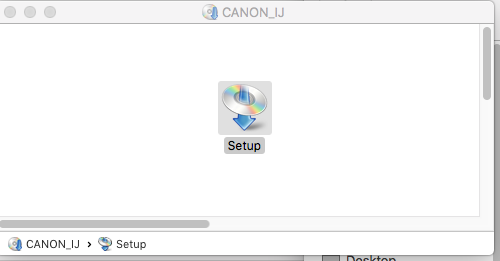
I have tried, repeatedly, through different search engines as well, to get the set up .dmg to execute and install, but it simply won't proceed. It opens... and asks me to confirm that I want to proceed with something downloaded from the internet. But then does not do anything more. I've used this link and also this other link, to try and download and install drivers.
I've manually entered an IP address into the printer, and have managed to add it to the Printers & Scanners in System Preferences.
And I've gone through this manual a bunch of times.
The CANON IJ Network thing also is not much help.
I would appreciate any advice on how to solve this problem. Thanks. PSD.
03-06-2018 06:17 PM
Hi psd,
I'm afraid the PIXUS MG7730 is not sold or supported in the US. Better assistance can be found through Canon Japan HERE. I regret any inconvenience.
11/20/2025: New firmware updates are available.
EOS R6 Mark III - Version 1.0.1
EOS R5 Mark II - Version 1.2.0
PowerShot G7 X Mark III - Version 1.4.0
PowerShot SX740 HS - Version 1.0.2
10/15/2025: New firmware updates are available.
Speedlite EL-5 - Version 1.2.0
Speedlite EL-1 - Version 1.1.0
Speedlite Transmitter ST-E10 - Version 1.2.0
07/24/2025: New firmware updates are available.
07/23/2025: New firmware updates are available.
7/17/2025: New firmware updates are available.
02/20/2025: New firmware updates are available.
RF70-200mm F2.8 L IS USM Z - Version 1.0.6
RF24-105mm F2.8 L IS USM Z - Version 1.0.9
RF100-300mm F2.8 L IS USM - Version 1.0.8
RF50mm F1.4 L VCM - Version 1.0.2
RF24mm F1.4 L VCM - Version 1.0.3
Canon U.S.A Inc. All Rights Reserved. Reproduction in whole or part without permission is prohibited.


