Turn on suggestions
Auto-suggest helps you quickly narrow down your search results by suggesting possible matches as you type.
- Canon Community
- Discussions & Help
- Camera
- Point & Shoot Digital Cameras
- Re: tutorial for Powershot SX50HS
Options
- Subscribe to RSS Feed
- Mark Topic as New
- Mark Topic as Read
- Float this Topic for Current User
- Bookmark
- Subscribe
- Mute
- Printer Friendly Page

Options
- Mark as New
- Bookmark
- Subscribe
- Mute
- Subscribe to RSS Feed
- Permalink
- Report Inappropriate Content
06-24-2013 08:47 PM
I need a tutorial or a step by step instruction that I can follow. I have downloaded the complete manual and thoroughly read and studied it. My last Canon was the AE1program purchased in 1984 and used for 20 years, always on the automatic setting. Since 2004, I have used a Kodak automatic camera. I am overwhelmed by the settings on this wonderful new camera I just received as a gift 5 weeks ago. I found one tutorial for setting C1 & C2 to be used respectively for birds in the distance and macro shots. This is exactly what I need but not exactly the settings as described in the tutorial. Also, the videographer does not explain how to set the settings but assumes the viewer already knows that.
Solved! Go to Solution.
108 REPLIES 108

Options
- Mark as New
- Bookmark
- Subscribe
- Mute
- Subscribe to RSS Feed
- Permalink
- Report Inappropriate Content
07-07-2013 01:39 AM
I've never photographed birds through a window before, Linda, but I can make an educated guess about a few things you should consider to get the best photos you can.
First, I'd use manual focus on your camera, since autofocus will most likely detect the window, focus on that, and your birds will be out of focus. Next I'd get as close to the window as possible so that the sensor will detect more of the outside scene and less from inside your house, and perhaps expose better for the birds. Also, I would not shoot at any side angles through the window, which will introduce distortions in the pictures. Try to shoot as perpendicular to the glass as possible for the clearest shots.

Options
- Mark as New
- Bookmark
- Subscribe
- Mute
- Subscribe to RSS Feed
- Permalink
- Report Inappropriate Content
07-07-2013 10:16 AM
Linda,
I shoot with the SX50 through my windows all the time and they are double pane so give it a try for sure! I agree that you need to get close to the window as possible and probably turn off the lights in your kitchen even in day time so you don't get additional reflections from them. If you don't want the ISO to go to 800 you can set your MAX ISO in the shooting menu to 400, 200 or anything you want plus I recomment to also set the next item Rate of ISO change to the slowest of the three options see page 118 for these two settings. Another item that might help you until you are completely comfortable with most of the SX50 setting is to set Hints and Tips ON in the Setup menu.see page 199. But what you are doing -- using the camera -- is the best way to learn what works and what doesn't. And always have FUN!!
Murry
Options
- Mark as New
- Bookmark
- Subscribe
- Mute
- Subscribe to RSS Feed
- Permalink
- Report Inappropriate Content
07-07-2013 03:27 PM - edited 07-07-2013 03:34 PM
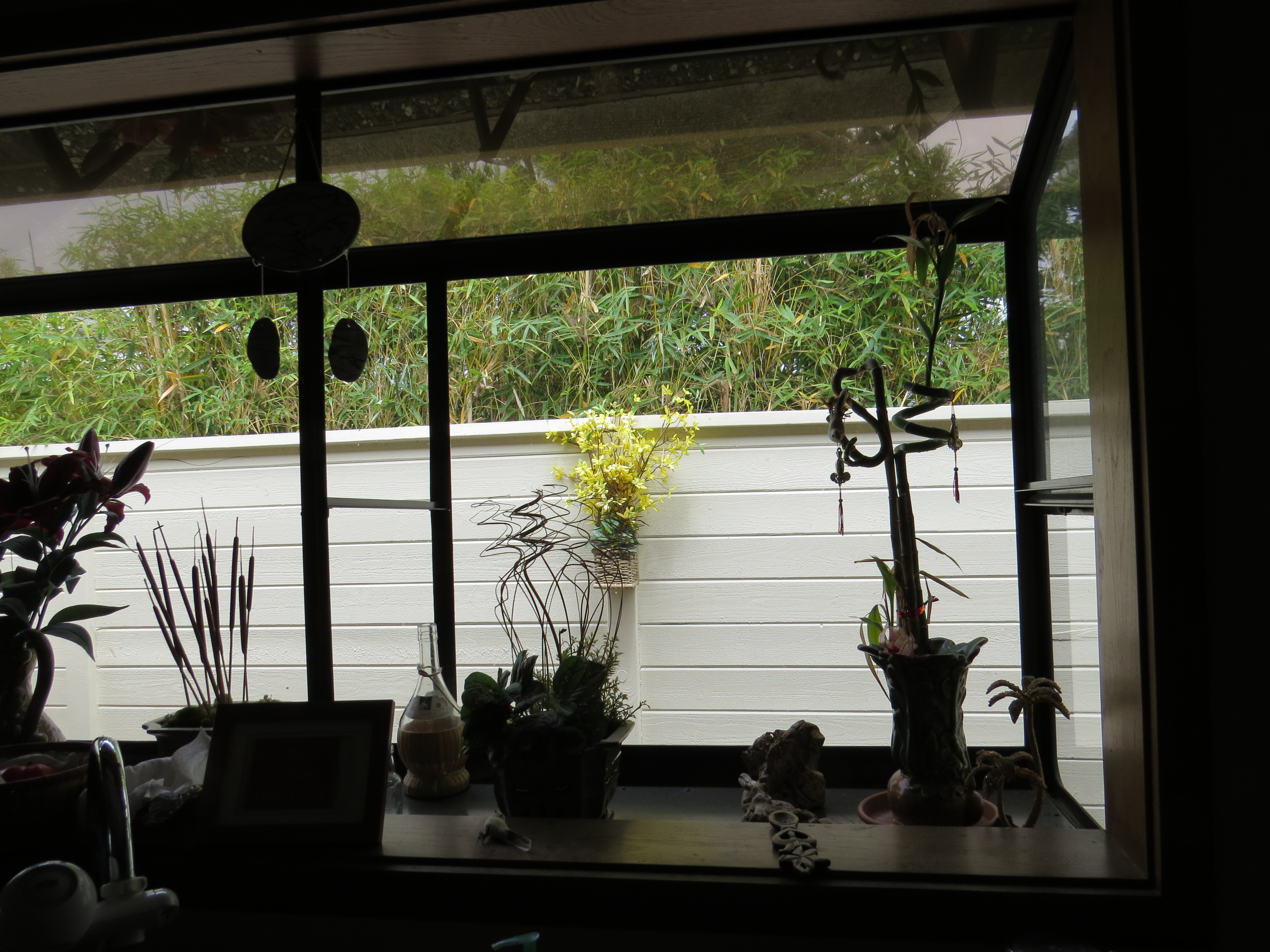
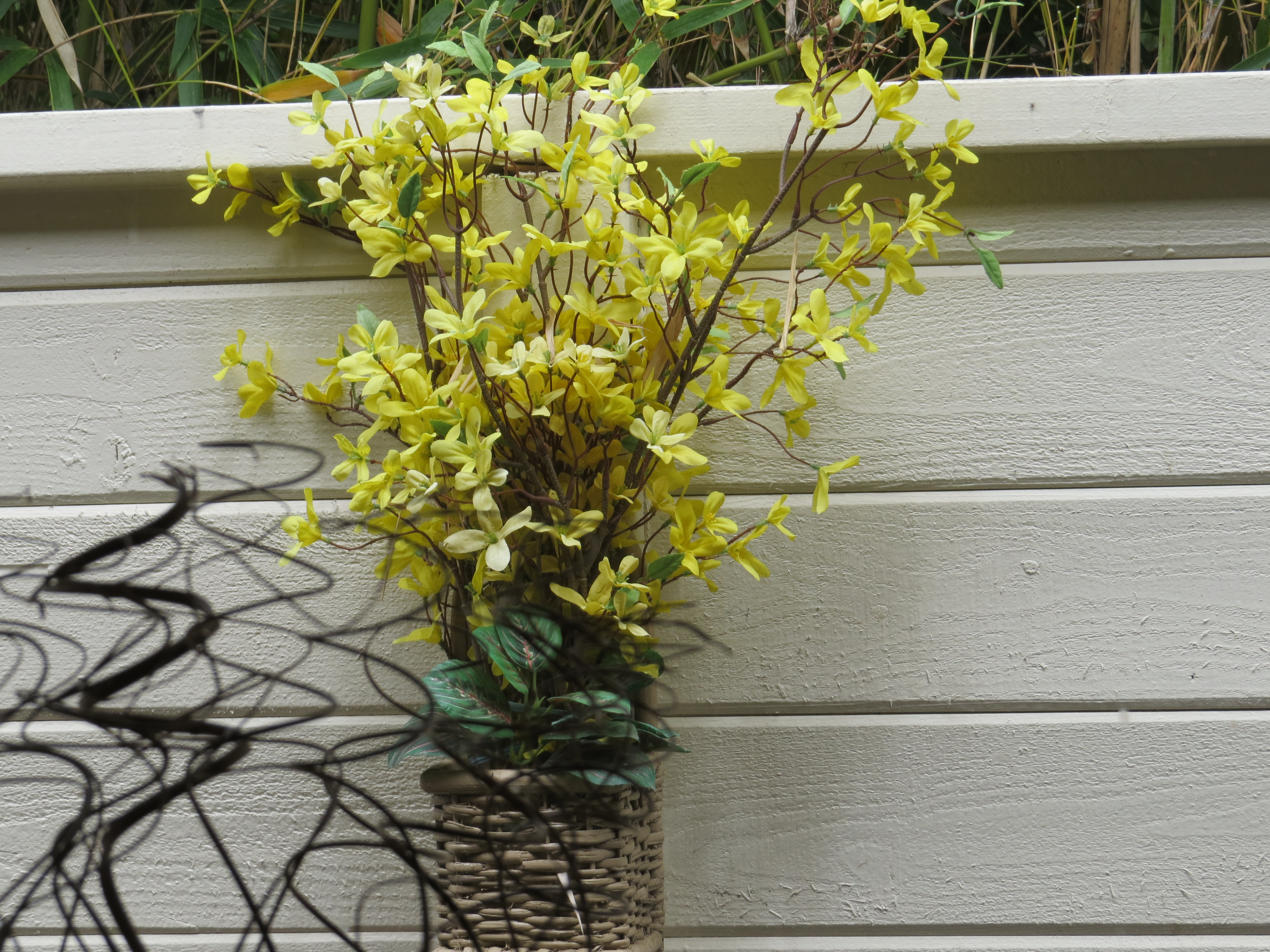
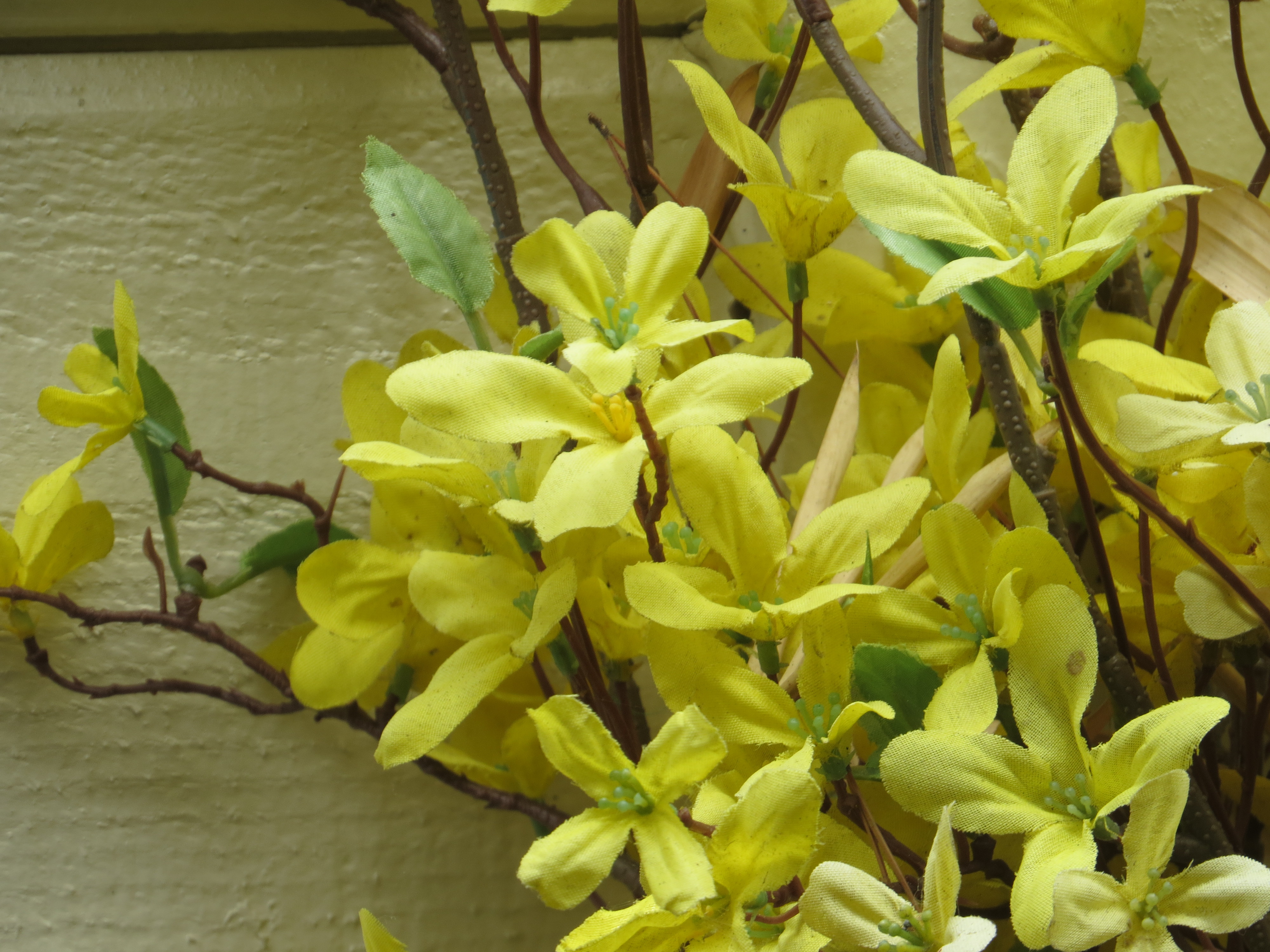
I'm in total agreement with Murry, and that is, Linda, the best way to learn what works and what doesn't is to experiment and have fun doing it. To that end, you got my curiosity up and I experimented myself this morning with my camera taking a few shots through windows in full Auto mode. I'll add the specific details of each shot below with each picture, but the overview of the pics is they were all shot in full Auto on exposure, Auto focus for focusing, and the first three were with the sun coming from behind me over the house and the last two I was shooting slightly into the sun and shooting at a bad, sharp angle to the window. Anyway, here are the pics and the details:
First shot taken in the kitchen and stepped back from the camera, with the fake flowers on the fence substituting for a bird. Shot was taken at F4, 1/250, and ISO 80:
Second photo is closer to the window with no zoom. Exposure is F5, 1/250, and ISO 80:
Third shot is standing same distance to the window, but more perpendicular to it, plus I used the zoom to get closer. Exposure was F5, 1/160, and ISO 80:
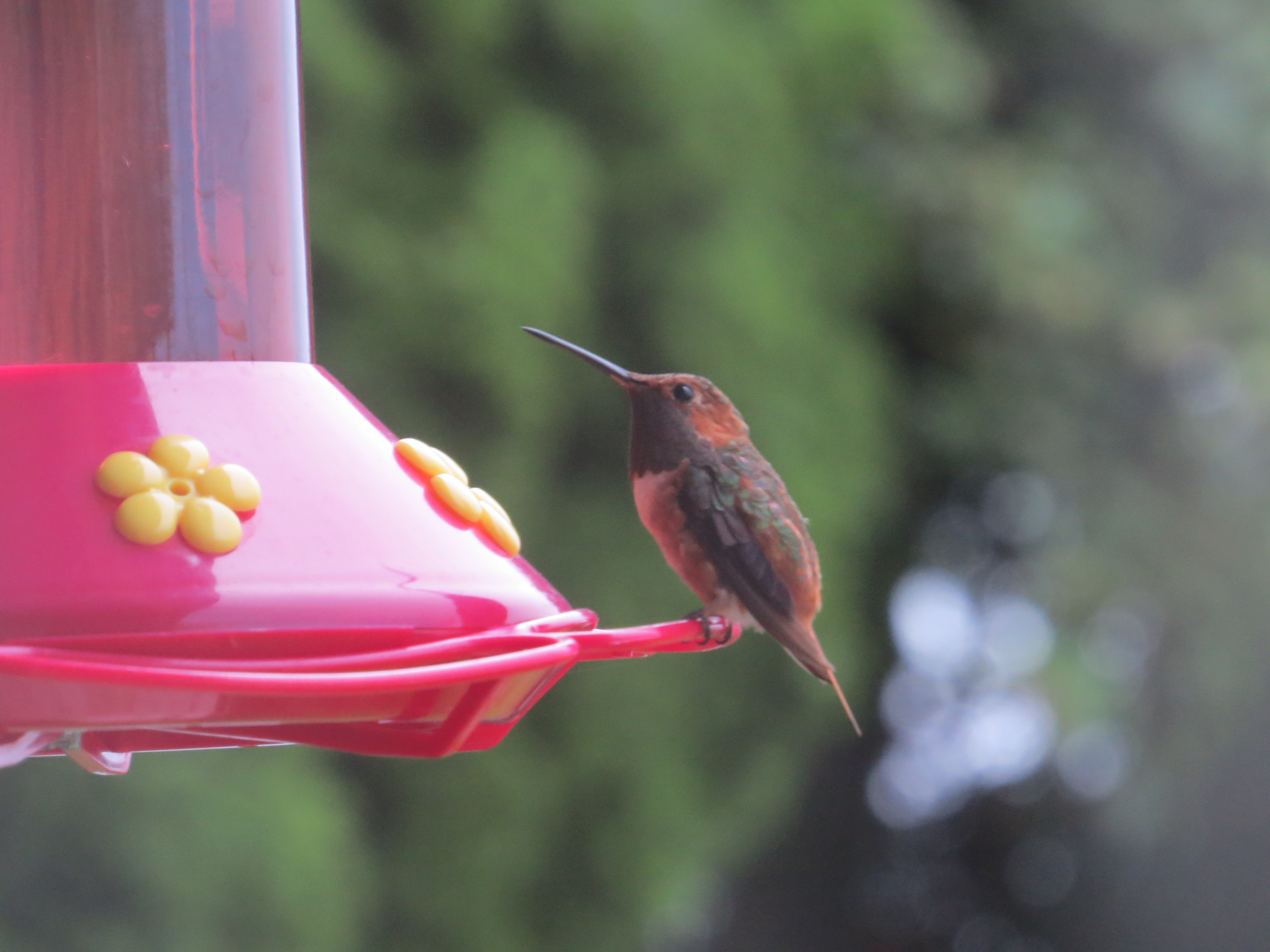
Fourth picture was taken through a different window, slightly forward-facing lighting. Also, please excuse the background...I'm doing some landscaping and have a tarp up. Anyway, this photo was taken at a sharp angle and two feet from the window with the hummingbird feeder as the target. Exposure was 5.6, 1/50, and ISO 800:
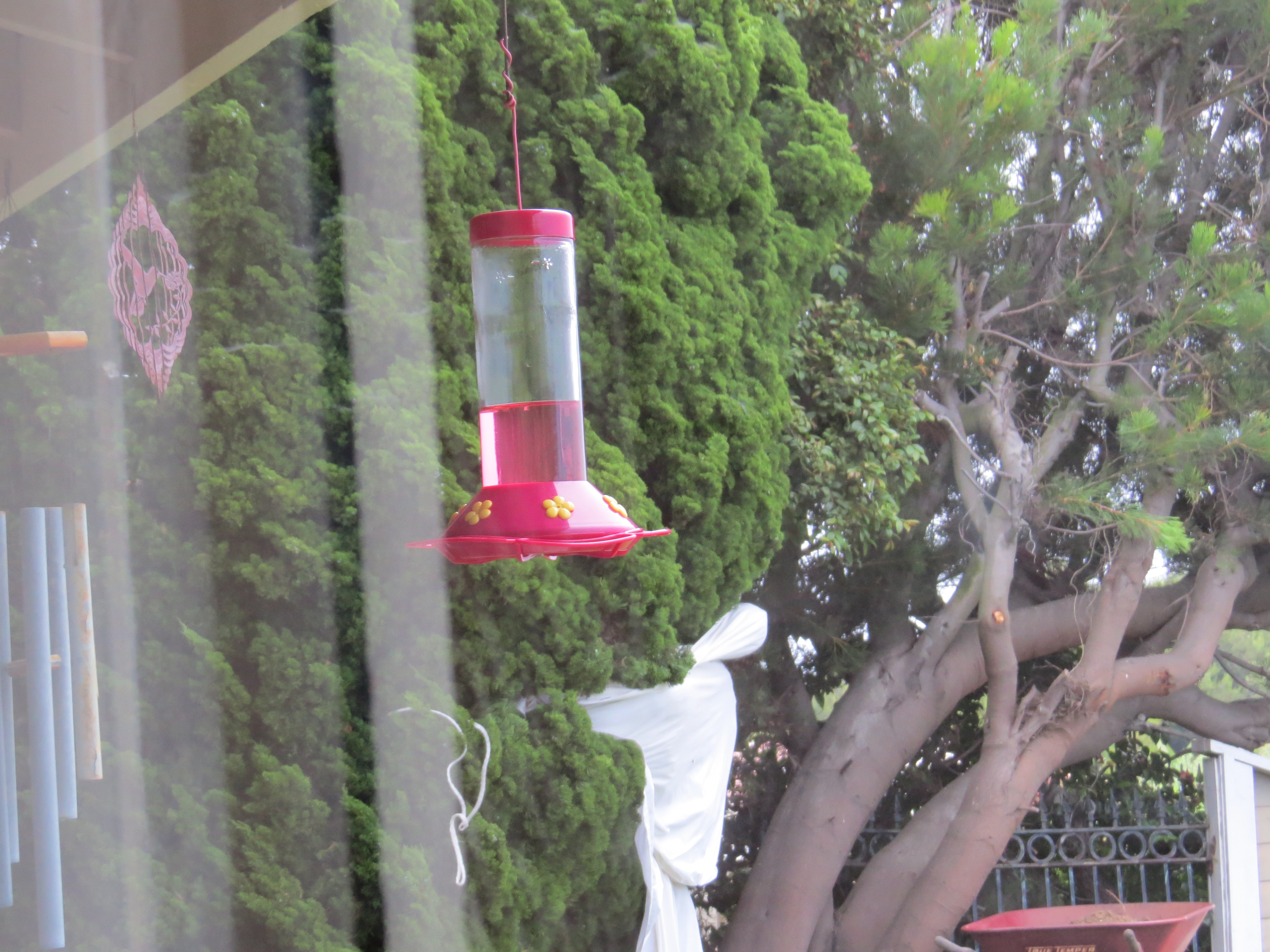
Last picture was standing up against the window and zooming at the feeder and bird. Exposure was F5, 1/50, and ISO 800. Some impressions of all these pics to follow in the next reply:
Options
- Mark as New
- Bookmark
- Subscribe
- Mute
- Subscribe to RSS Feed
- Permalink
- Report Inappropriate Content
07-07-2013 03:32 PM
Some impressions for you, Linda, from the shots I took above and what I learned.
First thing is I was amazed at how well Auto focus handled shooting through the window, but I still don't recommend it. If I were you and intent on shooting through a window I'd set up with a tripod if at all possible, and I'd pre-focus on your target area with manual focus so that your birds will have the best chance to be in focus. Another thing is like with any kind of photography, try to get the best lighting conditions if at all possible through your window, so try to have the sun "at your back" as it were and not coming straight down, on the sides, or in front of you.
I don't know what your setup is at home or just how intent you are at photographing these birds, but I'd say if you're intent then a summary would be to try and use a tripod, use manual focus and focus ahead of time, use a remote shutter release if you have one, shoot perpendicular to the window, get as close to the window as possible, and be aware of your lighting conditions. Hope some of the above helps you out.
Options
- Mark as New
- Bookmark
- Subscribe
- Mute
- Subscribe to RSS Feed
- Permalink
- Report Inappropriate Content
07-07-2013 04:16 PM
After seeing your message last night, I experimented today by moving between P, Tv, & Auto. Keeping the zoom at the same for comparison, they all pretty much matched. It was cloudier today & variable so it was not an exact test. They all ranged from 160-640 today as I choose brighter spots in the bushes as well as shadier spots. The more I zoomed, focusing on flowers further out, it seemed the ISO went higher. I will test this again on a sunny day. It is actually raining now.
Options
- Mark as New
- Bookmark
- Subscribe
- Mute
- Subscribe to RSS Feed
- Permalink
- Report Inappropriate Content
07-07-2013 04:43 PM
I have photographed birds through windows for years both with my Canon AE1Program film camera and my Kodak point & shoot. I agree that it is best to be straight on as possible and as close as possible. However, the auto focus is not hindered by the glass as best as I can tell. I have focused on birds 200' away with my point & shoot while standing inside my house. I used to live on the edge of a small lake.
I probably do need to learn how to use manual focus though. I have not gotten to that yet. Thank you for the suggestion.
Options
- Mark as New
- Bookmark
- Subscribe
- Mute
- Subscribe to RSS Feed
- Permalink
- Report Inappropriate Content
10-25-2013 10:03 AM
Hi LindaBirder,
I realise that this post stopped some four months ago...but I found it interesting because I am presently in the same predicament you were in at the time you were writing.
I'm afraid nothing's changed since then, and the only available interesting stuff regarding how to use the sx50 is still what was mentioned in your thread.
Anyhow, there one thing I wanted to share with you: I got my manual printed after coming across this website:
http://www.print-my-pdf.com. They did a brilliant job...which is why I gladly recommend them.
Ciao...and if you have managed to come across ant worthwhile video tutorials or whatever since June, I would appreciate it if you would kindly pass on.
Options
- Mark as New
- Bookmark
- Subscribe
- Mute
- Subscribe to RSS Feed
- Permalink
- Report Inappropriate Content
10-25-2013 04:33 PM
Joe,
This link references the SX40 but since it quite similar to the SX50 you might find it helpful?
http://fatdragon100.weebly.com/sx40-hs-tutorial-videos.html
Murry
Options
- Mark as New
- Bookmark
- Subscribe
- Mute
- Subscribe to RSS Feed
- Permalink
- Report Inappropriate Content
10-25-2013 08:57 PM
Thank you Joe for bringing me back to this forum. I am happy to see the link provided to you by murryg. I had never seen that and just watched the first 3. I would advise that you use the manual the get very familiar with all the buttons and their locations on the SX50 so that you can concentrate on what she is saying about what they do. You have those buttons on the SX50 but they have been moved all around and some even look different. When I get a little time, I will watch the rest of these to see what I might pick up. In general, I took the advice of eveyone who replied to my request and just got busy practicing by trial and error with lots & lots of error. Still, the one thing I have done that I still rely heavily on is that one tutorial I mentioned at the beginning that describes how to save settings to C1 & C2. Almost all of my photos are of birds or butterflies. So, I have C1 set for birds and C2 set for butterflies close up. If I can't get the butterflies close up, I use C1 and that works too. I stil have so much to learn. Good luck!
Options
- Mark as New
- Bookmark
- Subscribe
- Mute
- Subscribe to RSS Feed
- Permalink
- Report Inappropriate Content
10-25-2013 09:01 PM
Thank you Murryg for the link to the tutorials for the SX40. I think they will help me quite a bit when I get time to watch all of them. I checked out the 1st 3. Please let me know if you come across any that are specific to the SX50 although at least I know where my buttons are now & what they do.
I still have a lot to learn. For instance, I have never figured out how to manual focus.


Announcements
07/22/2026: New firmware updates are available.
EOS R6 Mark III - Version 1.1.0
05/13/2026: New firmware updates are available.
EOS R5 Mark II - Version 1.3.0
EOS R6 Mark II - Version 1.7.0
04/28/2026: Service Notice: Caution Concerning use of Lithium Batteries
03/17/2026: New firmware updates are available.
SELPHY CP1500 - Version 1.0.7.0
02/23/2026: New firmware update is available for EOS C50- Version 1.0.3.1
01/23/2026: New firmware update is available for RF 24-105mm F4 IS USM- Version 2.0.7
01/20/2026: New firmware updates are available.
10/21/2025: Service Notice: To Users of the Compact Digital Camera PowerShot V1
10/15/2025: New firmware updates are available.
Speedlite EL-5 - Version 1.2.0
Speedlite EL-1 - Version 1.1.0
Speedlite Transmitter ST-E10 - Version 1.2.0
07/28/2025: Notice of Free Repair Service for the Mirrorless Camera EOS R50 (Black)
05/21/2025: New firmware update available for EOS C500 Mark II - Version 1.1.5.1
Related Content
- Digital Photo Professional (DPP4) Features & Availability in Camera Software
- Powershot V1 Video Loss After Battery Dies DURING Recording in Point & Shoot Digital Cameras
- PowerShot SX50HS How to remove language options in Point & Shoot Digital Cameras
- How can I hook up the EOS registration tool from a powershot SX50HS? to a windows 11 pc. in Camera Software
- Software for PowerShot SX50HS in Camera Software

Ⓒ 2026
Canon U.S.A Inc. All Rights Reserved. Reproduction in whole or part without permission is prohibited.
